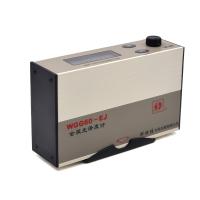
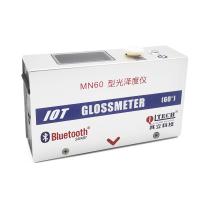
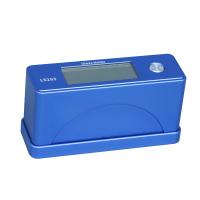
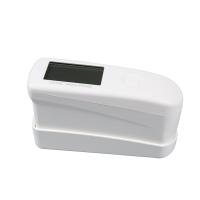
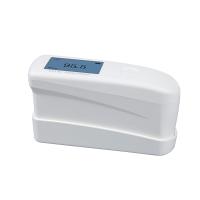
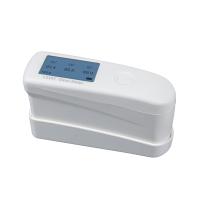
3NH Glossiness Meter operation application guide (HG268, HG60, HG60S)
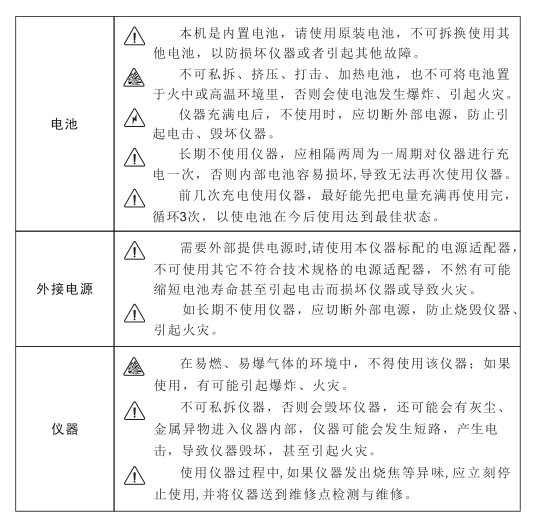
This instrument is a very safe device, but in order to ensure that you can use it correctly and safely, please read carefully and strictly abide by the following terms to avoid accidental injury or harm. Losses caused by not using the instrument in accordance with the operation guidelines of this manual are not within the scope of the company's responsibility.
overview
Gloss meter is a product developed by 3NH with independent intellectual property rights, which is based on international standardsGloss measuring instrument designed and manufactured by ISO2813 and Chinese national standard GB/T9754. It is a gloss meter with a 3.5-inch large screen display, which has the characteristics of easy use, stable performance and accurate measurement.
The operating instructions are suitable for 3nh use and models include: HG268/HG60/HG60S
This instrument has the following advantages:
(1) 3.5-inch large color screen, high-resolution (480*320) full-view display;
(2) Comply with standard ISO2813, GB/T9754, ASTMD523, ASTMD2457;
(3) Concise, atmospheric appearance design and ergonomic structural design are well combined;
(4) Three measuring angles (20°60°85°), which can be measured at the same time; (Note: Except for single-angle instruments) (5) The PC quality management software has a powerful expansion function; (Note: Except for some models)
(6) Flexible choice of automatic calibration at start-up, simple and convenient operation;
(7) Multiple sets of measurement data are displayed at the same time for easy comparison;
(8) High hardware configuration, integrating a number of innovative technologies;
(9) Built-in rechargeable battery;
(10) Automatic shutdown function to save power consumption.
Precautions
(1) This instrument is a precision measuring instrument, and when measuring, drastic changes in the external environment of the instrument should be avoided.For example, the flickering of ambient light, rapid changes in temperature and humidity should be avoided during measurement.
(2) When measuring, the instrument should be kept stable, the measuring port should be close to the measured object, and shaking and displacement should be avoided;This instrument is not waterproof and should not be used in high humidity environments or water mist.
(3) Keep the instrument clean and tidy, and avoid liquid, powder or solid foreign bodies such as water and dust from entering the measurement caliberInside the instrument, the impact and collision of the instrument should be avoided.
(4) After the instrument is used, it should be shut down, and the instrument and standard board should be put into the instrument box and stored properly.
(5) The instrument should be stored in a dry and cool environment.
(6) The user shall not make any unauthorized changes to this instrument. Any unauthorized changes may be affectedThe accuracy of the instrument can be irreversibly damaged.
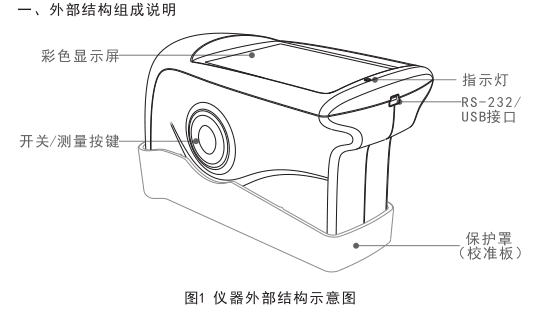
Color display: Displays the measurement data.
Switch/Measure button: press and hold for 3 seconds to power on or off; Short press to measure.
Indicator: The green light is on when the boot is on, and the boot light is off when the boot is completed; Signal red light warning when the battery is low; The red light is always on during charging,The green light stays on when fully charged.
RS-232/USB interface: This interface is a common interface, and the instrument automatically judges the connection. The USB port is used to connect with a PCConnected to communication, RS-232 interface is used to connect to the printer; Connect the USB cable to the power adapterand PC computer, plugged into the instrument can be charged to the instrument (specifications of external power adapterfor 5V2A).
Protective cover (calibration plate): a protective cover for measuring the aperture; Built-in calibration plate for instrument calibration.
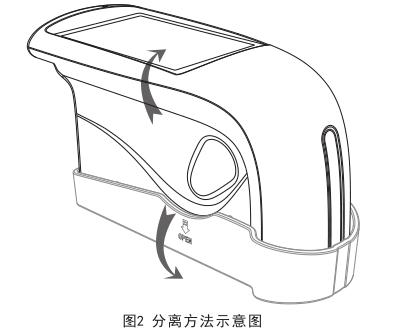
Note: The method of separating the protective cover (calibration plate) from the main unit, as shown in the arrow in Figure 2, hold the main unit in one hand and the protective cover in the other, and use the thumb holding the protective cover to buckle in the recess with the word OPEN printed on the silk screen, and gently press it to open. Only one side, left or right side can be buckled, and it is difficult to buckle both sides at the same time.
2. Operating instructions
2.1 Power on/off
Press and hold the "Switch/Measure Button" for 3 seconds to turn on the machine, the indicator will light up and display the Logo interface, wait for a whileAfter seconds, the instrument will automatically enter the measurement interface, as shown in Figure 3. After powering on, press and hold the "Switch/Measure Button" again for 3 seconds to power off.If the instrument is not operated within 5 minutes, the instrument will enter the screen off state; The instrument is not aligned within 1 minute after the screen is turned offto operate, the instrument will automatically shut down.

2.2 Calibration
Automatic Calibration Instructions:
This instrument has the function of automatic calibration at start-up, but in order to make it more convenient and flexible to use the instrument, it is designed to be optionalChoose whether to turn on the automatic calibration function. That is, when the last shutdown was a manual shutdown, the next boot will be automatically calibrated; When the last power off is 5 minutes after the screen is turned off, it will not be automatically calibrated the next time it is turned on.
When the environment in which the instrument is used changes (such as drastic changes in temperature, altitude, humidity, etc.), the instrumentBe sure to calibrate. To ensure accurate calibration, use the standard plate supplied by the factory. The dust on the standard board will affect the calibration effect, before calibration, please wipe the working surface of the standard board with a wiping cloth to confirm that the working surface is clean. The standard board is a precision optical component, which should be avoided from exposure to light and should be properly stored. Due to environmental factors, the photometric data of the standard can change over time. Therefore, we recommend that you regularly return the standard board to the original factory or a qualified metrology institute for calibration testing (preferably once a year).
Note:
1. The calibration plate that each instrument has, such as using other calibration plates or other objects as calibration plates, that isSo that by calibration, the measurement is also inaccurate. Therefore, before calibration, you should check the SN code of the instrument and the SN code of the calibration boardNo, there are SN code labels on the host and calibration board box, or the SN code of the instrument can be viewed through the host computer.
2. Before calibration, please make sure that the instrument and the calibration plate box are clamped tightly, otherwise the calibration will not pass.
Modify the calibration value description:Instrument calibration and modification of instrument calibration values can be realized through the host computer software.
Note:
Carefully operate the function of modifying the calibration value, which is better operated by the original manufacturer or a qualified metrology research institute, onlyWhen the actual parameters of the standard board are inconsistent with the calibration parameters, they are repaired according to the actual parameters of the measurement standard boardChange! Before modifying the standard value, we recommend that you back up the original standard value.
2.3 Measurements
The measurement mode of this model is the basic mode.
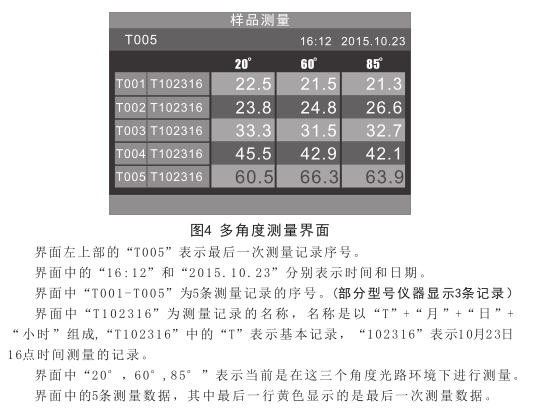
The basic mode is the sample measurement mode, which directly displays the gloss measurement value, which is a single measurement, one for each measurementSave a record each time (some models do not have a storage function). Multiple sets of measurement data can be displayed at the same time.A single-angle instrument can only measure at a 60° angle, as shown in Figure 3; Multi-angle instruments can be carried out at 20°,The measurement of 60° and 85° is shown in Figure 4, and you can also choose single, double and multi-angle measurement through the software settings of the upper computer, please refer to the user manual of the upper computer software for details.
2.4 Data Retention
The instrument automatically saves the measurement record data by default at the factory, and the data can not be saved through the host computer setting.
The instrument can save 1000 measurement record data, when the storage of 1000 data will be prompted, such as continuingIn the case of measurements, the last piece of data is overwritten for each measurement. The data can be deleted or other management operations can be carried out through the host computer software.
Note: This feature is not present on some models.
2.5 Communication with PC
The instrument needs to be turned on first, and then plugged in the USB cable to connect to the PC, at this time the instrument can be charged or automatically connected to the host computerpieces, the gloss meter can be measured and controlled by the host computer software. (The premise is that the host computer software is correctly installed on the PC, and the host computer software and installation instructions are included in the attached CD)
Note: This feature is not present on some models.
2.6 Printing
The gloss meter is connected to a dedicated micro printer, and the measurement data can be automatically printed during measurement.
3. Description of the expansion of some functions of the upper computer software
After connecting the instrument with the host computer software, the host computer can perform the following operations on the instrument
(1) Query status; (Basic information of the instrument, such as instrument model, instrument SN code, etc.)
(2) Perform calibration;
(3) Modify the calibration value; (Operate with caution, it is better to be operated by the manufacturer or a qualified metrology research institute)
(4) Measurement;
(5) data management; (View Records, Delete Records, Export Records, Print Reports)
(6) Set the time and date;
(7) Set the language;
(8) The multi-angle instrument realizes the angle selection through the host computer;
(9) Set the measurement to automatically save the record or not.
Note: 1. For specific operations, please refer to the user manual of the upper computer software; 2. Some models of instruments do not have this function.
Fourth, the daily maintenance and maintenance of the instrument
(1) This instrument is a precision optical instrument, please keep and use the instrument properly, and avoid moisture and strong electromagnetism
Use and store the instrument in an environment with interference, strong light, and dust. It is recommended to use and store the instrument in a standard laboratory environment (temperature 20 degrees Celsius, 1 standard atmosphere, humidity 50~70%RH).
(2) The standard plate is a precision optical element, which should be properly kept and used, and avoid bumping the working surface with sharp objectsAvoid staining the working surface with dirt and avoid exposing the standard board to strong light. Regularly clean the working surface of the standard board with a soft cloth dipped in alcohol, preferably only in one direction, not back and forth, and make sure that there are no fine particles in the cloth. These particles can damage the surface of the standard plate when cleaned. Acetone solvents are prohibited! When calibrating, the dust on the working surface should be disposed of first, and the standard version with a good and clean condition can be accurately calibrated.
(3) In order to ensure the validity of the test data, it is recommended that the gloss meter instrument and standard board be used for one year.It is necessary to go to the manufacturer or a qualified metrology research institute for measurement inspection.
(4) If there is a deviation between the calibration value of the standard board and the actual test data, the standard value needs to be modifiedPlease see section 2.2 Calibration.
(5) This instrument is powered by a built-in lithium battery, if the instrument is not used for a long time, please place it in a dry and regular placeIn a warm environment, the instrument should be charged every 2 weeks to protect the performance of the lithium battery and prolong the life of the lithium battery.
(6) The cleaning of the optical objects inside the instrument can only be completed by our after-sales service department, and it is recommended to do it once a yearClean. Do not use cleaning tools to insert into the instrument for cleaning, which will cause irreversible damage to the instrument.
- 1Principle and Application of Glossiness Tester
- 2Working Principle and Application of Metal Gloss Meter
- 3Basic principle and application analysis of insulating paint gloss Detector
- 4Working principle and application analysis of film Glossmeter
- 5Principle and application analysis of microporous gloss meter
- 6 FZ/T 01097 Analysis of fabric gloss test method
- 7Evaluation and Application of Optical Properties of Powder coatings
- 8Coating coatings - Determination of surface gloss and Gloss meter
- 9The Importance and Method of Gloss Measurement of Paint Film