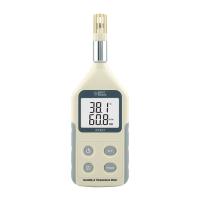
Humidity Measurement Instrument operating instructions
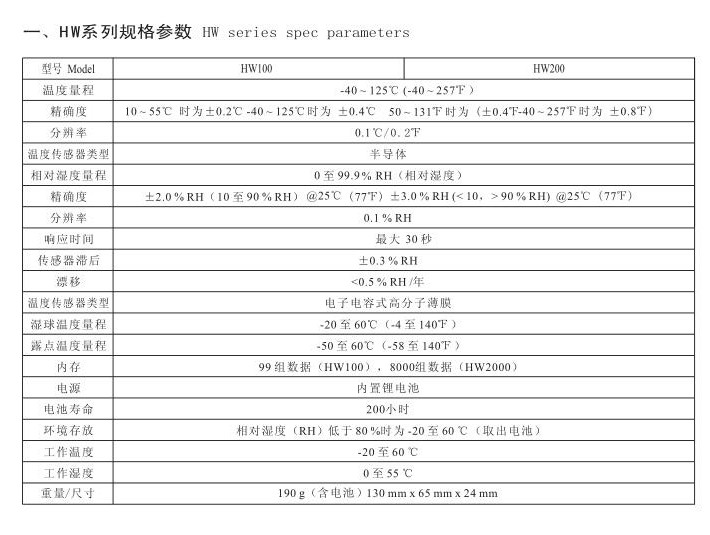
1. Specification parameters of HW series
4. Safety precautions
(1) Please read this manual carefully before use, as wrong operation may damage the machine or cause serious accidents;
(2) The temperature and humidity sensor is a vulnerable component. When using it, handle it with care and operate with caution;
5. Tips for use
(1) Do not use sharp tools instead of fingers to operate keys.
(2) This instrument can only be used as a temperature and humidity meter.
(3) Do not use the instrument where water, oil or other liquids are splashed, and store the instrument in a cool, dry place without vibration.
(4) Do not use the Torque Tester where water, oil or other liquids are splashed, and store the Torque Tester in a cool, dry place without vibration.
(5) Please use the matching charger to charge. The red light is on when charging, and the battery is fully charged when the green light is on. It can be charged at the same time during use. Normal charging takes about 4 hours.
(6) Please do not insert or pull out the charger plug with wet hands to prevent electric shock.
6. Main functions
The HW series digital display temperature and humidity meter is a portable temperature and humidity test instrument. It is a high-precision universal instrument used to test humidity and temperature. Compensation and non-linear correction to ensure the accuracy and stability of test results. It has the characteristics of small size, light weight, easy to carry, multi-function, high precision, etc. It is suitable for temperature and humidity measurement and recording in various places.
7. Main features
◆High precision, high resolution, high stability;
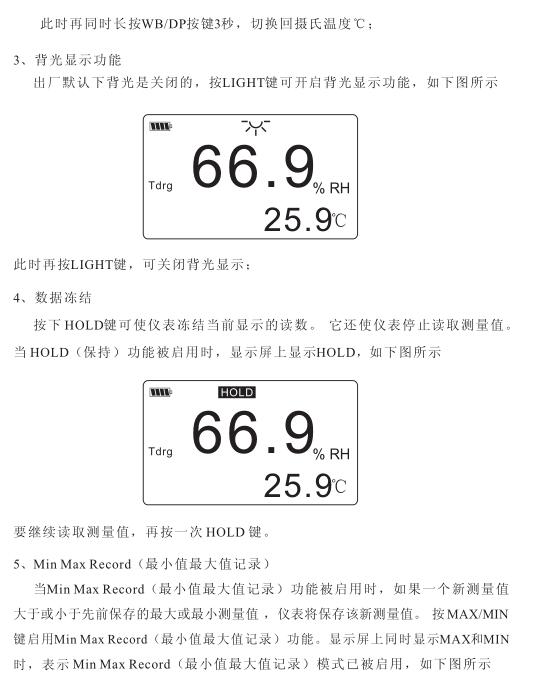
◆Dot matrix liquid crystal display, white backlight screen;
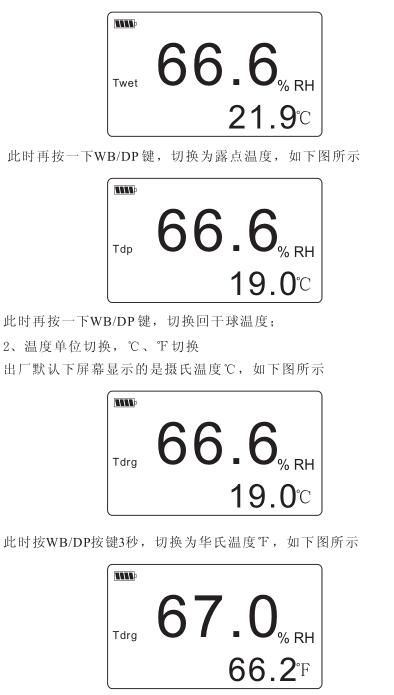
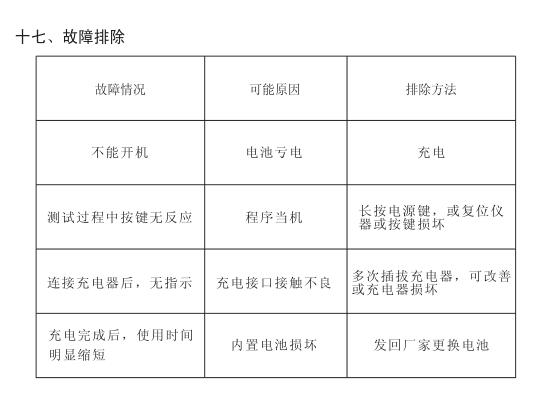
◆Two units, ℃ and ℉ can be switched freely, and automatically memorized after shutdown;
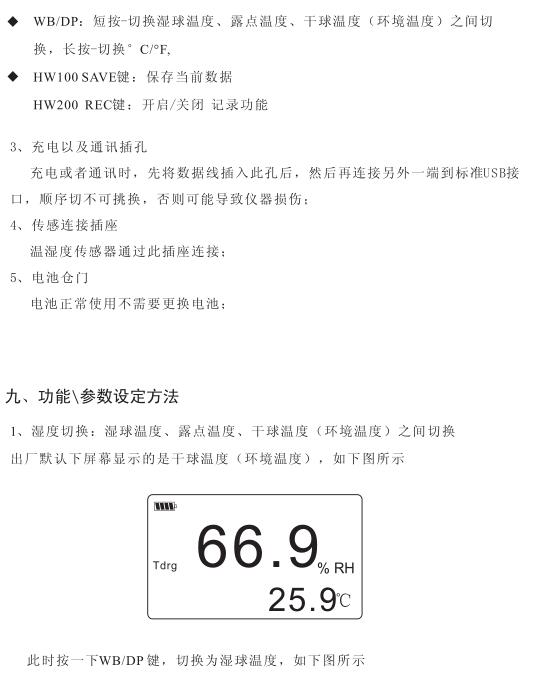
◆Three kinds of temperature, free between wet bulb temperature, dew point temperature and dry bulb temperature (ambient temperature)
Switching, automatic memory after shutdown;
◆MinMaxRecord (minimum maximum value record);
◆APO function of automatic shutdown without operation (10 minutes);
◆Data manual saving and calling; (HW100)
◆The data is automatically saved and recalled, and the collection interval can be set; (HW200)
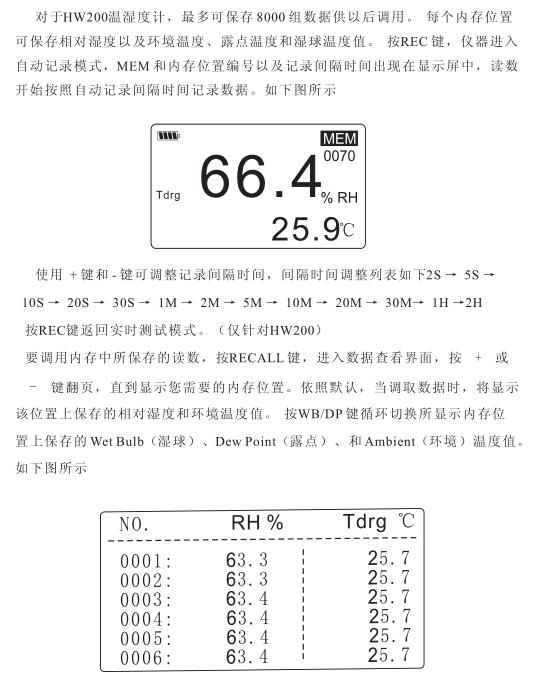
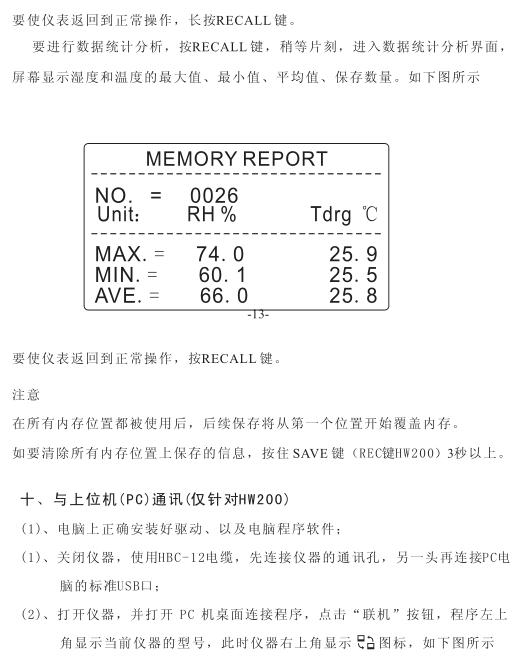
◆Store 99/8000 sets of test data, and automatically calculate the average value, maximum value and minimum value of the stored data;
◆USB connection function, charging and communication;
◆Connect to the upper computer to read, store, analyze and print real-time data. (HW200) 8. Names and functions of each component
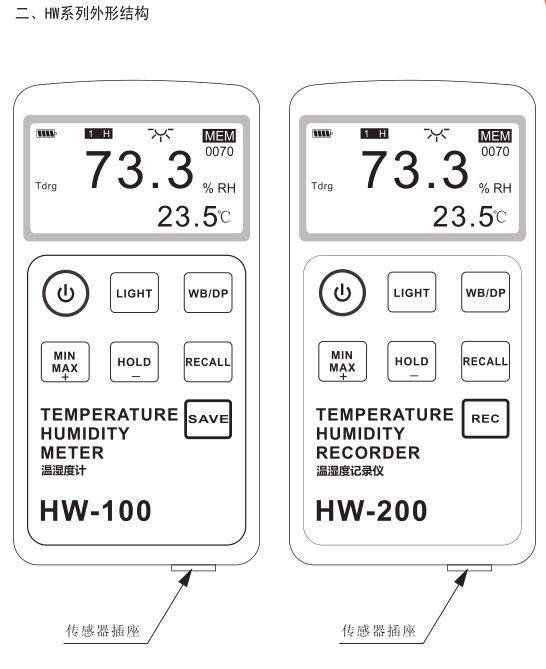
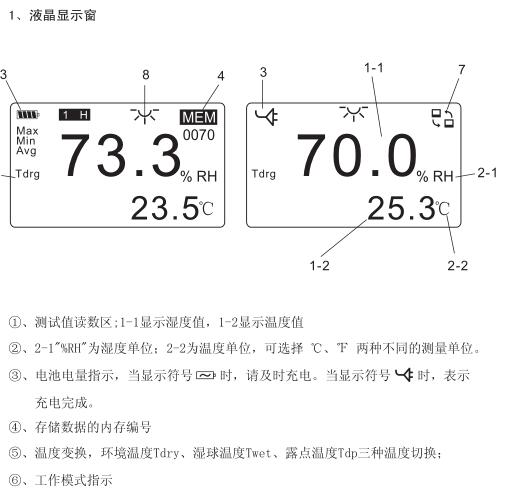
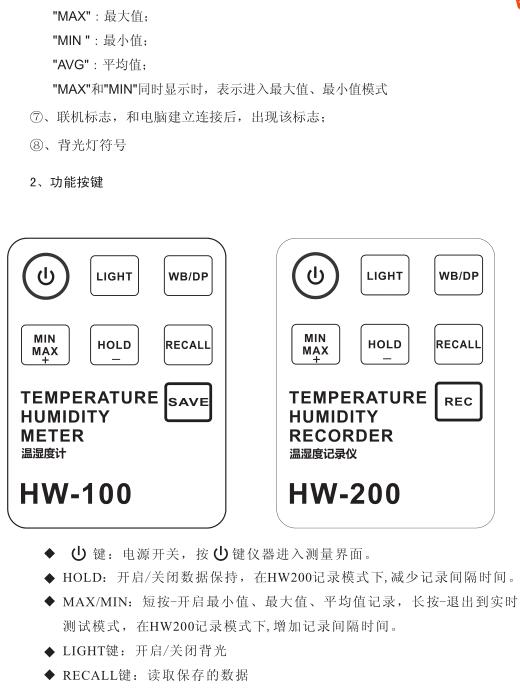
8. The name and function of each component
The name of the structure of the temperature and humidity meter (see the figure on page 3)


- 1Temperature and humidity testing in the pharmaceutical industry
- 2What are the measurement methods of temperature and humidity?
- 3Small climate monitoring-U23-001 outdoor temperature and humidity Recorder
- 4Painting environment - Determination of temperature and humidity
- 5Application of temperature and humidity standards for condition regulation and testing of Coating specimens
- 6Humidity measurement
- 7Painting Environmental temperature and Humidity
- 8Coating corrosion resistance inspection -- humidity cabinet test
- 9Film performance measurement -- humidity cabinet test
-
![CIMA AS817 Mini Thermohygrometer]() CIMA AS817 Mini Thermohygrometer$ 84.00
CIMA AS817 Mini Thermohygrometer$ 84.00 -
![SMART SENSOR AR837 Digital Thermohygrometer -10 ℃~ 50 ℃]()