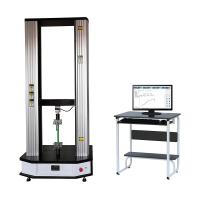
Modern environment electronic universal testing machine operating instructions
Preparation process:
Reliable grounding of the testing machine
Check whether the sensor meets the test requirements, whether the sensor needs to be replaced, and avoid damage to the sensor due to excessive test force
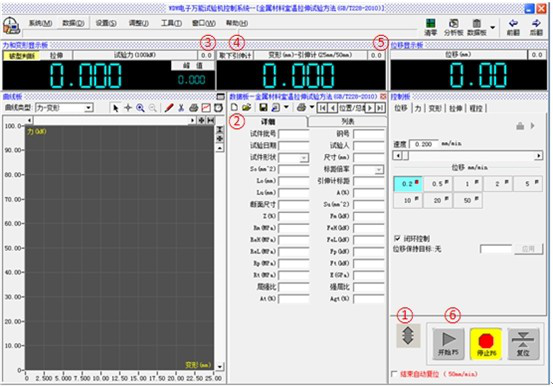
Turn on the computer, run the MaxTest software, switch to the moving beam interface (marked as ① in the figure), turn on the main power of the testing machine, select a speed of 10mm/min, and click the software to rise and fall. Confirm that the testing machine is normal
Experimental procedure:
Create new sample information (marked as ② in the figure)
The test force is reset to zero (as shown in the figure ③), ready to start the test
Adjust the test bench to a convenient clamping or bending test position by clicking up and down, and install the test piece
If you use an extensometer, make sure the button of "Remove Extensometer" (as shown in the figure ④) pops up, please clamp the extensometer, and reset the deformation (as shown in the mark ⑤)
Set the loading rate according to the test requirements of the relevant industry, click the MaxTest test start button (as shown in the figure ⑥), and immediately remove the extensometer after yielding
After the test is over, remove the test piece and clean the residue of the test piece
Continue to test and repeat the above test process