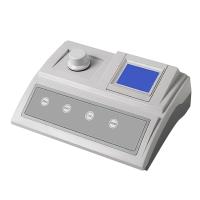
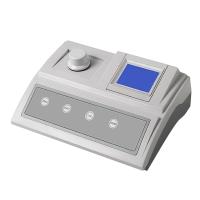
AQ3070 Portable Residual Chlorine and Total Chlorine Colorimeter Description
Free Chlorine and Total Chlorine
Residual chlorine reagent AC4P71 and total chlorine reagent AC4P72 comply with EPA's regulations on the measurement of chlorine in drinking water and wastewater, and can also be used to measure chlorine in samples such as aqueous solution, treated water, seawater, and natural water.
Note: EPA method range is 0-2mg/LCl2.
Free and Total Chlorine Measurement Procedures
1. Press the ON/OFF key to turn on the machine.
2. Press the MODE key to select the residual chlorine measurement mode [CL-F] or the total chlorine measurement mode [CL-T].
3. Press the READ/ENTER key to confirm the mode, and the measuring instrument will display [STbY], indicating that it has entered the standby mode and is waiting for measurement or zero point.

4. Choose a clean dry sample bottle, open the cap, add the sample to the mark, and tighten the cap.
5. Make sure that the outside of the vial is clean, dry and free of any fingerprints. Place the vial in the sample well, aligning the triangle mark on the vial with the triangle mark on the sample well. Depress the vial all the way to the bottom.
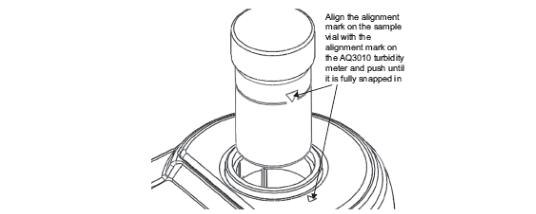
6. Press the ZERO key to enter the zero point of the instrument. The meter will display [ZERo] and then turn to 0.00. NOTE: The meter will store the last zero value unless turned off or powered off.

7. Take out the sample bottle and add residual chlorine reagent AC4P71 or total chlorine reagent AC4P72. 8. Tighten the cap of the sample bottle. Shake gently for 20 seconds to dissolve the powder reagent.
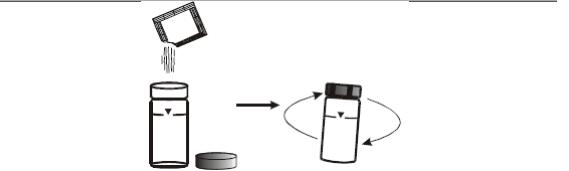
9. Put the sample bottle into the sample well, aligning the triangle mark on the sample bottle with the triangle mark on the sample well. Depress the vial all the way to the bottom.
10. After adding the residual chlorine reagent, press the READ/ENTER key to measure as soon as possible.
11. After adding the total chlorine reagent, wait for 2 minutes, and press the READ/ENTER key to measure within 4 minutes.
12. When measuring, the instrument screen will flash [CL-F] or [CL-T], and then display the chlorine concentration value in mg/L.
Precautions for Free and Total Chlorine Measurements
Sample Collection
• Chlorine needs to be measured as soon as possible after sample collection or results will be low.
• Do not use plastic containers when collecting samples to avoid low results. It is recommended to rinse the container with the sample .
•Avoid shaking the sample excessively resulting in lower measurement results. It is better to shake gently to dissolve the reagent.
sample measurement
• If the sample turns pink and then fades, the sample has high levels of chlorine. Dilute the sample and re-measure, multiply the displayed result by the dilution factor. However, the results obtained are not precise due to chlorine loss during dilution.
Example: If the sample is diluted 1:1 with deionized water, the sample concentration is the displayed value multiplied by 2.
• After use, wash the bottle effectively to avoid contamination of the next sample. Do not use household cleaners as this will result in lower measurements.
•After measuring the total chlorine, please effectively clean the residual reagent in the sample bottle, so as not to affect the next residual chlorine measurement . It is recommended to use 2 sample vials to measure free chlorine and total chlorine respectively.
- 1Application of residual chlorine Detector in canned food factory
同奥科技
- 2Residual chlorine, total chlorine reagent simple operation process
同奥科技
- 3Basic principle and application of residual chlorine meter in waterworks
- 4Application of Water Quality Analyzer in Swimming Pool Water Quality Detection
- 5OLILONG AQ2070 Residual Chlorine Colorimeter Operating Instructions