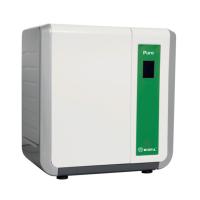
Introduction of man-machine interface of Aikepu ultra-pure water machine
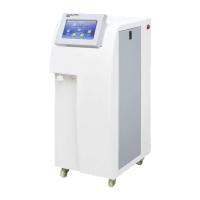
Among the Aquapro series ultra-pure water machines, Aquapro3 and Aquapro2S ultra-pure water machines both use a microcomputer chip automatic control system. The touch-sensitive LCD screen is used as the interactive operation interface between the user and the equipment to realize the automatic operation of the ultra-pure water machine, water intake, information query, system setting, system maintenance and other functions. Allowing users to operate the ultrapure water machine as quickly and conveniently as operating a smartphone. Today we will take a look at the operation screen, functions and operation methods of the intelligent system of Aikepu ultrapure water machine.
1. Automatic water making function of the system
After the ultrapure water machine is installed correctly, turn on the power switch of the system, and the system will enter the state of automatic detection of raw water conditions to ensure that the system is used under normal operating conditions and provide basic data for subsequent operating parameters. The interface is as shown in the figure:

After the detection of the raw water condition is completed, if there is no abnormality, the system enters the state of automatic water generation. During the water generation process, the screen can intuitively and vividly reflect the change of the water volume in the Water Tank and the actual water storage capacity in the Water Tank.

If there is an abnormality in the raw water condition detection process, such as insufficient raw water pressure or no water, the system will stop at the raw water pressure detection, the interface will stop at Figure 1, and an alarm will sound.
2. Water intake function
The available water provided by Aquapro3 and Aquapro2S ultrapure water systems is tertiary water and ultrapure water. There are two ways of water intake: immediate water intake and quantitative water intake for users to choose. Taking ultrapure water intake as an example, the relevant functions of the water intake part are introduced.
1. Immediate use of ultrapure water: to meet the needs of users to take water at any time
Click "Ultrapure Water" in the main menu to enter the "Ultrapure Water Cycle" screen. The system enters the automatic circulation state, and when the water quality is reached, click "Take it now" to get the water.

During the water intake process, the screen will display the water quality, temperature, water flow rate, total water intake and the water stored in the pure Water Tank.

2. Quantitative use of ultrapure water: to meet the needs of users who need to set the amount of water to be taken
Click "Quantitative Use" on the ultrapure water circulation screen to enter the "Water Volume Setting Screen". In this screen, the water intake can be set arbitrarily within the range of 0.01-999.9L, and the water intake accuracy can reach 2ml. Click to enter the ultra-pure water quantitative intake screen, where one-time or multiple ultra-pure water can be used for the set volume of ultra-pure water.


- 1How to clean the laboratory water purifier?
- 2What are the criteria for selecting laboratory purified water equipment?
- 3Ultra-pure water machine - triple filter element replacement method
- 4What should I do if the solenoid valve of the experimental ultra-pure water machine encounters these failures?
- 5Detailed purchase method of laboratory ultra-pure water machine [dry goods]
- 6What is the difference between "water intake flow" and "water intake flow rate" in laboratory ultrapure water machines?
- 7How to choose the right high-quality experimental ultra-pure water machine?
- 8 Why do you need to replace the consumables of the ultra-pure water machine regularly?
- 9What is the difference between ordinary pure water machine and physical and chemical biological experiment ultra-pure water machine?