Remote monitoring of dew point instrument under environment conditions
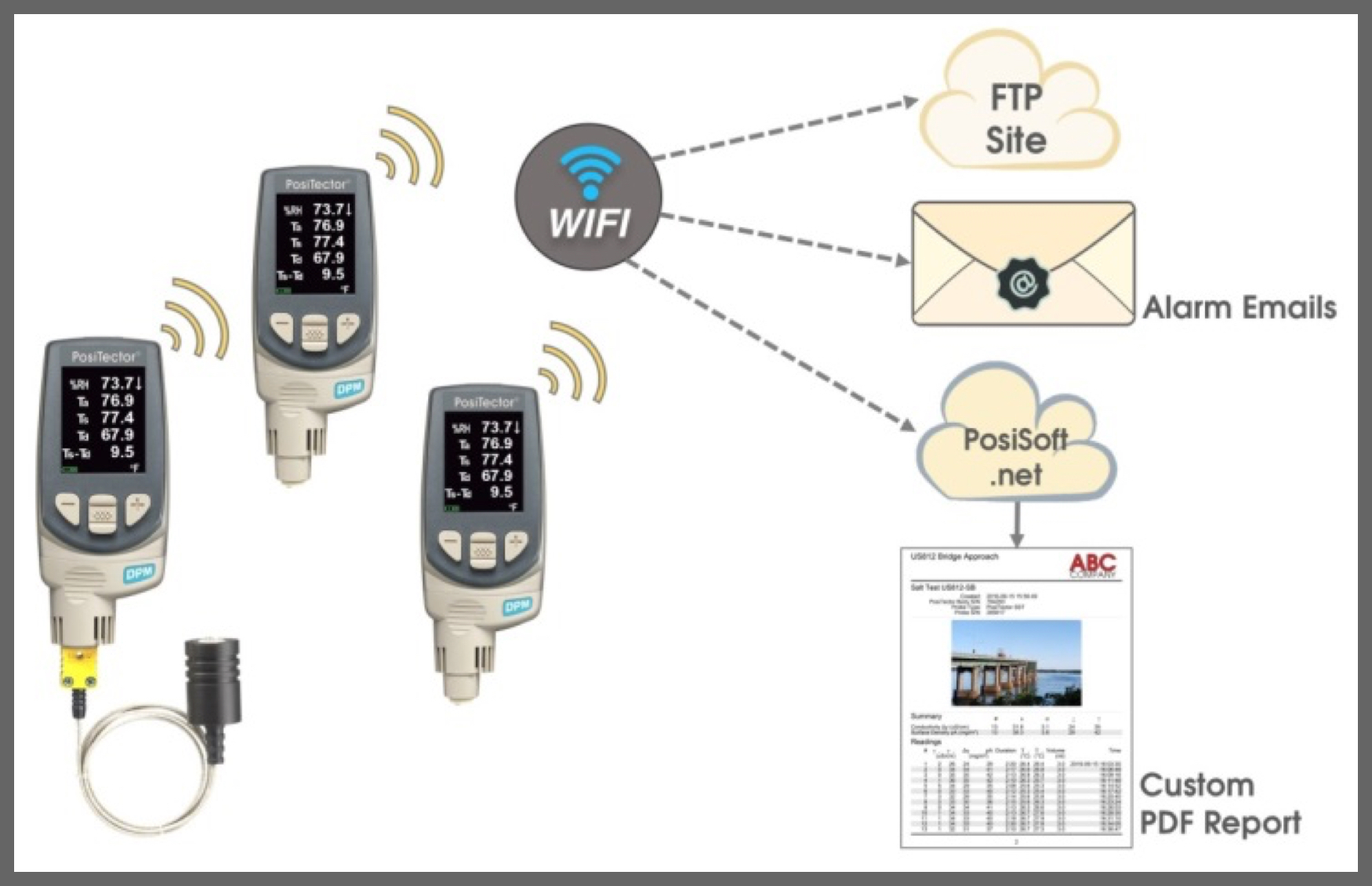
The Defelsko positector DPM is the ideal tool for on-site measurement of environmental parameters, paint shops, or manufacturing floors. In addition to its use as a handheld instrument, the innovative auto-login function can also be used for:
Monitor and record climate conditions over time Cloud based on data uploaded from posisoft.net website* After each measurement Send email alerts when readings exceed predefined parameters* Upload data to FTP server, integrate with third-party software *Internet connection required
Interpretation of the environment from multiple perspectives positector DPMBe in different areas of a construction site or plant, from any internet browser using the cloud-based posisoft.net website. Interpret from the entire site or world view! - positector DPM
control your process The place, positector DPM in critical areas and receive email alerts when conditions are out of specification and more!
How to enable remote monitoring
connect positector DPMprofessional wireless network Options for configuring your remote monitoring features: Simultaneously recorded measurements posisoft.netLogin to FTP server to transfer measurements User-defined parameters other than login criteria when sending email alert notifications
Step 1: Connect to positector professional WiFi network
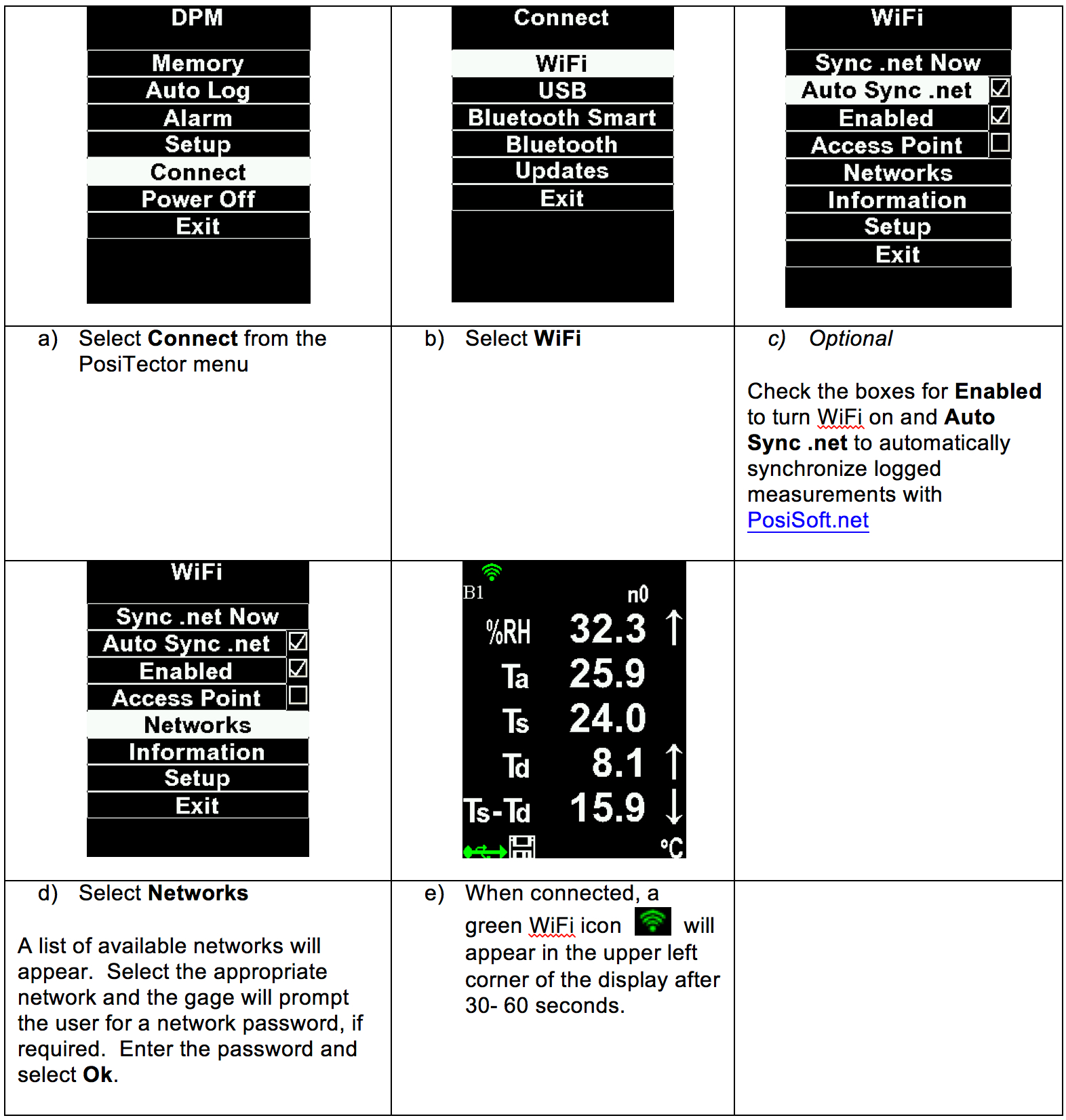
Step 2: Enable automatic login
notes
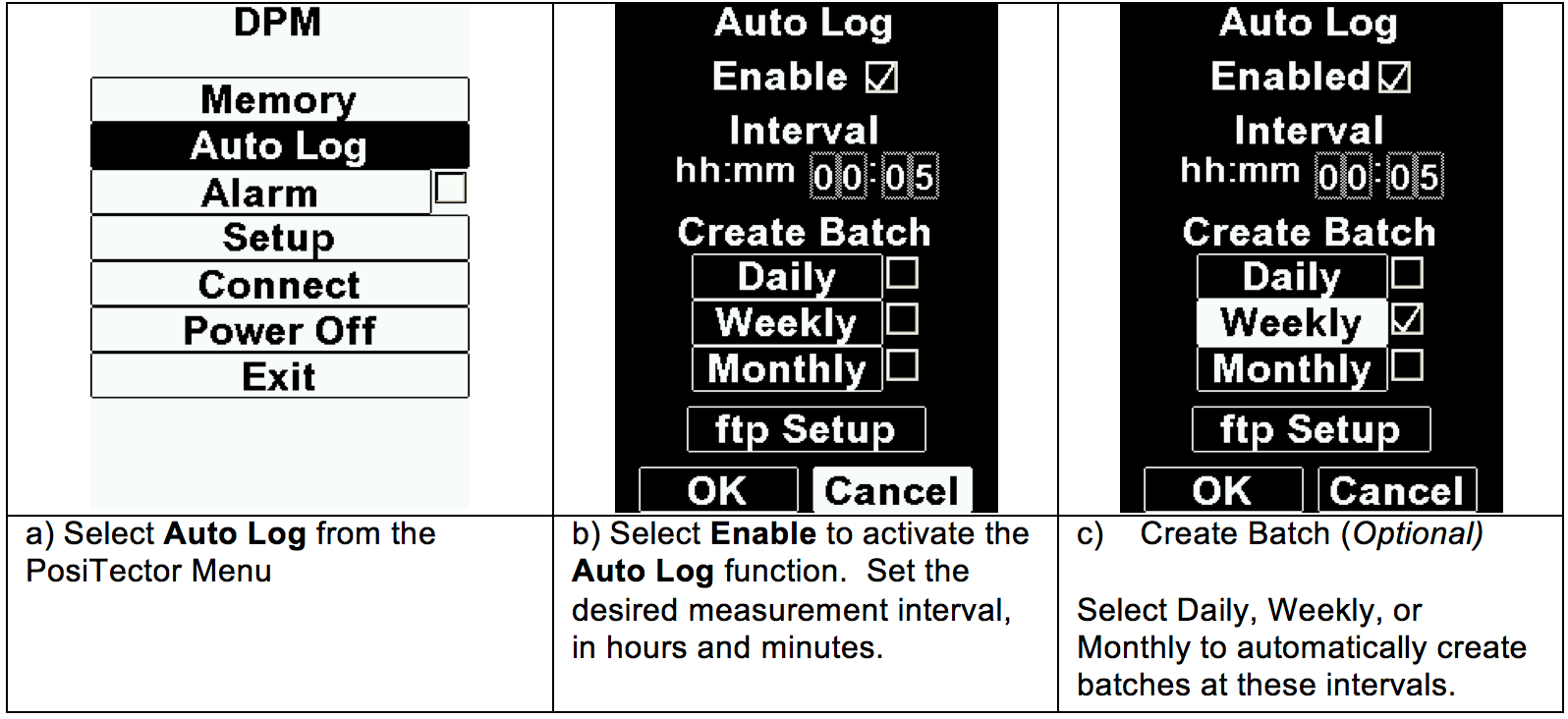
Step 3a: Simultaneously record measurements on posisoft.net
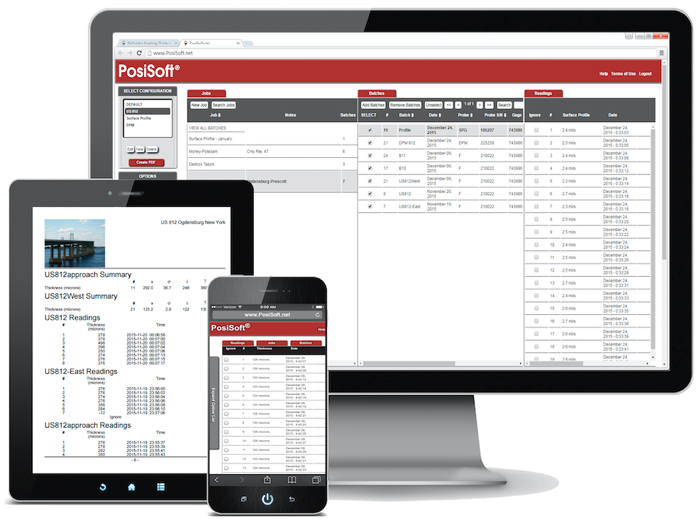
posisoft.net is a web-based application offering secure centralized management of positector
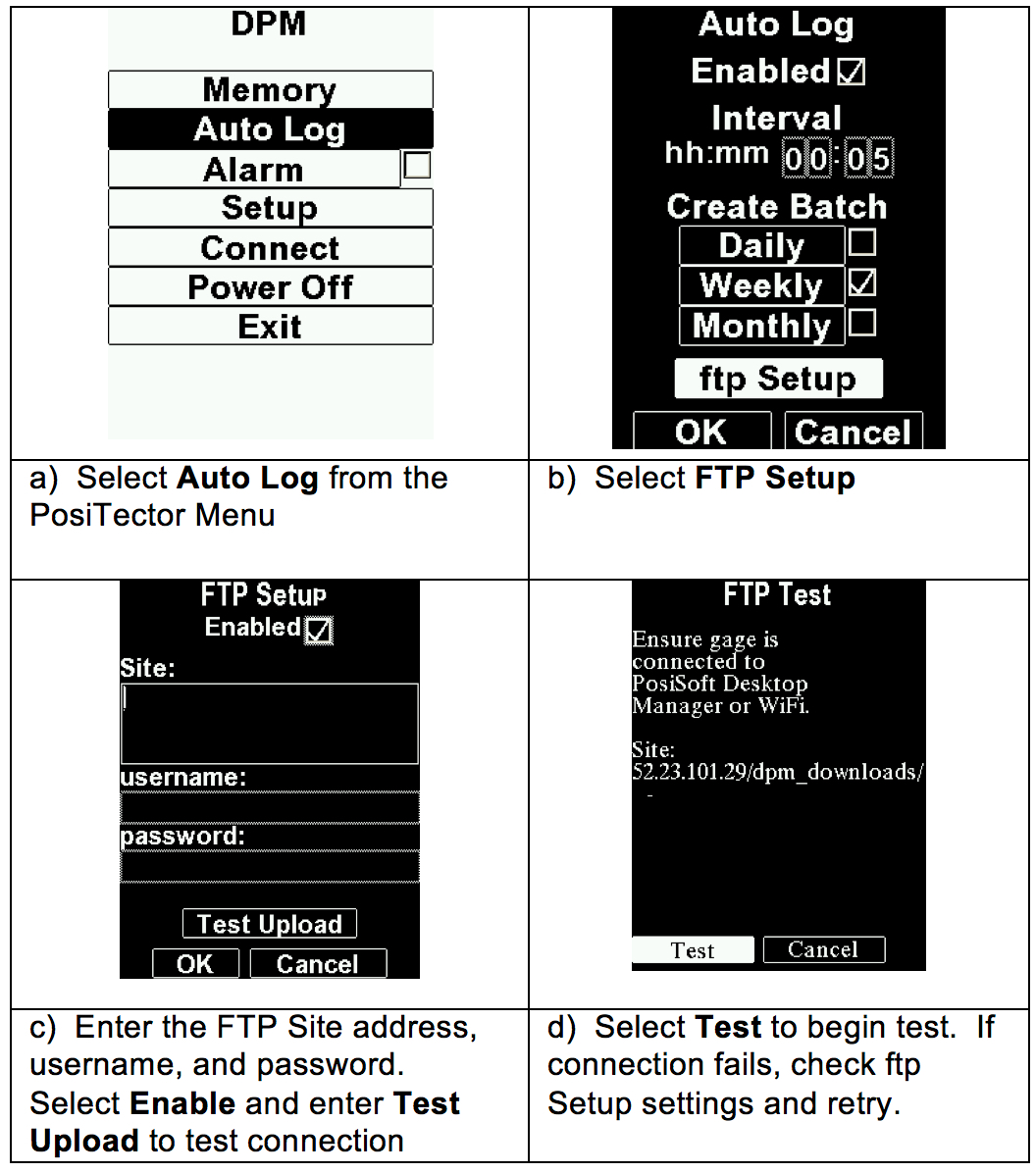
Step 3: FTP Setup (Optional) Transferring Measurements to an FTP Site
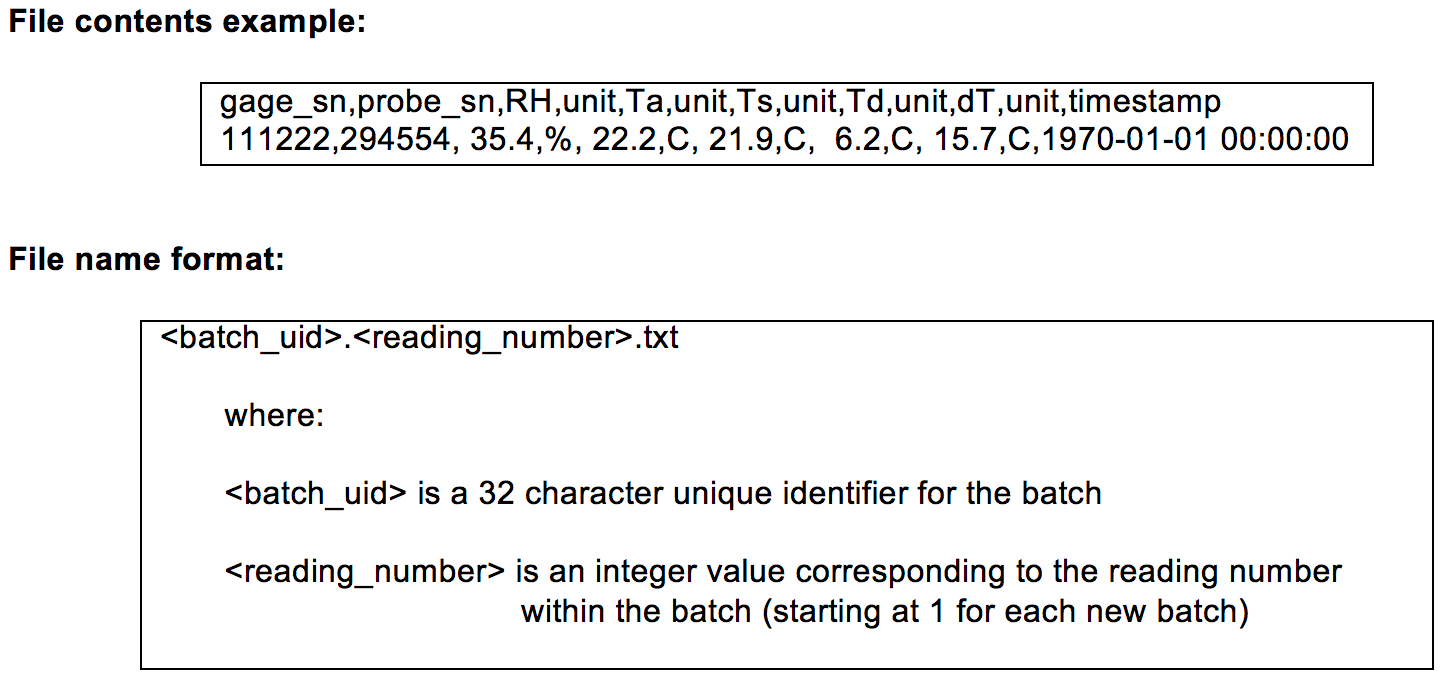
PosiTector settings:
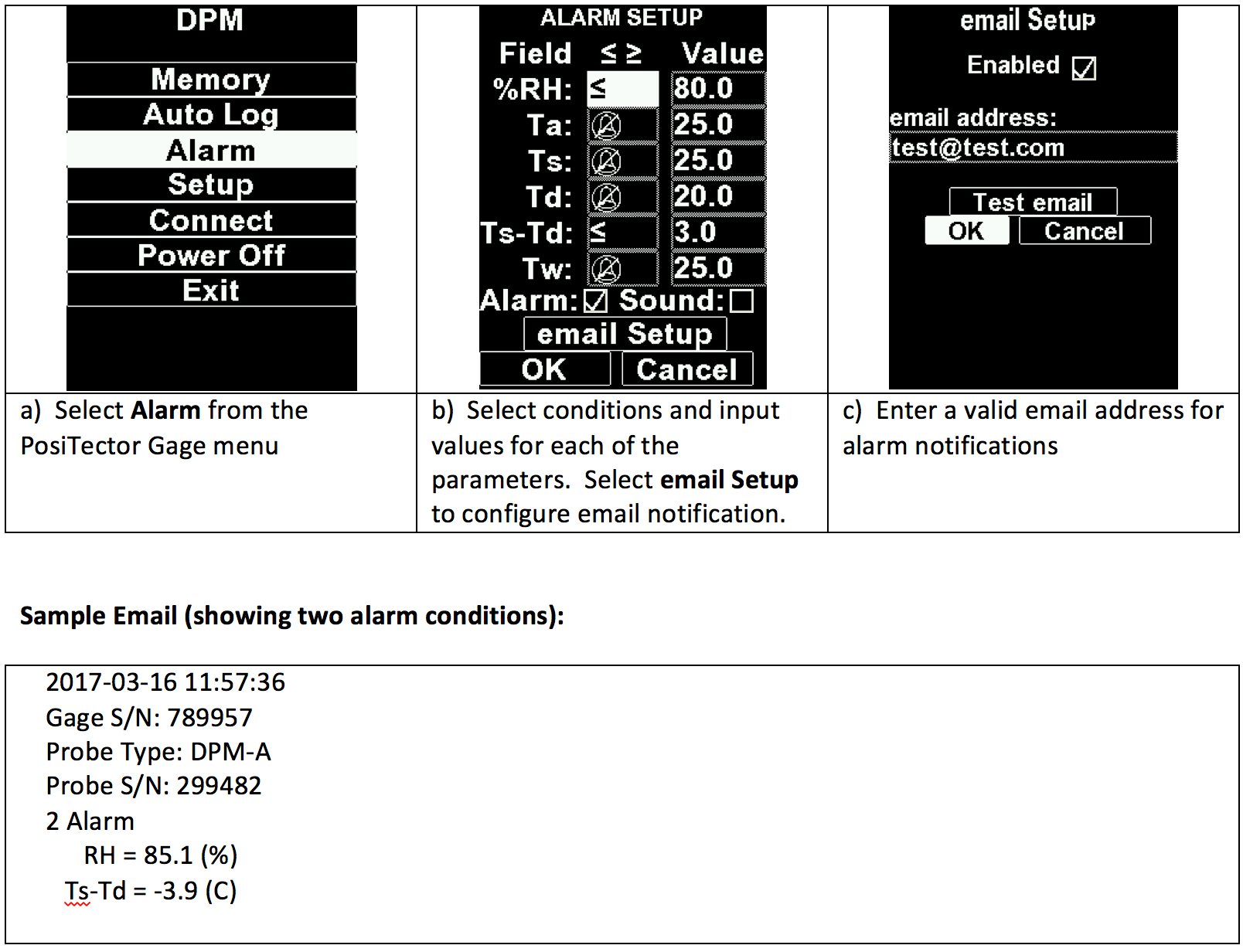
Step 3c: Set up email alarm notification
notes

- 1How does dew point temperature affect the coating process?
- 2How to non-destructively test the water content of concrete slabs?
- 3Handheld Dew Point Meter DT-8321 Operation Instructions
- 4Measurement of outdoor climate conditions
-
![LANDTEK HT-1292D portable dew point instrument dewpoint temperature -40~40 ℃]()
-
![TSINGTAO TOKY HD600B integrated dew point meter humidity/temperature/wet bulb temperature/dewpoint temperature]()
-
![TSINGTAO TOKY HD600-B take-over dew point meter humidity/temperature/wet bulb temperature/dewpoint temperature]()
-
![AMITTARI AH-192D Humidity dew point Tester, temperature/Humidity/dew point]()
-
![LANDTEK HT-6292 dew point meter]() LANDTEK HT-6292 dew point meter$ 267.00
LANDTEK HT-6292 dew point meter$ 267.00 -
![LANDTEK HT6292 dew point measurement gas temperature/Relative Humidity/dew point]()