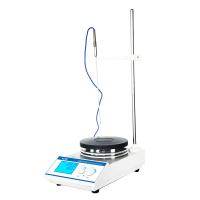
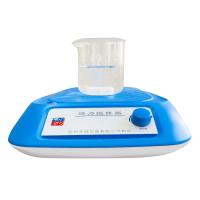
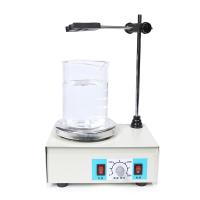
JB-5 digital timing bidirectional magneticstirrer instruction manual

Maintenance
1. Put the test bottle (or other vessel) with the solution and stirring bar on the work panel.
2. Connect the external power supply, close the power switch, and the indicator light will be on.
3. Select heating, turn on the heating switch and the indicator lights up, which means the heating state.
4. Adjust the speed control knob to increase the speed to the desired speed. For two-way stirring, you can choose forward and reverse according to actual needs.
5. Set the temperature Press the SET key to enter the temperature setting mode to set or view the set value, press the SET key to see the number flashing to indicate that in the setting mode, press the up button to increase the set value, and the down button to decrease the set value, keep pressing Hold it down and it will increase or decrease to the value you need. After setting, press the SET button to exit the setting mode and return to the normal working measurement mode.
Adjust parameter Sc: Press and hold the SET key for 3 seconds to enter the internal parameter setting adjustment interface, the interface displays Sc is the error calibration value, indicating the error between the measured value and the actual value of the temperature controller, the default is 0.0, you can press again SET key, the flashing number is displayed to enter the adjustment state (the setting method of the following parameters is the same), press the up or down button to adjust the value. (-9.9~9.0)
E: After setting, press the SET key to enter the next parameter adjustment. The interface displays E to indicate the advance of the breakpoint control (only effective when the P value is set to 0), the default value is 0.5, and the adjustment method is the same as Sc.
P: Press the SET key again to enter the third parameter, and the interface displays P to indicate the P value setting. The meaning of P value is roughly the start control temperature = set value - (10/P value). For example, if it is set to 50 degrees, when the P value is 10, it means that the control starts at 49 degrees, and when the P value is 4, it means that the adjustment starts at 47.5 degrees. If the temperature overshoot is too large during use, adjust the P value appropriately; if the temperature rises too slowly or never reaches the control temperature, adjust the P value appropriately. Note: When the P value is 0, enter the breakpoint control mode. That is, the system PID is invalid, when the temperature is lower than (set value - E value), it starts heating, otherwise it stops heating.
c: Press the SET button again to enter the setting of the last parameter c, the last parameter is temporarily reserved for the system, please do not adjust, the default value is 20.0. After setting all the parameters, press the SET button to return to the normal working state.
6. After the work is completed, put the speed control knob at the minimum position, the heating switch is in the non-working state, turn off the power switch, and cut off the power supply.
7. Wipe the top plate of the working surface clean, and no water droplets or dirt residues are allowed on it.

- 1Comparison and Application of Magnetic Stirring and Mechanical Stirring
- 2Application and Selection Guide of Electromagnetic Stirrer in Laboratory
- 3Describe 4 Common Stirrers in detail
- 4Principle and Application of Water Bath Magnetic Stirrer
- 5What is a mixer? Applications, advantages and disadvantages of mixers
- 6How to prepare polymer blended solid film materials?
- 7Agitators and their classification
裴梦琛 - 《西北大学》
- 8Testing Factors Affecting the Drying Properties of Plastic Water-based Gravure Ink with Agitator
- 9What are the characteristics of an overhead mixer?
-
![DaDi 85-2 digital temperature control magneticstirrer]()
-
![HUXI HMS-203D magneticstirrer]() HUXI HMS-203D magneticstirrer$ 251.00
HUXI HMS-203D magneticstirrer$ 251.00 -
![Qiwei CL-R magneticstirrer 1000ml]() Qiwei CL-R magneticstirrer 1000ml$ 103.00
Qiwei CL-R magneticstirrer 1000ml$ 103.00 -
![DADI CJJ78-1 Magnetic Stirrer]() DADI CJJ78-1 Magnetic Stirrer$ 101.00
DADI CJJ78-1 Magnetic Stirrer$ 101.00 -
![RONGHUA HJ-6 Six Head Magnetic Heating Stirrer]()
-
![RONGHUA Instrument 99-1A Dual digital display high power thermostatic magnetic heating Stirrer]()