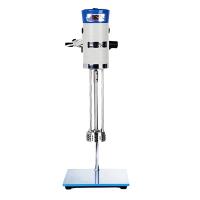
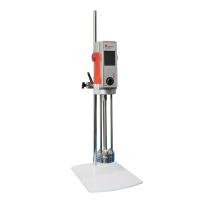
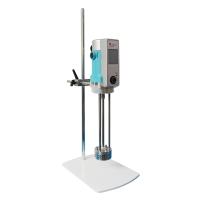
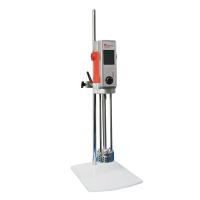
RH-II Mulser Instructions and Precautions
Instructions:
1. Basic operation of the instrument:
⑴ Put the instrument on a flat and stable table, plug in the power, turn on the power switch next to the socket hole at the back of the instrument, and the LCD screen will display initialization information.
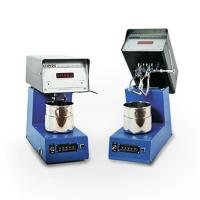
⑵ The part of the instrument where the stirring paddle is installed can be lifted up, which is convenient for the disassembly of the stirring paddle and the removal and insertion of the container. If you accidentally lift this part when the stirring paddle is rotating, the instrument will automatically stop running; if you want to resume running after putting it back, please press the "Run" button again.
⑶ When disassembling the stirring paddle, first gently pull down the knurled sleeve on the handle of the paddle, and then pull down the paddle. When installing the stirring paddle, please pay attention to the notch on the paddle shaft and the gap in the hole of the paddle handle, first gently remove the knurled sleeve of the paddle handle, insert the paddle handle into the paddle shaft, and swing gently Just align the notch so that the knurled sleeve can be reset to its original positioning position.
⑷ Before starting up, it is necessary to confirm that the stirring paddle has been correctly installed in place, and that the stirring paddle is not in any contact with the container. After the instrument is started, the stirring paddle and the container will start to rotate at the same time, until the set number of circles, the instrument will automatically stop.
⑸ After using the instrument, please do a good job of cleaning, and turn off the power switch next to the socket hole at the back of the instrument to cut off the power supply.
2. Button panel operation:
⑴ When the power switch is turned on, the buzzer will make a beep, indicating that the self-test of the instrument is normal.
⑵ Then the LCD screen will display some initialization information.
(3) When the LCD screen enters the operation interface, the display is as follows:
"Operating speed: 90 r/min"
"Set laps: "
"Number of revolutions: 0000"
"Cumulative times: 00"
⑷ The default operating speed of this machine is 90r/min. If you want to adjust the operating speed, you can press the "Speed Selection" button, and the operating speed will be cycled between 100, 150, and 90.
⑸ To start the instrument work, you first need to set the number of working circles of the instrument! The number of working circles can be set by pressing the number keys on the keyboard. The input of "set number of circles" requires a full 4 digits, and "0" is added in front of less than 4 digits. For example, if you want to calculate 500 circles, you should input "0500". If you find a wrong input, you can press the "reset" button to cancel the current input.
⑹ As long as the "set number of laps" is input, press the "Run" key to start the instrument operation. Every time the stirring paddle rotates one revolution, the "number of revolutions" will automatically increase by 1. When the number of running circles reaches the set number of circles, the instrument will stop running automatically, and the buzzer will make a "beep beep" sound. At the same time, the "cumulative times" will be automatically increased by 1, and the "running circles" will be automatically cleared for the next time. count.
⑺If you press the "Stop" key during the operation, the instrument will stop running immediately, but the numbers in "Setting circles", "Operating circles" and "Accumulated times" will be retained. To continue running, just press the "run" key and the instrument will resume running until the set number of laps.
Press the "Running Clear" and "Accumulative Clear" keys to clear the numbers in the "Number of Operations" and "Accumulated Times" respectively.
Precautions:
⑴ This instrument is used in the testing process of chemical products, and the user should establish appropriate safety and health protection measures and determine rules and regulations according to relevant safety regulations before use. Safety issues related to contact with chemical raw materials should be established by the user and are not within the scope of this manual.
- 1How high-speed shearing Mulser works
- 2What is the difference between Mulser and Disperser?
- 3Difference between Mulser and Disperser
- 4Three properties of ink leading to emulsification
- 5What is ink emulsification? Features of emulsion
- 6Working principle of high shear hybrid emulsifier
- 7Analysis on the blending method of waterborne epoxy floor topcoat
- 8Discussion on Quantitative Analysis of Consequences of Mulser Explosion Accident
范军政;白春光;杨家福 - 《爆破器材》
- 9On the emulsification effect and security of Mulser
杨民刚 - 《 爆破器材》