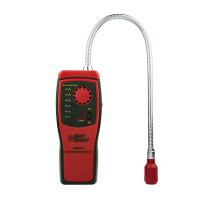
Korno GT-903 Composite Gas Detector Product Instruction Manual

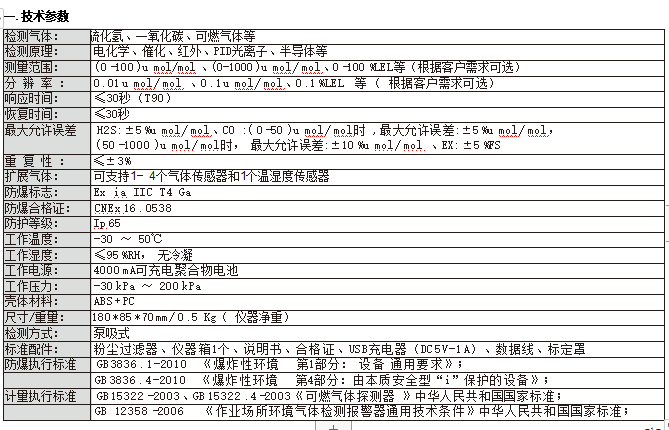
Instructions
1. Button description:
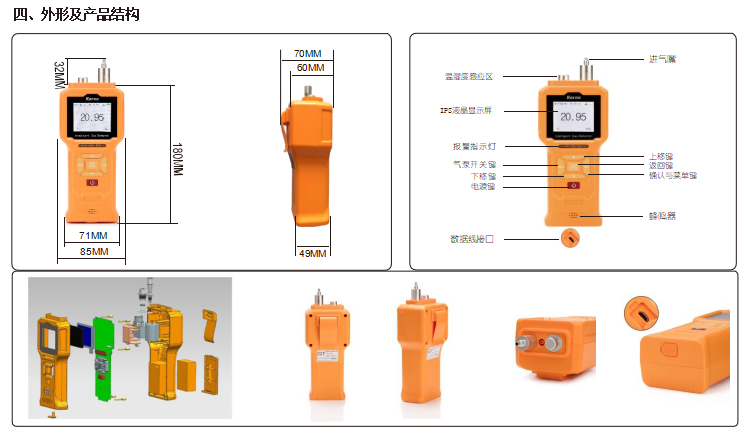
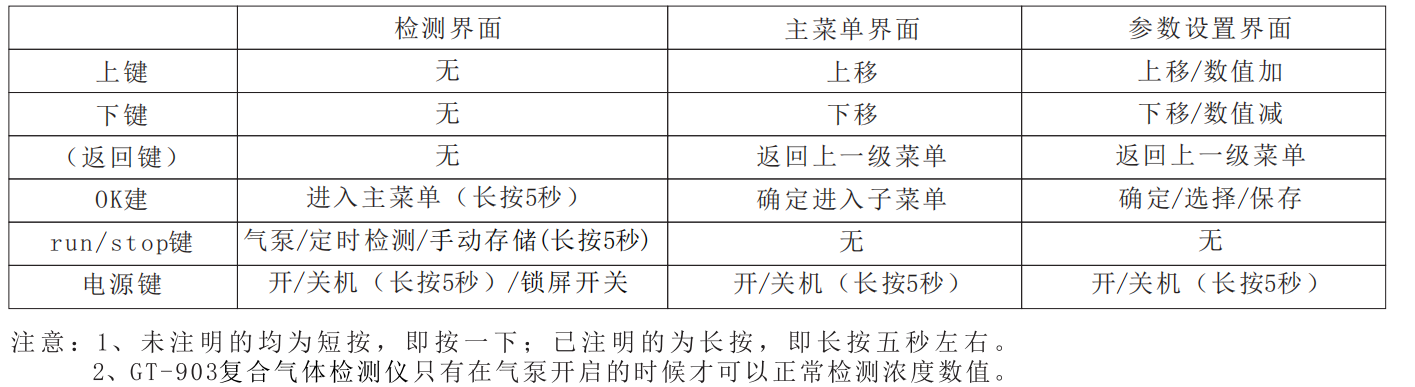
There are 6 buttons below the instrument display: Up, Down, Back (return), OK (confirmation), RUN/STOP, power; three operation interfaces: detection interface, main menu interface, parameter setting interface;
The following is the function description table of the 6 buttons under each interface;
2. Power-on method
In the off state, press and hold the "power button" for 5 seconds, the LCD backlight of the instrument will light up, the buzzer will sound "beep", and the instrument will automatically turn on. After turning on, the screens displayed by the instrument are: sensor detection (Fig. 1) At the same time, the air pump is automatically turned on, the sensor information (Picture 2), and the sensor warm-up time (Picture 3). After the countdown is completed, the buzzer beeps and the red indicator light flashes once, and it enters the normal detection interface (Picture 4) .
3. Shutdown method
In the normal detection state, press and hold the "power button" for 5 seconds, the instrument will display the shutdown screen, and the backlight will be turned off. At this time, the Detector will enter the sleep shutdown state. As shown in Figure 5 (reminder: under normal circumstances, the instrument can only be turned off after the concentration value returns to the normal value under clean air).
4. Charging method
When the instrument shows a battery, insert the charging data cable into the charging port at the bottom of the instrument (be careful to insert it backwards), and plug the other end into a 5V power supply for charging. The blue light is on during charging, and the green light is on when fully charged (not recommended. Use the battery to automatically shut down before charging).
 5. Instructions on the special shortcut keys of the instrument
Mute: When a certain gas concentration of the Detector reaches the alarm value, you can press the up key, down key, Back, OK, RUN/STOP any key to mute the sound (press once to mute, press again to restore the alarm)
Manual storage: When the storage mode of the Detector is set to manual storage (under real-time detection mode), press and hold the "RUN/STOP" button on the normal detection interface to hear a "beep" and the red light flashes once to save the current data. The concentration value of the channel gas.
Enter the function main menu: When the Detector is in the normal detection interface, press and hold the "OK" button for 5 seconds to enter the function main menu.
Screen lock function: When the Detector is in any display state, press the power button once, and the display screen will become dark (in the lock screen state, pressing other keys will not work at this time), and press it again to brighten the normal display
6. Instrument parameter modification instructions
All parameters of the GT-903 composite Gas Detector are completed through the four keys of Back, Up, Down, and OK.
7. Regarding the backlight dimming (lock screen) of the instrument during normal detection,
the GT-903 composite Gas Detector has set a power protection program. When the instrument is in normal use for 30 seconds without any operation, the instrument will automatically turn on the power protection (lock screen). screen), the backlight of the instrument is dimmed at this time, and after the backlight of the instrument is dimmed, press the power button to turn on the backlight again.

- 1Principle and Application Analysis of Composite Four-in-One Gas Detector
- 2Introduction to Working Principle and Application of Carbon Monoxide Gas Detector
- 3Basic Principle and Application of Portable Gas Detector
- 4Basic Principle and Application Analysis of Gas Detector
- 5What is the alarm value of Gas Detector?
- 6What is phosphating Gas Detector?
- 7What is a combustion analyzer?
- 8Application Scheme of Gas Detector in Coking Coal Metallurgy Industry
保时安 - 《保时安》
- 9Application of Gas Detector in Medical Manufacturing
保时安 - 《保时安》