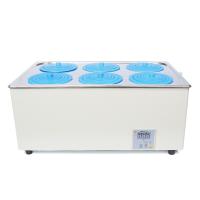
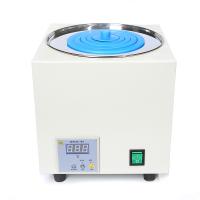
Ronghua HH-3 digital display constant temperature Water Bath instruction manual
This article is the specific operation method of Ronghua HH-3 digital display constant temperature Water Bath :

Usage
When using, you need to add water to the pot first, and then turn on the power. To set the temperature, press the SET key to enter the temperature setting mode to set or view the set value. Press the SET key to see the number flashing to indicate that in the setting mode, press the up button to increase the set value, and the down button to decrease the set value, and keep pressing it It will always increase or decrease to the value you need. After setting, press the SET button to exit the setting mode and return to the normal working measurement mode.
Adjustment parameters: Sc: Press and hold the SET key for 3 seconds to enter the internal parameter setting adjustment interface, the interface displays Sc is the error calibration value, indicating the error between the measured value and the actual value of the temperature controller, the default is 0.0, you can press again Press the SET key, the flashing number will enter the adjustment state (the following parameters are set in the same way), press the up or down button to adjust the value. (-9.9~9.9)
E: After setting, press the SET key to enter the next parameter adjustment. The interface displays E to indicate the advance of the breakpoint control (only effective when the P value is set to 0), the default value is 0.5, and the adjustment method is the same as Sc.
P: Press the SET key again to enter the third parameter, and the interface displays P to indicate the P value setting. The meaning of P value is roughly the start control temperature = set value - (10/P value). For example, if it is set to 50 degrees, when the P value is 10, it means that the control starts at 49 degrees, and when the P value is 4, it means that the adjustment starts at 47.5 degrees. If the temperature overshoot is too large during use, adjust the P value appropriately; if the temperature rises too slowly or never reaches the control temperature, adjust the P value appropriately.
Note: When the P value is 0, enter the breakpoint control mode. That is, the system PID is invalid, when the temperature is lower than (set value - E value), it starts heating, otherwise it stops heating.
c: Press the SET key to enter the setting of parameter c, the last parameter is temporarily reserved for the system, please do not adjust, the default value is 10.0.
AL: Press the SET key to enter the setting of the parameter AL, and AL represents the high temperature alarm value. That is, when the temperature > set temperature + AL, the instrument will alarm for high temperature.
TI: Press the SET key to enter the setting of the parameter TI, TI means timer, and the unit is minute. 0 means that the timing mode is off, otherwise, the instrument will enter the stop state after working for TI minutes, and stop the output of the load terminal. After all parameters are set, press the SET key to save the parameters and return to the normal working state. Do not add too much water in the pot, so as not to overflow the pot when boiling, and pay attention to the water in the pot so that the electric heating tube cannot be exposed to the water surface, so as not to burn out the electric heating tube and cause water leakage.
Precautions
(1) In order to ensure safety, please connect the ground wire when using.
(2) It is strictly forbidden to dry boil without adding water.
(3) When not working, the power supply should be cut off to prevent accidents.


- 1Principle and application of 6-hole thermostatic Water Bath
- 2Water bath for experiment
- 3Difference between Thermostatic bath and Water bath
- 4The difference between Oil Bath and Water Bath
- 5What is a Good Water bath?
- 6Chao said: What instruments are used in the research experiment of polyvinylidene fluoride PVDF ultrafiltration membrane improvement?
- 7List of Testing Instruments for Military Ship Coatings Laboratory [Selection Plan]
- 8Selection scheme of cold-rolled steel strip material testing instrument
- 9Marine coating testing instrument selection plan
-
![Guohua 78 type magneticstirrer]() Guohua 78 type magneticstirrer$ 120.00
Guohua 78 type magneticstirrer$ 120.00 -
![DADI HH-S28 digital display double row eight hole thermostatic water bath ABS lid]()
-
![DADI HH-S26 digital display double row six hole thermostatic water bath ABS lid]()
-
![DADI HH-S2 digital display two-hole thermostatic water bath ABS lid]()
-
![DADI HH-S1 digital display single hole thermostatic water bath ABS lid]()
-
![Kenton EMS-20A Digital Magnetic Stirring Water bath Double hole]()