Pay attention to these details when using the experimental electric heating vacuum Drying Oven!
When the desktop electric vacuum Drying Oven is in use, a special person is required to take care of it to ensure the normal operation of the equipment. When not in use for a long time, the items in the working room should be taken out and wiped clean to keep the equipment dry. If any abnormal phenomenon occurs in the desktop electric vacuum Drying Oven, it should be checked and repaired in time. If the fault cannot be accurately judged, please contact the technical department of the purchasing company. For maintenance, the vacuum box should always be kept clean, and the door glass should be wiped with a soft cotton cloth. Do not wipe with reactive chemical solvents to avoid chemical reactions and scratches on the glass. If the vacuum box is not used for a long time, it should be coated with neutral grease or vaseline on the electroplated parts to prevent corrosion, and put on a plastic film dust cover to prevent it from being used in a dry room, so as not to affect the use of electrical parts due to moisture.
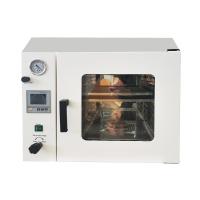
After debugging the desktop electric vacuum Drying Oven, after the vacuum degree adjustment is completed, you can do the following operations, turn on the power of the vacuum box, and the power indicator light should be on at this time (the 6090 and 6210 models should turn on the switch of the temperature controller respectively). Inspection, the PV screen displays the measured temperature in the working room, and the SV screen displays the temperature set at the factory. The lights such as AT and HEAT on the temperature controller should be on, indicating that the meter has entered the working state of heating. To modify the set temperature, press the function key (SET) of the temperature controller; after the PV screen displays the character SP, the key head button can be used to modify the set temperature (for 6090 and 6210 models, the 2 and 3 instruments should be set and modified respectively. , the following are similar) after the modification is completed, press the SET button again, the PV screen will display the ST character, and set the timing time. If the timing function is not used, still let ST=0. Press the SET button again to make the PV screen display the temperature of the studio, and the SV screen to display the new set temperature. The indicators AT and HEAT on the meter are on, and at this time the meter re-enters the working state of heating. When the temperature in the working room is close to the set temperature, the HEAT light flickers on and off, indicating that the heating enters the PID adjustment stage. Sometimes the measured temperature of the instrument exceeds the set temperature, and sometimes it is lower than the set temperature, which is a normal phenomenon. When the measured temperature is close to or equal to the set temperature, wait for 1~2 hours and then the studio will enter the constant temperature state, and the items will enter the drying stage.
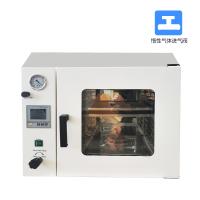
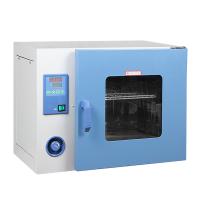
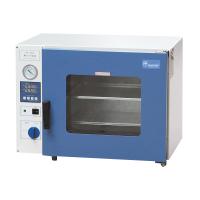
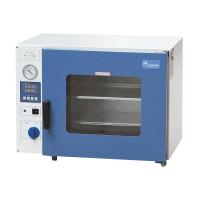
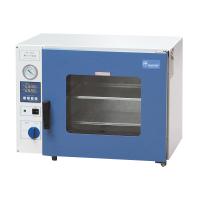
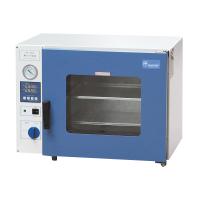
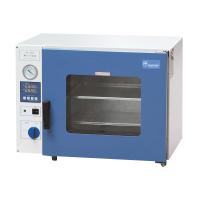
The tempered, bulletproof double-layer glass door of the desktop electric vacuum Drying Oven allows you to observe objects in the working room at a glance. The cuboid studio makes the effective volume utilization rate large. The studio is made of stainless steel sheet or brushed sheet to ensure the durability of the product. Digital microcomputer temperature controller with timing function, accurate and reliable temperature control. The closed tightness of the box door can be adjusted, and the integrally formed silicone rubber door seal ensures high vacuum in the box. The "LC" series can be controlled by the vacuum display. The "D" series is an intelligent ten-segment programmable LCD controller.



- 1How to calibrate Vacuum oven?
- 2Principle, application and selection of vertical Electric Forced Air Drying Oven
- 3Principle, application and selection of pigment Drying Oven
- 4Principle, application and selection of electric heating air Drying Oven
- 5Principle, application and selection of vacuum electric Drying Oven
- 6Principle, application and selection of nitro paint Drying Oven
- 7Principle, application and selection of industrial hot air circulation Drying Oven
- 8Principle, application and selection of small Drying Oven
- 9Principle and Application of Electrothermal Vacuum oven