Top Tips for Portable Colorimeters in Printing
If you don't get involved, printing is actually as simple as pouring ink into the press and running the job. However, this is too simplistic. Color is an important evaluation factor for the quality of printed products, and there are many factors that affect color, and printing operations often waste a lot of materials and time to make adjustments.
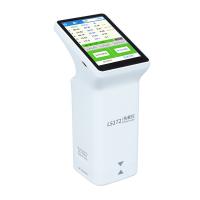
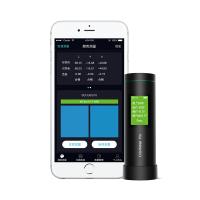
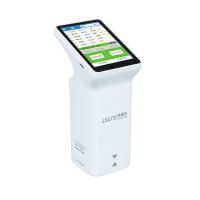
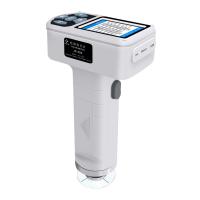
At this time, the role of the Colorimeter is highlighted. As a precision instrument for color detection, the portable Colorimeter can measure color well and assist in the control of color in the printing process. So is there any trick in using it? It can better control the color and avoid the situation of chromatic aberration.

First, it is very important to use the correct backing.
The backing material used under the printed sample is very important to ensure that the portable Colorimeter only reads the colors you intend to measure.
Second, the working status of the Colorimeter itself is also an important factor. It must be in good condition and adopt the correct operation method.
A poorly calibrated or previously crashed Colorimeter can lead to some poor color readings when printing. If the Colorimeter reads incorrectly and the calibration is not carefully checked, the ink technology may be unnecessarily toning some colors, resulting in color differences.
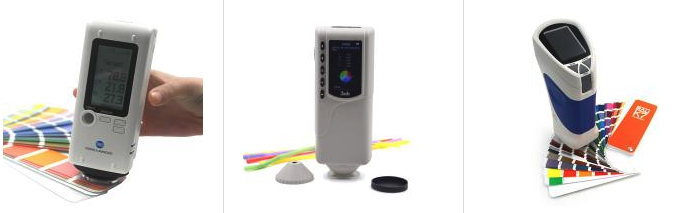
Pay attention to calibration before use to ensure that the Colorimeter is consistent and prevent this from happening. If the Colorimeter fails to calibrate, or if the readings vary significantly, it may be time for repair.
Third, the choice of a Colorimeter requires the selection of the correct geometry.
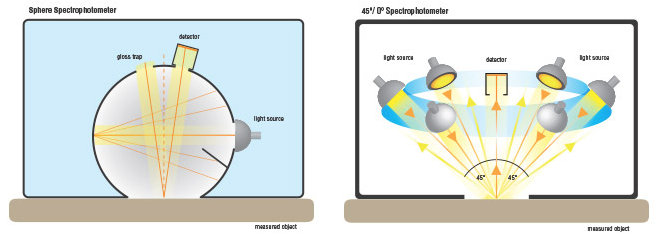
One of the most important considerations when selecting a Spectrophotometer is the type of surface to be measured. There are three main types of Spectrophotometer s: 0/45°, integrating sphere, and multi-angle Spectrophotometer s.
Although 0/45° is commonly used in printing and packaging, it is not suitable for highly reflective materials such as metalized polyaluminum foil balloons, because the light from the Spectrophotometer bounces off the scales in aggressive directions. Many printers still use 500 series or eXact instruments for metallic inks, with little success. The instrument will take a reading, but depending on the reflectivity of the metal flakes, the user will often get inconsistent data. For these applications, an integrating sphere geometry Spectrophotometer is required.
Fourth, choose the appropriate filter.
Many printing companies set their Colorimeters to M1 at the beginning to adjust for the optical brighteners found in the paper. If your operation has not been so converted, you still need to pay attention to the M standard, because some standards may use M0, M1, M2 or M3 in the input.
But note that these M settings should be matched with the actual operation. If you convert, you will most likely re-enter a lot of criteria.
Finally, the setting of the light source is also very important.
Print implementations are typically checked for color under a D65 illuminant at a 10° viewing angle (midday sun) or a D50 illuminant at a 2° viewing angle (horizon sun). But when choosing a light source and viewing angle, you need to know how your standards and samples will be read. The samples also need to be read using the same method as the standard. Some customers specify unique tolerances in advance. If not, then ask.
- 1Color difference meter and its application in Coating production
- 2Application of color reader in paper color difference control
- 3Principle, characteristics and application of Spinning & weaving precision color difference instrument
- 4Detection of film color retention with color reader
- 5Optical inspection structure for color readers: D/8 D/0 45 °/0
- 6Application of color reader in inks industry
- 7What is the difference between tristimulus Colorimeter and Colorimeter?
- 8FAQ of computer color reader and its solution
- 9Tristimulus Colorimeter:principle, application, operation and selection