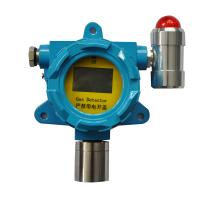
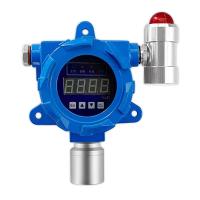
How to install, wire, debug and calibrate the RTTPP Gas Detector?
product installation


Note: The Detector should be installed in a place where there is no impact, no vibration, no strong electromagnetic field interference, and easy maintenance.
product wiring


Debug and use
1. Modify the address code (applicable to the bus Detector):
Use the digital display board, insert the digital display board, press and hold the [Setting key] to power on, the display board will display the current Detector address code, adjust the address code , press the [Setting key] to save.

Modify the address code (applicable to liquid crystal Detectors):
Use the remote control in the power-on state, press the [power key] on the remote control, the Detector display panel will display the navigation menu, and press the [up/down key] to find the address to enter and adjust the address code of the Detector.

Calibrate zero concentration manually
Combustible and some toxic gas (oxygen, hydrogen sulfide, carbon monoxide) Detectors have a self-calibration zero function. If it is not necessary for special occasions, manual zeroing is not recommended;
1. Calibration method of zero point concentration of combustible Gas Detector:
For combustible gas detection, adjust [No. 2 potentiometer], turn clockwise, and adjust until the main unit displays "000 or "001".

2. Toxic Gas Detector calibration zero concentration method:
Toxic Gas Detector, press and hold [No. 1 button] for more than 5 seconds and release it.

3. Liquid crystal Detector calibration zero concentration method:
In the power-on state, use the remote control to press the [Power button] on the remote control, and the Detector display panel will display the navigation menu. Press the [Up/Down button] to find the zero adjustment and enter, and press the [Power button] to adjust the zero point of the Detector.

4. LCD type Detector alarm value setting:
In the power-on state, use the remote control to press the [Power button] on the remote control, and the Detector display panel will display the navigation menu. Use the [Up/Down keys] to find the alarm entry, and press the [ Up and down keys] to adjust the alarm value.


- 1What is the difference between stationary and portable Gas Detectors?
- 2The use of Dorui Gas Detector and common troubleshooting methods
- 3What is the difference between Gas Detector calibrate and bump test?
- 4How many Gas Detectors are needed in terms of efficiency and savings?
- 5How are wireless Gas Detectors changing confined space testing methods?