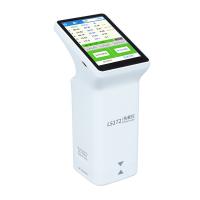
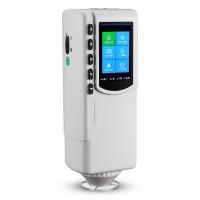
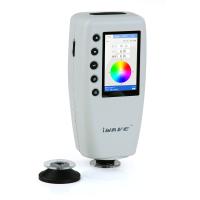
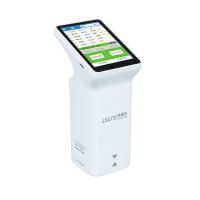
Weifu WF32 Handheld Colorimeter Standard/Specimen Recording How to operate?
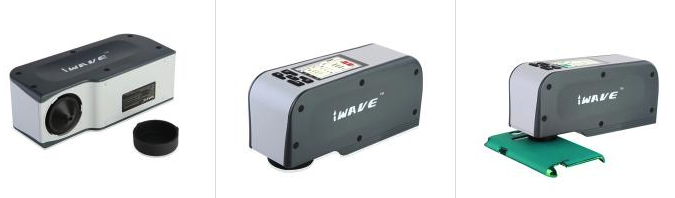
There are two common data standard sample data and sample data in the color measurement of Weifu WF32 handheld color difference meter, so how to record the standard sample and sample data?
Press the "Menu" key to switch the menu to "Record". There are two pages under "Record" to view the recorded standard sample data and sample data. These two pages are "Standard Sample Record", "Test Sample Sample Record", press the "Page Switching Key" to switch between these two pages.
Standard record
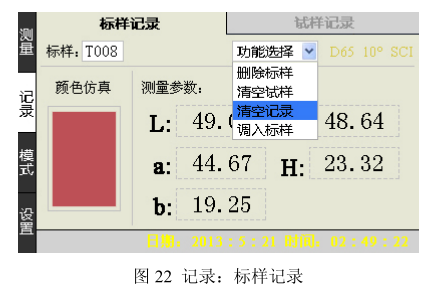
Press the "Menu" key to switch the menu to "Record", as shown in Figure 22, you can view storage records of the standard sample, and press the "Enter key", "Up key" and "Down key" as required ” Select an option from the drop-down menu.
The drop-down menu has the following functions:
Standard sample record: switch to the "standard sample record" page;
Import standard sample: transfer the current standard sample record to the "Measurement: Standard Sample Record" page, and measure the samples under this standard sample;
Delete standard sample: delete the current standard sample and its samples;
Empty standard sample: delete all standard samples and samples, and the data of yellowness and whiteness will not be affected;
Sample record
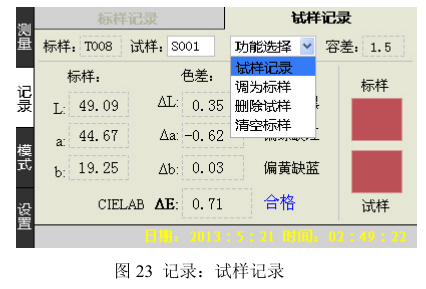
After selecting the standard sample to be viewed, press the "page change key" and the display will jump to the "sample record" page, and the screen will switch to the sample record page under the standard sample, as shown in Figure 23, and then press "confirm key", "Up key" and "Down key" to select the sample record, and you can check the color difference record of each sample.
The drop-down menu has the following functions:
Sample record: switch to the "Sample record" page;
Transfer to standard sample: transfer the current sample record to the "Measurement: Standard Sample Record" page as a standard sample, and measure the samples under this standard sample;
Delete sample: Select this function, and the Colorimeter will pop up a dialog box. There are two options in the dialog box: "Delete all samples under the current standard sample" and "Delete all samples under all standard samples" for users to choose;
Clear records: delete all standard samples and samples, and the data of yellowness and whiteness will not be affected;
- 1Sanenchi NR60CP handheld Colorimeter evaluation and beautiful picture appreciation
- 2The working principle and use method of Weifu color difference meter
- 3Does the Weifu Colorimeter save data manually or automatically?
- 4Application Scheme of Weifu WF Precision Colorimeter in Different Fields
- 5How to operate the WF32 Portable Colorimeter in different modes?
- 6The correct maintenance method for Colorimeter