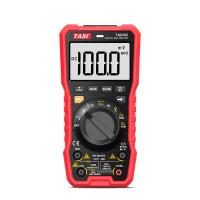
How to tell if the multimeter is properly calibrated?
A multimeter is a required tool for workers in many fields, such as electricians, mechanics, and technicians. Most multimeters can measure three different electrical properties: voltage, current, and resistance. However, if your multimeter is improperly calibrated or damaged, it will not give accurate readings. Learn how to tell if your multimeter is properly calibrated so you can recalibrate (if digital) or replace (if analog).
Connect the rear connector of the black ground cable to the multimeter through the black ground cable connection socket.
Connect the rear connector of the red wire cable to the multimeter through the mounting slot of the red wire cable.
Turn the dial or setting selector on the face of the multimeter to the lowest ohms setting. Usually around 100 ohms.
Touch the black ground point to the red lead point and check the multimeter reading. A well calibrated multimeter will read exactly 0 ohms. As long as your multimeter is within 0.05 ohms of this reading, it's well calibrated to be useful. If not, it needs to be calibrated before use.
hint
Many newer multimeters have built-in calibration functions. If your multimeter needs to be calibrated, simply touch the lead and the ground tip together and press the calibration button or twist the calibration knob until it reads 0 Ohms.