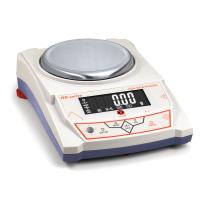
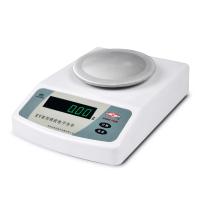
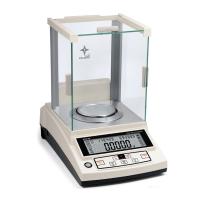
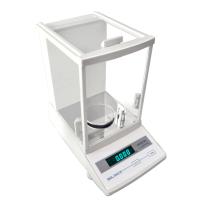
YP/JY series electronic balance calibration
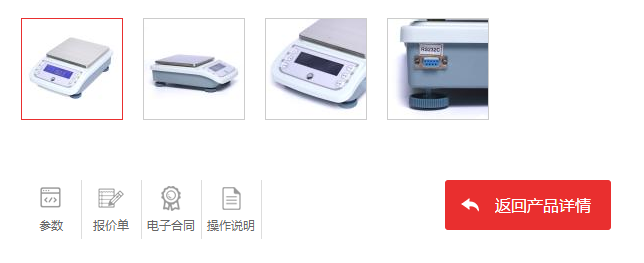
1. Turn on the power of the balance and perform calibration after half an hour of warm-up to make the calibration more accurate.
2. Calibration operation: without adding any object on the weighing pan, press and hold the "CAL (calibration)" button for about 3 seconds to enter the calibration state, display "CAL weight value", and then display the flashing "weight" Weight value", put the corresponding weight, and the weight will be displayed later, that is, it will enter the weighing state. If the weighing is still inaccurate after calibration, repeat the calibration several times as above.
3. Calibration mode selection: After entering the calibration state according to the above three and 2., press "CAL (calibration)
"Calculate)" key, it will display 3 kinds of weight values and "CAL L", you can choose any weight value to calibrate the balance, or you can choose "CAL L" for three-point linear calibration.
4. After entering the calibration state, if the weight is not put in for about 10 seconds, it will display "no CAL" and exit automatically
Calibration status
4. Weighing
1. After power on, preheating and stabilization or calibration, place the weighing object on the weighing pan, and wait for the black dot at the bottom left of the display to disappear, then you can read the mass of the object.
2. The maximum weighing capacity of the balance is the maximum value displayed on power-on + 9d (d is the minimum reading displayed). After the maximum weighing value is exceeded, the horizontal line "------" on the display indicates that the accumulated weighing exceeds the specified range, and should be Take it to weigh immediately, otherwise the balance will be damaged.
5. Tare: Press the "TARE (tare)" button to remove the tare weight on the weighing pan, and the tare function is invalid when the black dot is displayed.
6. Backlight: When the balance is turned on, it enters the backlight-on state, press the "BL (backlight)" key to turn off the LCD backlight.
7. Other functions (the simple balance has no following functions)

- 1Proper Use of Electronic Balance
- 2What is the difference between 10,000-level and 100,000-level Electronic Balance?
- 3Selection scheme of solar cell slurry performance testing instrument
- 4Offset printing ink laboratory performance testing instrument scheme
- 5Method of using electronic balance and its structure
- 6How should the calibration weights of precision balances be handled and maintained?
- 7How to choose and use precision electronic balance test weights?
- 8How to choose a precision digital electronic balance?
- 9Edham Adam SAB & SPB Electronic Balance Structure