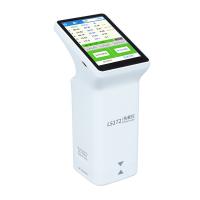
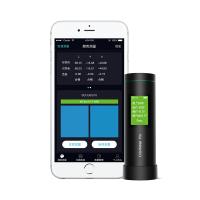
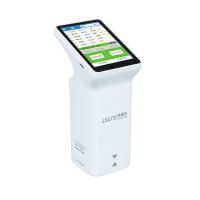
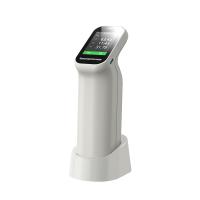
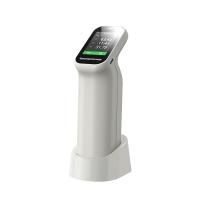
Jinzhun JZ-600 Series High Precision Colorimeter Operation Instructions
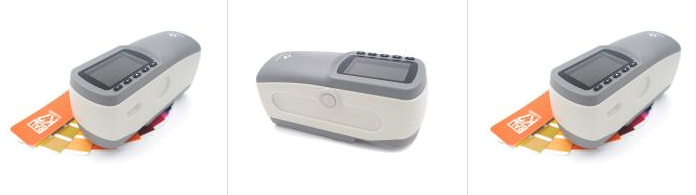
product introduction
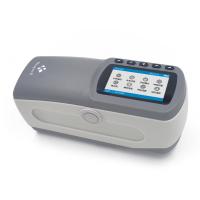
Jinzhun JZ-600 series high-precision Colorimeter is a portable high-precision Colorimeter developed and produced in accordance with relevant international CIE standards and GB standards. The instrument adopts a new 8/d optical structure and is equipped with a high-sensitivity sensor. The reproducibility and stability of the product are very good. With related accessories, it can be used for various special-shaped surfaces, pastes, and powders. It is a high-precision Colorimeter with outstanding cost performance and comprehensive functions for precise measurement.
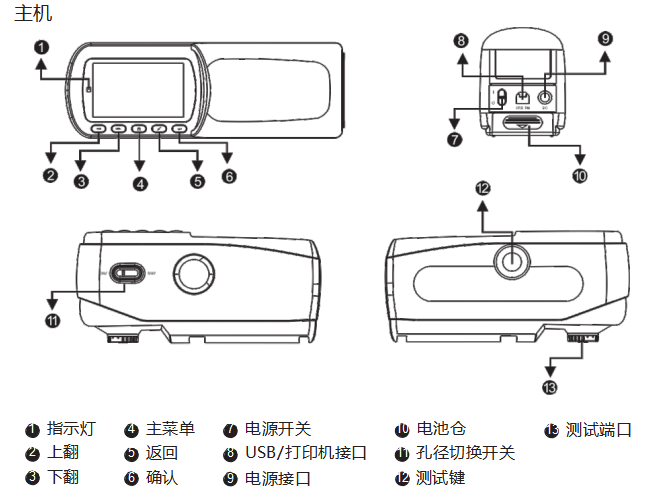
Product Structure
working conditions
Ambient temperature: when operating, the ambient temperature is 0-40°C, the relative humidity is below 80%, and there is no condensation. Storage temperature: 10-30°C, relative humidity below 70%. The surrounding environment has no strong vibration, no strong magnetic field interference, no corrosive medium and severe dust.
Precautions for use
This instrument can only use the special power adapter and special lithium battery provided by our company, otherwise it will cause damage to the instrument, battery leakage, fire or even explosion. Lithium batteries must not be squeezed and put into fire, otherwise it will cause danger. If the battery power is not enough, it needs to be charged in time to avoid affecting the test accuracy.
The instrument should avoid being placed in a high-temperature environment for a long time, which will cause a decrease in instrument accuracy and performance failure. When the instrument is used in a relatively harsh environment, avoid dust, smoke, and corrosive liquids from entering the interior of the instrument, causing damage to the instrument. Avoid placing the instrument in a working environment with a strong magnetic field around it, as this will cause abnormalities in the instrument data. The instrument is a precision instrument, and non-personnel of the company are not allowed to disassemble it without permission, otherwise it will cause damage to the instrument, resulting in loss of warranty.
Instrument use
1.1 Power-on calibration
After the power switch on the side of the instrument is turned on, the instrument enters the calibration interface, as shown in the figure below:
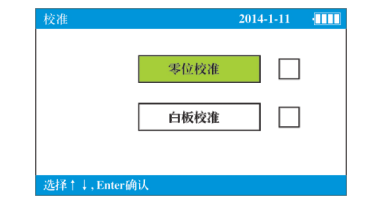
Note: In order to ensure the accuracy of the instrument, it is necessary to enter the calibration before entering the test interface every time it is turned on.
Open the cover of the calibration box, put the instrument on the zero position of the calibration box, press the test button, after the zero position calibration is completed, change the other side to the white board for calibration, and the instrument will automatically enter the test interface after the white board calibration is completed.
2.2 Standard measurement
Press and hold the measurement button for a long time, and the instrument will display a positioning target spot. After the position is set, the instrument can enter the measurement state. After the instrument enters the test interface, the default is a single measurement. The upper status bar will display that the current instrument measurement diameter is 8MM, and the measurement condition is D65/SCI/10°. After the instrument measurement hole is closely attached to the object to be measured, press "TEST ” key to carry out the standard test, as shown in the figure below:
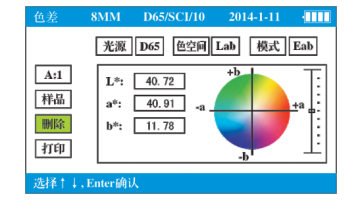
说明:数据如需自动保存,可在菜单中进行设置,可用上翻和下翻键移动确认后删除或打印。如需打印,需要先连接选配件微型打印机。光源、色空间、模式选项可将光标移动到所选位置,按确认后被选为橘色后,可进行光源及色空间的调整。
4.3样品测试
标准测量完毕后可按“向右箭头”键确认进入样品测试。
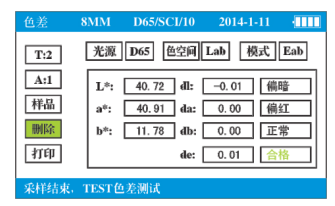
说明:T表示标准号,A表示在当前标准下的第几号样品。例如T:2/A:1,表示在2号标准下面的1号样品数值。可通过键盘调整到标准或样品下按确认来翻页查看或调出数据。
功能菜单
按“主页”键进入系统菜单界面,可进行《USB通信》、《容差设置》、《平均测试》、《时间设置》、《格式化》、《测试设置》、《判定设置》、《语言选择》8种功能的选择。
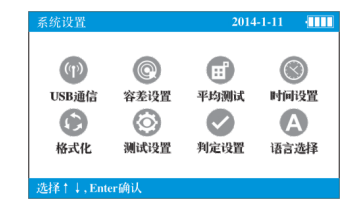
1.1USB通信
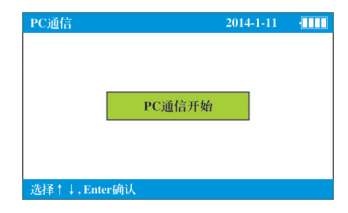
选择《USB通信》进入界面,安装好软件进入到通信状态中即可与PC进行软件操作。
1.2容差设置
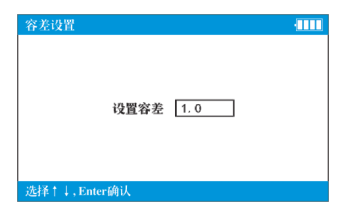
容差设置是设置测试时的判定合格最大允许色差值,设置后仪器会对被测量物品的色差值进行自动判定是否合格。
选择《容差设置》,按回车键进入容差设置界面,容差默认值是1.0,前后键调整容差值后退出保存当前设置。
1.3平均测试
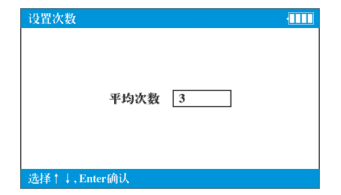
平均测试主要针对颜色表面不均匀及表面较为粗糙的表面使用,设置平均次数后,仪器自动计算出多次测量的平均值,比较客观的反映出当前颜色表面的状况。可用前后键调整平均次数。
1.4时间设置
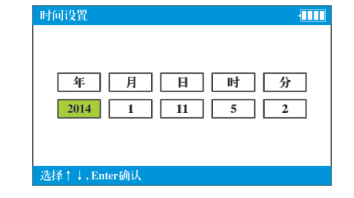
进入时间设置界面后可对时间进行调整设置,退出后自动保存。
1.5格式化
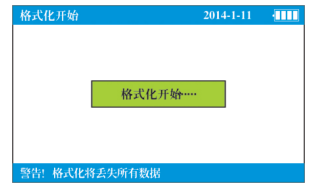
格式化将清空仪器内所有保存数据,请慎重操作!
1.6测试设置
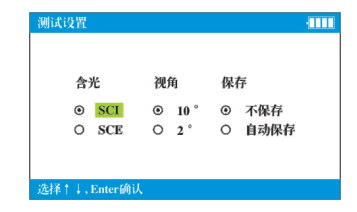
在测试设置中可对测量条件进行设置,仪器默认为SCI/10°,需要自动保存可以用翻看键确认后退出,仪器将自动保存标准和样品数值。
1.7判定设置
进入判定设置里面可对合格判定进行打开或者关闭。判定合格条件则According to容差设置上限而定。
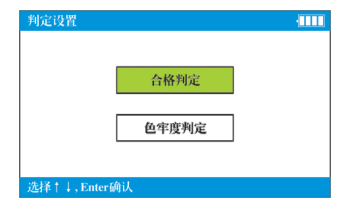
色牢度判定主要用于纺织品色牢度等级判定。说明:色牢度判定功能主要适用于纺织物品,执行标准按照GB/T250-2008,ISO105/A02-1993,只在JZ-630和JZ-650两款型号中有此功能。
1.8语言选择
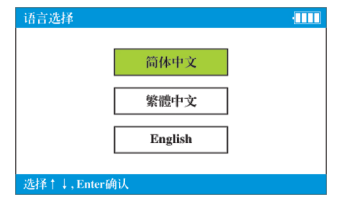
系统带有3种操作语言,确认退出后自动保存所选操作语言。
其它功能说明
1、仪器待机和唤醒
仪器开机后放置5分钟不使用,会自动进入黑屏待机状态,节省电量。如要继续使用,按任意一个按键,仪器会自动从待机状态中唤醒,进入待机前的界面。
2、电源功能
仪器在过程中,右上方的状态栏电量指示不满格时,会导致测量数据发生异常,这时需立即进行充电,以免影响测量精度。
3、安全提示
当仪器处在长期不用状态下,请将仪器内电池取出,以免电池损坏后腐蚀仪器。
4、粉末测试筒
当进行测试粉末及糊状物体时,轻轻拧开粉末旋转手柄,将被测物体倒入测试筒中,注意不要太满,然后轻轻旋紧并压实,测量口一端拧在仪器接口处即可测量。说明:测试完毕后需及时清洗测试筒,测试口处石英玻璃要擦干净,以免影响测量结果。
USB连接与电脑驱动安装
1、驱动程序说明
第一次连接电脑使用,需要要安装本公司提供的软件驱动程序,方可与电脑进行通信。
2、仪器连接
开机后进入《USB通信》界面,按确定键,出现USB连接界面。
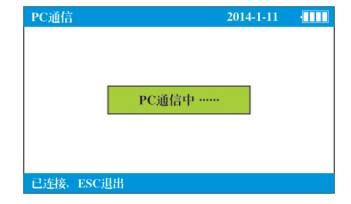
说明:仪器需要进入到“PC通信中。。。”后方可以连接仪器通信。
3、USB连接安装
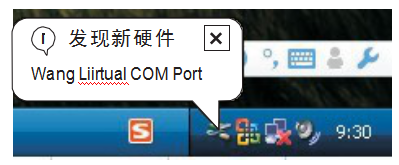
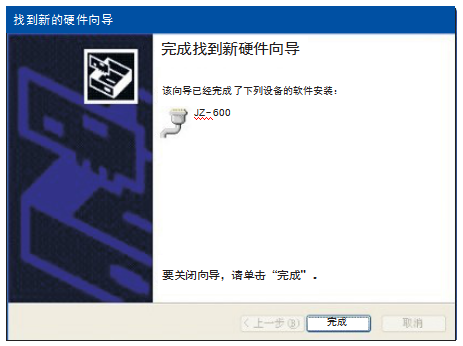
1)将光盘放入光驱中,USB线插入仪器接口中,电脑会出现找到新硬件,弹出下图对话框。
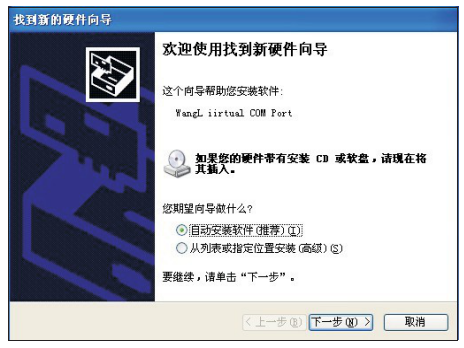
2)稍后会弹出下图所示对话框。
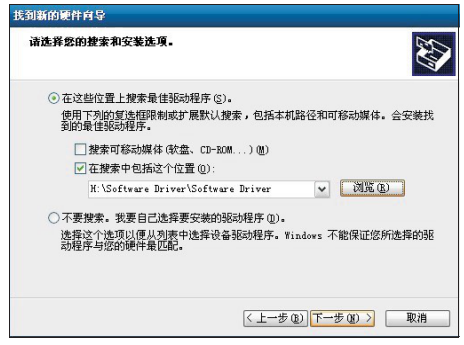
3)点击“下一步”安装,或者从列表指定位置安装。
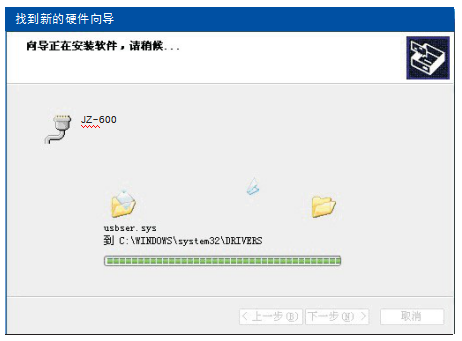
4)点“浏览”找到光盘目录下的“Drive”文件,点“下一步”安装向导会自动安装驱动程序。
5)点“完成”,驱动程序安装完毕。
简单故障分析和排除
故 障 现 象 | 原 因 分 析 | 排 除 办 法 |
1、 无 法 开 机 | A、 电 池 耗 尽 | A、 更 换 电 池 |
B、 安 装 电 池 , 极 性 颠 倒 | B、 按 正 确 极 性 安 装 | |
2、 数 据 异 常 | A、 测 量 面 接 触 是 否 紧 密 | A、紧密贴紧被测物体表 |
有 漏 光 ; 测 量 时 是 否 晃 动 | 面 , 平 稳 测 量 。 | |
B、 被 测 物 体 是 否 太 薄 , | B、 被 测 物 体 反 面 垫 上 | |
或 物 体 下 有 其 他 颜 色 | 白 板 或 厚 一 些 的 白 纸 | |
C. The color of the object to be tested Yes No | C. Avoid bits with uneven color | |
Uniform, with mixed color phenomenon | set, or measure in average mode | |
D. The battery is not enough | D. Replace the battery or supply power with DC | |
3. The instrument crashes | A. Press the key too fast | A. Pay attention to pause when pressing the key to avoid too fast |
- 1Color difference meter and its application in Coating production
- 2Application of color reader in paper color difference control
- 3Principle, characteristics and application of Spinning & weaving precision color difference instrument
- 4Detection of film color retention with color reader
- 5Optical inspection structure for color readers: D/8 D/0 45 °/0
- 6Application of color reader in inks industry
- 7What is the difference between tristimulus Colorimeter and Colorimeter?
- 8FAQ of computer color reader and its solution
- 9Tristimulus Colorimeter:principle, application, operation and selection