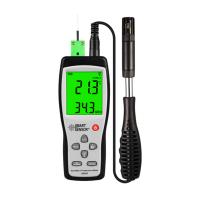
TQC RV2100 Digital Display Thermohygrometer Instruction Manual
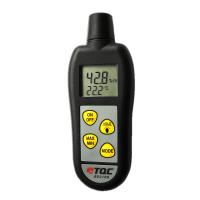
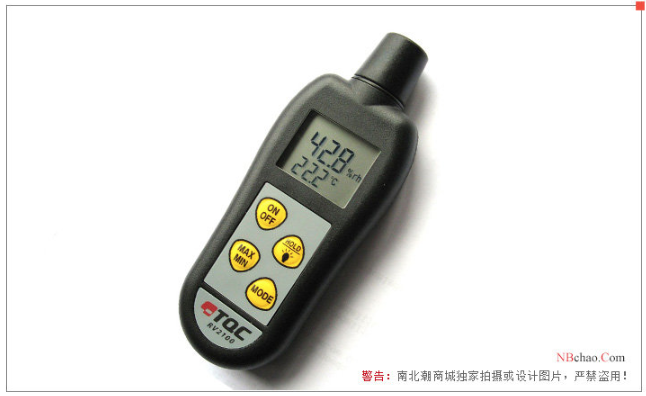
TQC Thermo-Hygrometer is a simple hand-held digital hygrometer. Temperature and air humidity are displayed simultaneously. Equipped with MIN/MAX memory, C°/F° selection, hold function and dew point indication.
Use safety tips
Not suitable for exposure to sunlight or strong light
Avoid use in high or low temperature environments
avoid moisture
Preparation before the test
To obtain accurate humidity measurements, allow the instrument to stabilize in the environment for at least one minute. For better accuracy, let the air flow pass through the sensor.
The device can be switched between °C and °K by pressing the MODE button for three seconds.
Press the MODE button to change the bottom display between temperature and dew point measurements.

Specific test method
1. The display shows two values. The upper limit is relative humidity and the lower limit is temperature or dew point.
2. Press the HOLD key to freeze the display and stop the measurement. Press again to continue measuring.
3. Press the MAX/MIN button to display the value. When turned off, the instrument will retain the MAX/MIN values. To reset, press the MAX/MIN button for three seconds.
Please note
The instrument is equipped with a backlight. Press and hold the HOLD button for two seconds to activate it. If "Lo bat" is displayed, the backlight will not work.
The instrument will automatically shut down after 10 minutes. To disable the auto-off function, press the HOLD button while turning on the instrument.
Do not immerse the sensor in water or any other liquid. This sensor is only suitable for air measurement.
Do not blow into or squeeze the sensor.
Keep the sensor away from direct sunlight and do not touch the humidity sensor.
wrong information
"Err" will appear in the display if:
Communication with sensor failed
Sensor is contaminated or wet
The instrument is malfunctioning.
Replacement battery
The instrument will display "Lo Bat" to warn that the battery needs to be replaced soon. The instrument will continue to take measurements accurately, but after further use the instrument will display a "flat bat" and shut down. Replace the batteries with three AAA batteries located under the back cover and held in place with a single screw.
Maintenance
Despite its robust design, this instrument is precision machined. Never drop or fall
Always clean the instrument after use.
Clean the instrument with a soft dry cloth. Never use any mechanical means such as wire brushes or sandpaper to clean the instrument. Like using aggressive cleaners, this can cause permanent damage.
Do not use compressed air to clean the instrument.
Always keep the instrument in its case when not in use.
We recommend annual calibration

- 1How to operate the temperature and humidity Tester DT-8896?
- 2How to operate the environmental Detector
- 3PP decorative substrate membrane laboratory testing instrument scheme
- 4What are the measurement methods of temperature and humidity?
- 5How do I get an accurate RH reading from a Thermohygrometer?
- 6Incorrect operation of Delmhorst Thermohygrometer
- 7Coated steel coating mass control inspection equipment what are the main types?
- 8HUATO HE2XXA series large screen Thermohygrometer operating instructions
- 9Comparison of several industrial-grade digital display Thermohygrometers