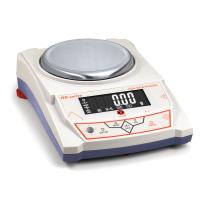
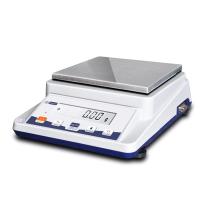
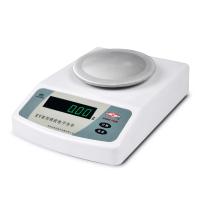
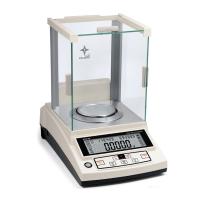
JA-C Precision Electronic Balance Operation Guide
JA series precision electronic balance is an intelligent measuring instrument with multiple functions such as weighing, counting, and unit conversion. This product adopts imported integrated circuits, with stable and reliable performance, simple operation, and accurate weighing and counting. It is a measurement tool widely used by enterprises and scientific research institutes.
1 Model specifications and parameters
model | Weighing range | Reading accuracy | weigh plate |
JA3000C | 3100g | 0.01g | 170x185mm |
JA4000C | 4100g | 0.01g | |
JA5000C | 5100g | 0.01g |
2. Use environment
Temperature limit: 0℃~40℃ Maximum power consumption: 5W
Temperature fluctuation: 5℃/h Power supply: 220V±10%, 50HZ±1HZ
Relative humidity: 50%~85%
3. Operation requirements
When using the electronic balance, it should be placed on a stable workbench to avoid the influence of mechanical vibration, direct sunlight, airflow, etc.
Four, boot
(1) The balance is powered on.
(2) Turn on the power switch, and the display window will display "8¸8¸8¸8¸8¸8.", "Maximum weighing value of the balance", "=¸=¸=¸...=", and finally " 0” state, if the window displays an error, switch the power on and off again, and it can work normally.
5. Calibration
A. One-point calibration method (individual models only have three-point calibration)
After turning on the power and displaying the "0" state, press and hold the "Calibration" button until "CAL" is displayed, then let go and then flashes to display the standard weight value, put the standard weight equivalent to the flashing number on the weighing pan, and the display will "========", the standard weight value will be displayed after a few seconds, and "=======" will be displayed after the weight is removed, and the "0" state will be displayed after a few seconds, and the calibration of the electronic scale is now over. If there is still a large error in weighing, just recalibrate according to the above method.
B. Three-point calibration method
Turn off the power, press and hold the "count" button, and turn on the power switch at the same time, let go after displaying "CAL.", and calibrate according to the following steps:
Flashing display the weight value of the first point, put the equivalent weight; display "======"
Fixedly display the weight value, remove the weight, and display "======";
Flashing display the weight value of the second point, put the equivalent weight; display "======"
Fixedly display the weight value, remove the weight, and display "======";
Flashingly display the weight value of the third point, put the equivalent weight; display "======"
Fixed display weight value, take off the weight, display "======"; later display "0" status
The calibration of the balance is now complete.
Calibration of the balance should be carried out 15 minutes after starting up, otherwise the calibration accuracy will be affected.
6. Weighing
(1) The preheating is stable after power on and the status of "0" is displayed.
(2) When the object is placed on the weighing pan, the weight of the object will be displayed. When the value displayed in the window does not change, it means that the weighing capacity has been stabilized.
7. Tare
(1) When there is a container on the pan, the balance will display the mass of the container
(2) After pressing the "Tare" key, "0" is displayed, that is, the tare weight has been removed.
(3) Put the weighed object in the container, and the weight of the weighed object will be displayed.
8. Operation of balance points.
(1) Press the "Count" button, "COU..." will be displayed, and then a certain number in the point mode "5, 10, 20, 40, 50, 100, 200, 300, 400, 500" will be displayed flashingly, press "Go “P” key to select the desired mode number. Put the same object as the mode number on the weighing pan, press the "Count" button, "= = = = = = " will be displayed, and after a while, the non-flashing mode number will be displayed, which means the setting of the point operation is completed. Thereafter, the point operation is performed. The number of objects will be displayed when objects are placed on the weighing pan.
The point operation requires that the unit weight of the object must be greater than 4 times the minimum reading value. Otherwise, the point error is large or cannot be counted
(2) Exit point operation: press the "count" button, "======" will be displayed, exit the point state after a while, and return to the weighing state.
9. Overweight alarm
When the weighing weight exceeds the maximum weighing value of the scale, the upper horizontal line "-------" is displayed in the display window, indicating that the weighing object is overweight, and the weighing object should be taken away to avoid damage to the balance.
10. Precautions for use
(1) Power on and preheat for 15 minutes before use.
(2) The operating environment and conditions must comply with environmental regulations.
(3) The sum of the weighed masses on the weighing pan cannot exceed 120% of the maximum weighed value. Otherwise the balance will be damaged.
(4) When the balance is inaccurate, the standard weight should be used for calibration according to the specification.
(5) If the user finds that the balance is faulty, please do not disassemble the case for repair, so as not to damage the precision components inside the balance, please send it to the seller or the manufacturer for repair.


- 1Proper Use of Electronic Balance
- 2What is the difference between 10,000-level and 100,000-level Electronic Balance?
- 3Selection scheme of solar cell slurry performance testing instrument
- 4Offset printing ink laboratory performance testing instrument scheme
- 5Method of using electronic balance and its structure
- 6How should the calibration weights of precision balances be handled and maintained?
- 7How to choose and use precision electronic balance test weights?
- 8How to choose a precision digital electronic balance?
- 9Edham Adam SAB & SPB Electronic Balance Structure