Parameter setting method of Torque Tester (HN series)
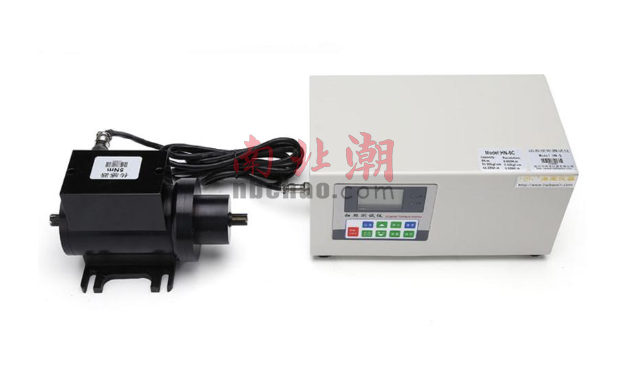
1. Press the "Setting" button to set the upper limit of automatic comparison, press the up button or down button to change the current setting value, when the actual collected value is greater than the value, the sound and light alarm and level signal output. Valid for all modes.
2. Press the "Setting" button to set the lower limit of automatic comparison, press the up button or down button to change the current setting value, when the actual collected value is less than the value, the sound and light alarm and level signal output. Valid for all modes.
3. Press the "Settings" key to set the signal level type, and press the up key or down key to change the current level signal output high or low. Valid for all modes.
4. Press the "Settings" button to set the minimum collection value, and press the up or down button to change the current set value. When the actual collection is less than this value, it is illegal data and does not participate in the calculation process.
5. Press the "Settings" button to set the minimum peak hold value, press the up button or down button to change the current setting value, in the "PEAK" mode, if the actual collected value is less than this value, it is illegal data, do not participate Operation processing.
6. Press the "Settings" key to set the peak automatic release time (0-30 seconds), press the up key or down key to change the current set value, which is related to the "PEAK" mode.
7. Press the "Settings" button to set the automatic shutdown time without operation (1-60 minutes), press the up button or down button to change the current setting value, when there is no operation time (the force value does not change and there is no operation button) When this value is reached, the instrument switches off automatically. Valid for all modes.
8. Press the "Settings" key to set the acceleration of gravity value (9.000-9.999), press the up or down key to change the current set value, which is the same as the local standard value, and there are differences in different regions. Valid for all modes.
9. Press the "Settings" button to set automatic zeroing. The default value is 50% of the full scale, and the user can set it according to the self-applied force of the fixture.
10. Press the "Settings" key to set the operating language of the machine, and press the up key or down key to change the current language.
Note: During the setting process, press the "ZERO" button to return to the test interface without saving the current setting, and press the "Save" button to save the current setting value and return to the test interface.
- 1Torque Tester comprehensive analysis: Definition, core application and professional selection guide
