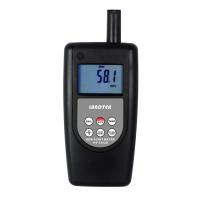
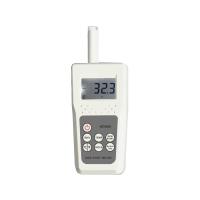
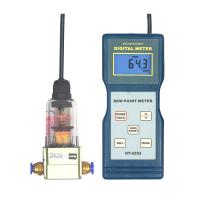
Handheld Dew Point Meter DT-8321 Operation Instructions
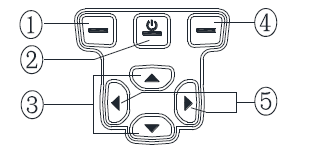
Basic description of the buttons
①Back/Exit key: return to the previous menu, and enter the function of graph and graph in the main interface.
②ON/OFF/HOLD key: short press on the main interface is the HOLD function key, long press on any interface for 3 seconds and a shutdown prompt will appear.
③Up and down keys: Used to select options, the number increases and decreases.
④Confirmation/selection key: In the main interface, it is used to enter the main menu, and other functions are confirmation function keys.
⑤Left and right keys: Used to select options and switch values that need to be changed.
Main interface
1. Press the key to enter the View Hold Save Data interface.
2. HOLD can keep the value displayed on the screen. In the hold state, you can press to save the screen data. The data saved in this way will be stored in the HOLD and Save.csv file, connect to the computer, and use Excel software to open the saved data file.
3. The time is displayed in the upper left corner of the main interface, and the battery power is displayed in the upper right corner. P: 0.0barg is the air pressure value of the probe test, which needs to be set by the user.
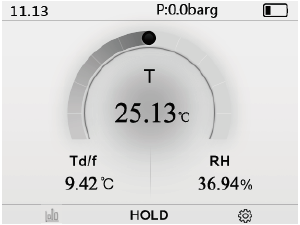
Main menu interface and icons
Use the left and right direction keys to select the menu icon, use the , key to enter the menu, or the left function key to return .
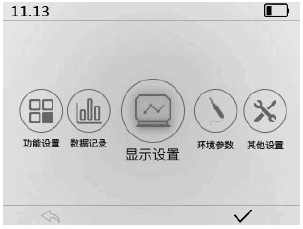
function settings
The function setting is mainly the alarm function setting, select the setting item through the up and down direction keys.
Alarm setting: select a Td/f or T and so on by the √ button.
Upper limit setting: : Press the √ button to enter the upper limit setting interface to set the upper limit value.
Lower limit setting: Enter the lower limit setting interface through the √ button to set the lower limit value.
Start stop: Press the √ button to start or stop the alarm function.
When the measured value exceeds the upper and lower limit values, a bell symbol will appear at the top of the interface.
Connect to computer: enter the interface of connecting to computer, the main unit of the instrument stays on the interface of connecting to computer, connect to computer and save the data files to the computer.
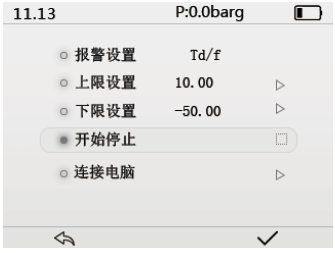
data record
数据记录功能设置,通过.上下方向键选择设置项,通过按键选择或者开启/停止。
记录间隔:可以选择10seC(秒),1min(分),5min,10min,20min。
记录时间:可以选择1,5,12,24,48小时。仪表自动记录过程中,记录文件已文件中第一组数据记录时间命名,例如2011_ 8__8-9. _20_20.csv, 每记录1000组数据自动生成一个文件, 最多可以生成32个文件(包括手动保存的文件HOLD and Save.csv)。
*注意:如果需要执行超过10小时的数据记录,建议接上Micro USB, DC 5V电源,保障仪表长时间运行供电。
*记录的数据以CSV格式保存,连接电脑,可以使用Excel软件打开。请注意保存数据到电脑。
*自动数据记录过程中,自动关机功能不起作用。
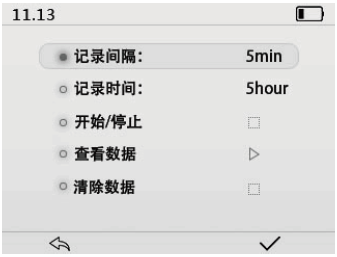
显示设置
主显示界面显示三个参数,温度T固定显示,其余参数可以任意且只可以选中两个。√按键可以选中或者取消选中,需要取消选中才可以选中其他参数,此界面下UNIT/单位按键可以切换单位。
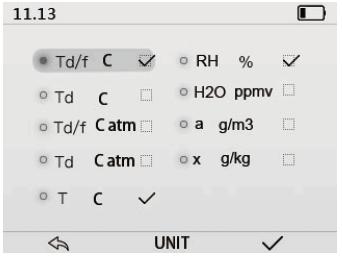
环境参数/测量设置
可选中设置探头环境压力P,探头所测气体的摩尔质量。
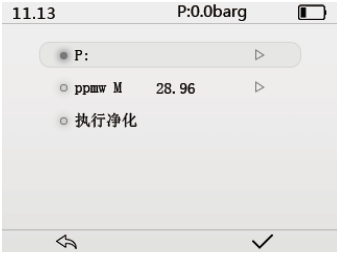
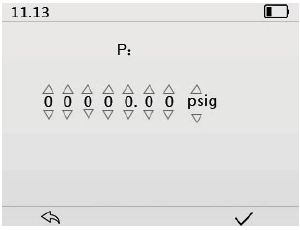
设置探头压力
可以设置压力数值及其单位bara,barg,psia,psigo设置被测气体的气压。通过.上下方向键增大减小数值,和选择单位。通过左右键选择需要设置的数值或者单位。
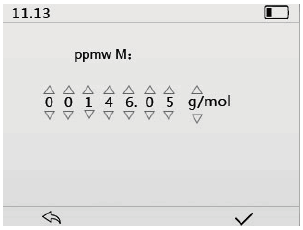
设置探头测量气体的摩尔质量
空气摩尔质量为28.96g/mol, SF6摩尔质量为146.05g/mol。测量SF6气体需要将ppmw M设置为146.05g/mol,此数值参与显示计算。
Use the up and down arrow keys to increase and decrease the value, and select the unit. Use the left and right keys to select the value .
perform cleanup
Select the "Execute Purification Option" and press the J button, the probe will perform purification, heating and drying the sensor. The purification process takes about 5 minutes. After the probe is stored, if no purge has been performed in the past 24 hours, the sensor purge function should be performed when starting a measurement .
Fully charged calibration, after fully charged, the full charged calibration operation option will appear under the environmental parameter menu.
If the battery indicator is inaccurate after fully charged, you can calibrate the battery when fully charged.
other settings
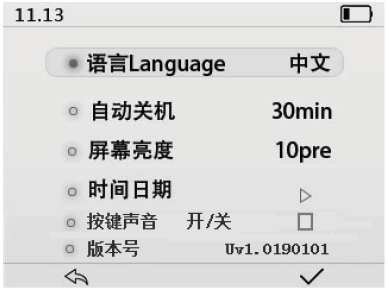
Language setting: Chinese and English.
The automatic shutdown time can be set to off, 10, 15, 20, 25, 30min (minutes).
screen brightness display
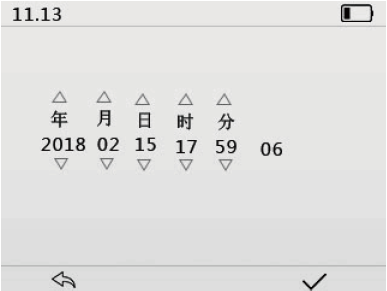
For time and date setting, use the up and down arrow keys to increase or decrease the number, and press the √ button to confirm and save the set time.

- 1How does dew point temperature affect the coating process?
- 2How to non-destructively test the water content of concrete slabs?
- 3Measurement of outdoor climate conditions
- 4Remote monitoring of dew point instrument under environment conditions
-
![LANDTEK HT-1292D portable dew point instrument dewpoint temperature -40~40 ℃]()
-
![TSINGTAO TOKY HD600B integrated dew point meter humidity/temperature/wet bulb temperature/dewpoint temperature]()
-
![TSINGTAO TOKY HD600-B take-over dew point meter humidity/temperature/wet bulb temperature/dewpoint temperature]()
-
![AMITTARI AH-192D Humidity dew point Tester, temperature/Humidity/dew point]()
-
![LANDTEK HT-6292 dew point meter]() LANDTEK HT-6292 dew point meter$ 267.00
LANDTEK HT-6292 dew point meter$ 267.00 -
![LANDTEK HT6292 dew point measurement gas temperature/Relative Humidity/dew point]()