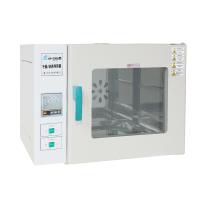
How to use and maintain the light Incubator correctly? (specific operation)
Detailed steps
Example: The equipment needs to work for 10 cycles, and each cycle is set to 2 stages. The first stage needs to work for 12 hours, the temperature is controlled at 30°C, and the humidity is controlled at 60%RH; the second stage needs 12 hours, and the temperature is controlled at 10°C , the humidity is controlled at 50%RH.
Answer: Long press the setting button for 2 seconds to enter the setting state of cycle and number of segments, the value of the set cycle flashes, change the set cycle to 10, and then click the button, the value of the set number of segments flashes, and change the set number of segments to 2 , and then click the setting button to enter the first setting state: the hour value is flashing, and it can be changed to 12 by pressing the down or up button; click the setting button, and the minute value is flashing ; Or press the up button to modify the temperature value to 30.0; then click the set button, the humidity value will flash, and use the down or up button to modify the humidity value to 60%; then click the set button to enter the setting state of the second section, follow the above method Set the values of time, temperature, illuminance and humidity. Then press and hold the setting button for 2 seconds to exit this setting state. After setting, the controller enters the normal operation state. When the program finishes running, the controller will display running finished and close all outputs.
Precautions
1. During the transportation of this product, it is forbidden to place it upside down or at an angle greater than 45 degrees.
2. Do not set the temperature frequently during use, so as to avoid overloading and affecting the life of the compressor due to frequent startup.
3. This product has thermal resistance short circuit and open circuit protection. When the thermal resistance is short-circuited or disconnected, the temperature indicator window will display "Err", and the machine will automatically stop heating or cooling.
4. This product has anti-icing protection. When the set temperature is lower than 10°C, the Incubator will automatically stop heating.
5. It is not advisable to store too many culture items in the box, and there should be gaps in the placement to facilitate air circulation in the box.
6. Do not touch or collide with the temperature control head inside the box to avoid damage and loss of control.
7. Do not wipe the surface with acid, alkali and other corrosive solutions, but clean it with a dry cloth. When the equipment is not in use, keep the box dry, cut off the power supply and set all switches to "0".
8. This product requires professionals to be responsible for operation and maintenance. Non-electrical personnel are not allowed to overhaul the equipment, and liveline maintenance is strictly prohibited.
9. Please read the product instruction manual carefully before using this equipment, and then perform various operations.
Troubleshooting
| Fault | reason | deal with |
| The unit does not work | power failure; | Use it after power on; |
| blown fuse; | replace the fuse; | |
| The power socket has a bad connection. | Reinstall or plug in tight. | |
| poor cooling or | refrigerant leaks; | Ask professionals to overhaul; |
| no cooling | capillary clogging; | Ask professionals to overhaul; |
| Axial fan does not turn. | Inspect or replace. | |
| poor temperature effect | Cultivation items are too dense; | leave a certain gap; |
| The ambient temperature is too high or too low; | Ambient temperature 0-30°C; | |
| Frequent door opening; | Reduce the number of door openings; | |
| The axial flow fan does not turn; | replace the fan; | |
| The temperature control setting is not as required | Re-set the debugging parameters. | |
| no heating | The heating tube or relay is damaged; | replace; |
| The SCR is damaged. | replace. | |
| Running disorderly or not running according to the set parameters | May be 24CO2 damage | professional replacement |
| key doesn't work | The button is damaged; | replace the panel; |
| The socket is loose. | Open the top cover and plug it in tightly. | |
| No sound of relay pick-up and release can be heard during normal operation | The optocoupler is damaged; | professional replacement |
| The relay is damaged. | professional replacement | |
| The humidification light is on but there is no humidification | Humidifier water cut off; | add water; |
| The humidifier is damaged. | replace. | |
| There is an electric shock phenomenon when people touch the shell | No ground wire or poor ground | Prohibit the use of newly installed ground wire |
-
![Honghua 250D Digital Illumination Incubator]()
-
![Hengli LC-400 Lighting Incubator 400L]() Hengli LC-400 Lighting Incubator 400L$ 4015.00
Hengli LC-400 Lighting Incubator 400L$ 4015.00 -
![Hengli LC-300 Lighting Incubator 300L]() Hengli LC-300 Lighting Incubator 300L$ 3191.00
Hengli LC-300 Lighting Incubator 300L$ 3191.00 -
![Hengli LC-250 Lighting Incubator 250L]() Hengli LC-250 Lighting Incubator 250L$ 2743.00
Hengli LC-250 Lighting Incubator 250L$ 2743.00


- 1Principles and selection methods of various laboratory Incubators
- 2Principle and Application of Constant Temperature and Humidity Chamber Biochemical Incubator
- 3Introduction to the principle, characteristics and application scenarios of shock Incubator
- 4What are the FAQs for laboratory Incubators? How to solve them?
- 5Constant Temperature and Humidity Incubator FAQ and Its Solution
- 6Constant Temperature and Humidity Incubator FAQ and its solutions
- 7Selection method of laboratory Incubator
- 8Mold Incubator specific operation method steps
- 9Some introduction to light Incubators