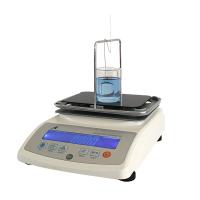
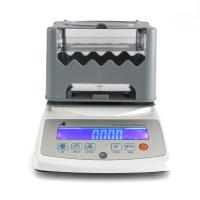
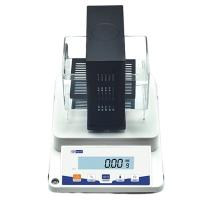
Installation, Calibration and Measurement of Density Meters [Video Demonstration]
Density test is a common physical performance test. There are liquid density test, solid density test, and gas density test. The use of a density meter goes through three major steps, including installation, calibration, and operation. The specific operation is as follows:
Installation and Calibration
Fill the sink with water, and then snap it on the host.
Snap the test stand into the corresponding point on the board.
Click to start, when the value on the screen is stable at 0.0, press and hold the reset button, place the weight on the test stand, the device will automatically recognize the density value of the weight, the value is stable, and the calibration is completed.
Steps
When the value on the screen is stable, place the sample on the measuring platform, and press the red memory key after the value is stable.
Remove the sample, open the cover, place the sample in the water basket, and press the red memory key after the value is stable.
The screen directly displays the sample density value, open the cover to take out the sample, press the "FET" button to return to the next sample for testing.
Video explanation
The following is a specific demonstration video of the operation, calibration and installation of the density meter, pay attention to the details.

- 1Correct operation steps of liquid density meter [video demonstration]
- 2How does a density meter test the density of a product with a density < 1? [Video explanation]
- 3How does a density meter detect the density of bulk products?
- 4Densitometer calibration
- 5Color and Gloss Calibration
- 6What is a density meter? How to calibrate?
- 7Outdoor steel structure fireproof coating performance testing instrument scheme [mid-range version]
- 8Density measurement method basic knowledge
Siegfried Hold
- 9Compression of coating powder
温绍国 - 《涂料及原材料质量评价》