
Paint Glossmeter JFL-BZ60MP (metal coatings dual-use smart) JFL
SE JFL-BZ60MP (metal coatings dual-use smart)

-
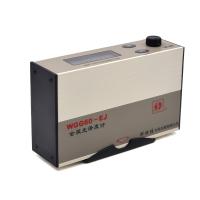 KSJ WGG60-EJ single angle Glossiness Meter, metal Eletroplating copper foil surface, built-in lithium battery
 -
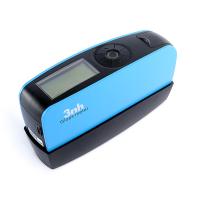 3NH YG60 Single Angle Glossiness Meter$ 287.00SE
 -
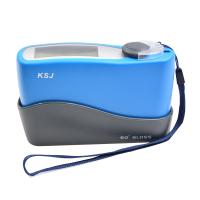 KSJ MG6-SM Portable Gloss meter for metal, wide range, self-calibrated with Bluetooth
 -
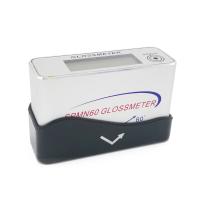 QILI SPMN60 MiNi Glossmeter$ 640.00SE
 -
 QILI SMN60-C full smart surface Glossmeter single angle Glossometer$ 666.00SE





JFL JFL-BZ60MP (metal coatings dual-use smart) GlossMeterSPEC
JFL JFL-BZ60MP (metal coatings dual-use smart) GlossMeterDetails
JFL JFL-BZ60MP (metal coatings dual-use smart) GlossMeterPacking list

- SKU
- NB001310
- Geometry
- 60°
- Measurement range
- 0~1000GU
- Measuring Areas
- 10*20mm
- Error of indication
- ±2GU
- Division Value
- 0.1GU
- Standards
- ISO-2813、ISO-7668、GB8807
- Operating language
- Chinese
- Dimensions
- 114*35*65mm
- Weight
- 300g
- Power
- Rechargeable battery
- Stability
- ±2GU
- Measurement port size
- 14*28mm
- Working Voltage
- 4.8V
- Application
- (High Gloss Display Range) The main measurement metal can also measure Coatings, Paints, Printing inks, Plastics, Stone, Flooring, Woodware in the range of 0-199
- Measurement port shape
- ellipse

Introduction
JFL JFL-BZ60MP Paint Gloss Meter is a dual-function gloss meter, which can measure the gloss of metal surface and the gloss of paint surface. It is intelligent and uses Ni-MH rechargeable battery. In the circuit, a larger display range is realized. The display resolution of JFL-BZ60MP gloss meter is 0.1, and the display range is 0-1000 gloss units. The gloss value measured directly through the large LCD is intuitive and clear, and the projection angle is 60 degrees.
Applications
JFL-BZ60MP Paint Gloss Meter is suitable for surface gloss measurement in metal, paint and other fields.
Product Calibration Method
1. Put the measurement window of the JFL-BZ60MP paint gloss meter on the black velvet board, press the "set number/zero" key, and the displayed value is 0.0.
2. Use the black glass standard board instead of the black velvet board, put it under the measurement window of the JFL-BZ60MP gloss meter, press the "calibration/measurement" button, enter the setting and filling, and then display "000.0" and the first "0" flashing.
3. Press the "Shift" key to move the flickering digit to the right, and press the "Number/Zero" button to change the value of the "blinking" digit from 0-9-0. By pressing the "Shift" and "Number/Set" "Zero" key causes the displayed value to be the same as
The nominal value of the black glass standard plate is the same, which means that the setting by pressing the "Calibration/Measurement" button is completed.
4. Put the measuring window of the JFL-BZ60MP coating gloss meter on the white ceramic standard plate, the error between the displayed value and the nominal value of the white ceramic standard plate should not be greater than ±1.2 gloss units, otherwise, the standard plate is dirty and other problems should be considered .
5. After the JFL-BZ60MP paint gloss meter is calibrated, the sample gloss can be measured.
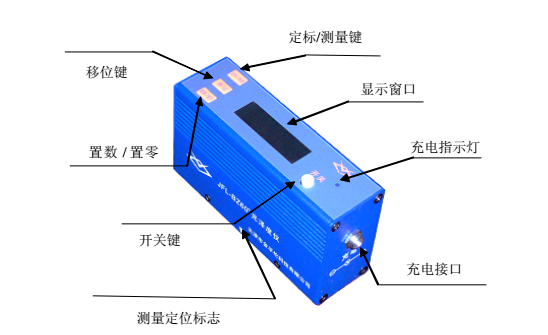
structure diagram
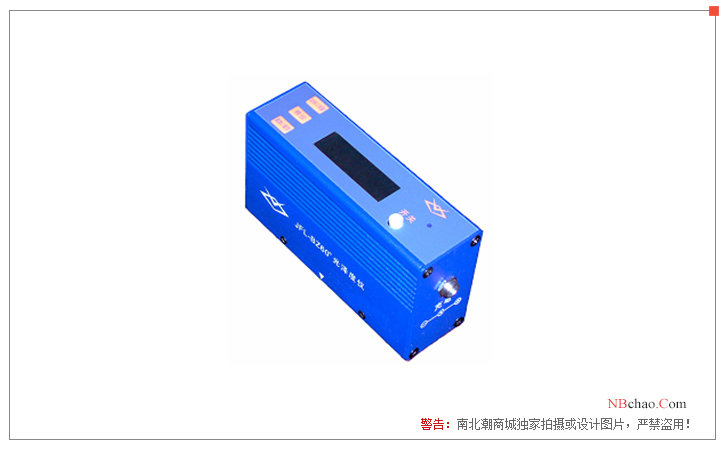
Pictures
- 1GB/T 9754-2025《Paints and varnishes—Determination of gloss value at 20°、60°and 85°》
- 2GB/T 23454-2025《Stone plate for vanity and countertop and windowsill》
- 3GB/T 13217.2-2024《Test method for gloss of ink》
- 4GB/T 11420-1989《Measurement of specular gloss of vitreous and porcelain enamels》
- 5GB/T 13448-2019《Test methods for prepainted steel sheet and strip》
- 6HG/T 2006-2006《Thermosetting powder coatings》
- 7GB/T 33876-2017《Method for measuring gloss uniformity of image on colour copied pages》
- 8GB/T 23997-2009《Solvent-thinned polyurethane wood coatings for indoor decorating and refurbishing》
- 9HG/T 5183-2017《Water-based ultraviolet curing coatings for woodenware》
- 10HG/T 5180-2017《Water-based Coatings for Automotive Plastic Parts》