
SILE B15-3 intelligent constant temperature digital display timing magneticstirrer 10L/1500rpm
SE B15-3
B15-3


SILE INTRUMENT B15-3 MagneticstirrerSPEC
SILE INTRUMENT B15-3 MagneticstirrerDetails
SILE INTRUMENT B15-3 MagneticstirrerPacking list

- SKU
- NB013445
- Max. Capacity of stirring
- 10L
- Stirring speed
- 50~1500rpm
- Heating power
- 800W
- Temperature range
- RT+~250°C
- temperature control Accuracy
- ±1℃
- Timer
- 0~9999min
- Pan size
- F170mm
- Dimensions
- 330*195*125mm
- Total Weight
- 4.4kg
- Power
- Ac220V±10%
- Operating Mode
- continuous
- Motor torque
- 80mN·M
- Temperature range
- 0~350℃
- temperature control Accuracy
- ±0.5℃
- Temperature transducer
- PT100
- Safety protection temperature
- 400℃
- Temperature range
- 0~300℃
- temperature control Accuracy
- ±0.5℃
- Pan size
- F170mm
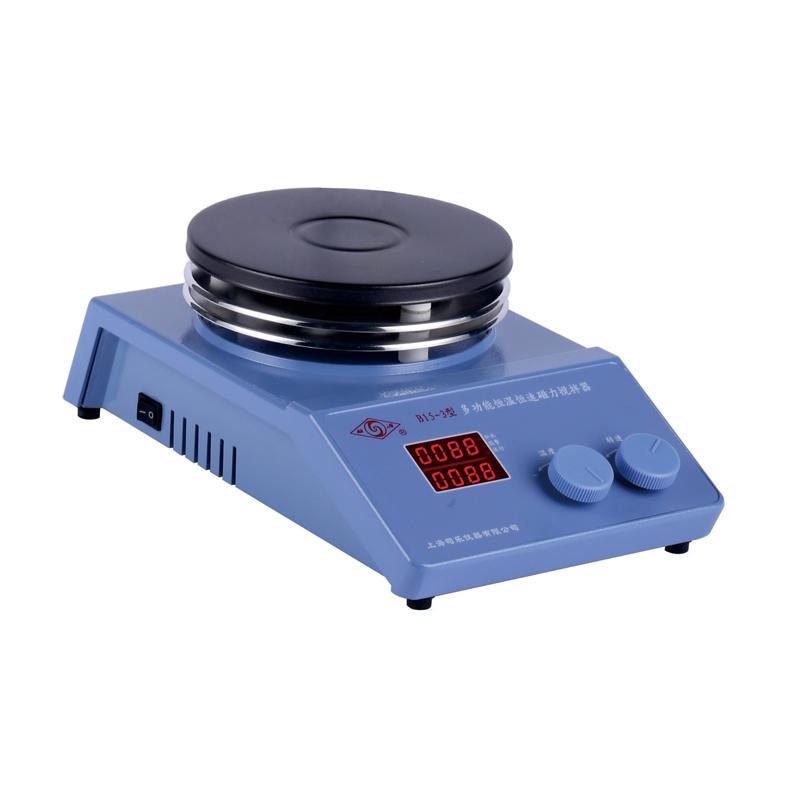
overview
The intelligent constant temperature digital display timing magnetic stirrer is driven by a DC three-phase brushless motor. The temperature control adopts the intelligent Pid method to automatically control the temperature, and the table temperature and liquid temperature can be set, controlled and displayed. Electronic timing, high precision. Timing time up to 9999 minutes. With temperature, speed, double digital display function.
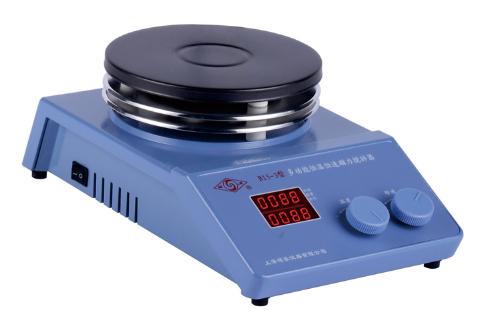
Instructions
1. Screw the watch rod in the random accessories into the threaded hole in the upper right corner of the instrument, and fix the sensor bracket.
2. After placing the instrument stably, insert the plug of the temperature sensor and tighten the locking nut on it, and then connect the power cord.
3. Put the container containing the solution in the center of the workbench (black electric hob), and put a suitable stirrer in the container (cylindrical stirrer for flat-bottomed container, spindle-shaped stirrer for spherical container. The container should not be iron and It is made of magnetic-related materials, and the bottom thickness should not be greater than 10mm.), adjust the height of the temperature sensor so that it is about 10mm away from the bottom of the container. When the solution is small, insert it at least 10mm into the solution to ensure the correctness of temperature measurement.
4. Turn on the power switch on the left side of the instrument, the display digital tube and all display lights will be on, and enter the standard display state after a few seconds.
5. Speed key: Rotate once to enter and modify the speed setting value. Turn left to decrease, and right to increase. After setting, click to turn on the speed, and then click to turn off the speed.
6. Temperature key: Turn it once to enter and modify the temperature setting value, turn left to subtract, turn right to add. After setting, press the temperature button to start heating. At this time, the running light and heating light are on, and the set temperature is locked. Press the temperature button again to stop heating, and both the running light and heating light are off.
7. Timing time setting: long press the temperature button, LK prompt and the number "0", release and click. Press the temperature button for the first time, rT displays the time running value, OFF means no time setting, and it keeps running; press the temperature button for the second time, T2 displays the current temperature on the electric hob; press the temperature button for the third time, ST For Timer Setting setting, you need to rotate the temperature key to set the time, and change the number from 0 to 9999. If the Timer Setting is "0", it keeps running, and the running time is 1-9999 minutes; press the temperature key for the fourth time to exit the setting , into the standard state. The Timer Setting starts when the set temperature is reached; when the set time is reached, the speed and heating are turned off at the same time. The set Timer Setting is automatically zeroed every time the power is turned off or cut off.
8. Table temperature setting: Due to the particularity of the user's use, when the liquid temperature cannot be detected, the table temperature control can be used. The operation method is to unplug the sensor plug and automatically switch to the temperature sensor in the built-in countertop. The countertop temperature setting is the same as the liquid temperature setting.
9. Check the set speed: turn the speed key slightly, the number will display the original set speed, and rotate the speed key to change the original set speed.
10. Check the set temperature: Turn the temperature key slightly, the number will display the original set temperature, and rotate the temperature key to change the original set temperature.
11. Check how long the timing has elapsed: the operation is the same as 7.
- 1Magneticstirrer operating procedures, precautions and instructions for use
- 2Difference between Overhead Stirrer and magneticstirrer
- 3Sile magneticstirrer selection table [selection]
- 4B13-3, B15-3 intelligent constant temperature digital display timing magneticstirrer instruction manual
- 5Difference between temperature transducer and temperature transmitter
- 1GB/T 5541-2017《Disperse dyes—Determination of stability of dispersion at high temperature—Filter test of double filter papers》
- 2GB/T 6368-2008《Surface active agents - Determination of pH of aqueous solution - Potentiometric method》
- 3GB/T 33546-2017《General technica standard of electromagnetic stirrer》