
UNI-T UT332 Digital Humidity Meter Humidity accuracy high +/- 2.5% RH
 UT332
UT332

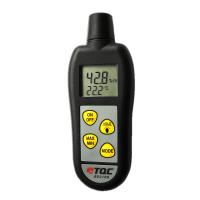
UNI-T UT332 Humidity meterSPEC
UNI-T UT332 Humidity meterDetails
UNI-T UT332 Humidity meterPacking list

- SKU
- NB016285
- temperature range
- -20~60℃
- temperature error
- ±0.5℃
- Temperature Resolution
- 0.1℃/0.1℉
- Humidity range
- 0~100%RH
- Humidity error
- ±2.5%
- Humidity resolution
- 0.1%
- power saving mode
- Yes.
- Interface
- USB
- Sampling time
- About 10 seconds
- unit conversion
- ℃/℉
- Power Supply
- 1.5V alkaline battery (7 #) X 4
- Dimension
- 185*54.8*33.8mm
- Weight
- 130g
- Display
- 26.5mm X 35.5 mm
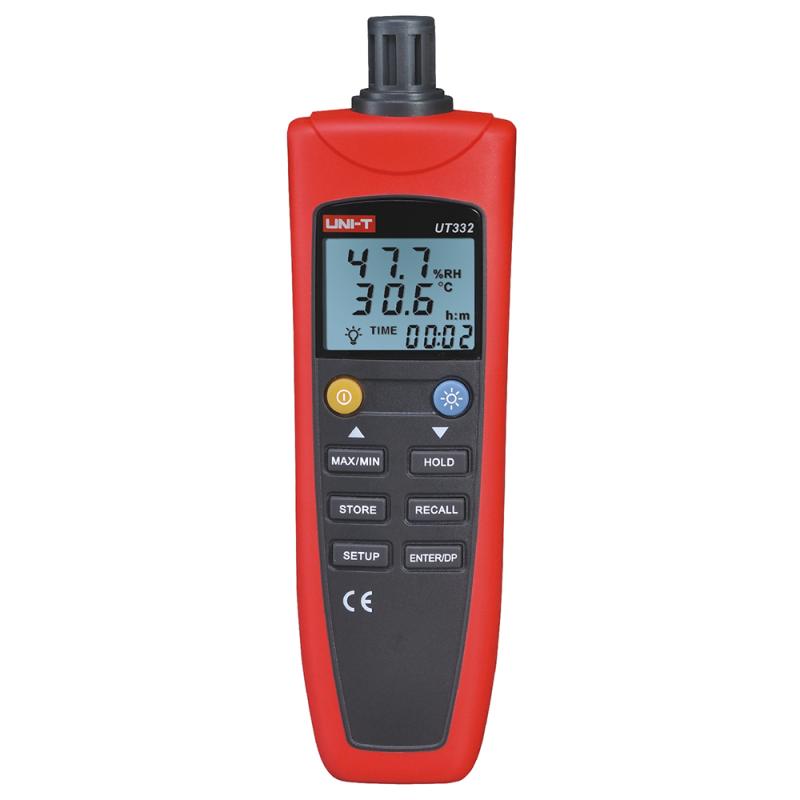
UT330 series is a stable, safe and reliable digital temperature and humidity meter. It has the advantages of low power consumption and high accuracy, and can communicate with a PC, transmit measurement data, and save and print data and trend graphs through special software.
It is suitable for factories, laboratories, research institutes, food, and environmental protection industries, and it is especially important to understand and grasp environmental information and changes in real time for production.
Product Structure
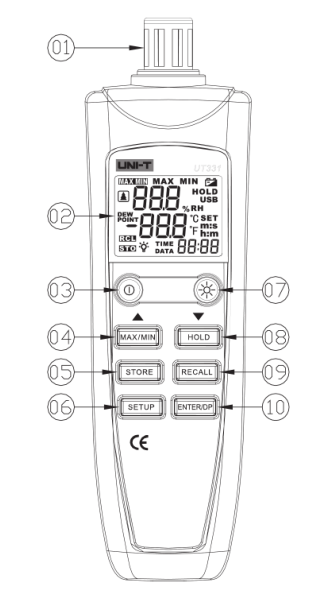
(1) Sensor protective cover (rotates to open or close)
(2) Display
(3) Turn on/off the power-saving mode.
(4) STEP-BY-STEP VIEW THE MAXIMUM (MAX) AND MINIMUM (MIN) OF THE CURRENT READING. Press and hold MAX/MIN
The display of this item is turned off. (Reused as ▲ use)
(5) Data storage key, with ▼ ▲ use, see user setting operation - data access for details.
(6) Start/exit the setting (SETUP), with ▼ ▲ use, see user setting operation for details.
(7) Turn on/off the background light.
(8) Press HOLD to fix the displayed reading, and then press to disable the function to return to the measurement status. (Reused as ▼ use)
(9) Data reading key, with ▼ ▲ use, see user setting operation - data access for details.
(10) Dew point temperature selection key (multiplexed as the key to determine during storage)
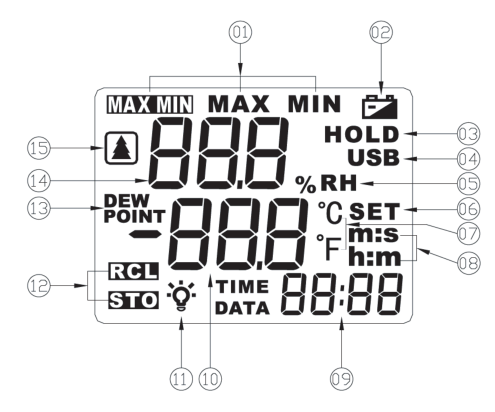
The maximum and minimum values are indicated
Battery low Voltage indication
Display backlight switch indication when held
Online Instructions Access instructions
Humidity unit dew point temperature
Set the mode indication Humidity display area
Temperature Unit: Power saving mode
Time format indication
Time display area
Temperature display area
Backlight switch indication
Access Instructions
Dew point temperature
Humidity display area
Power saving mode