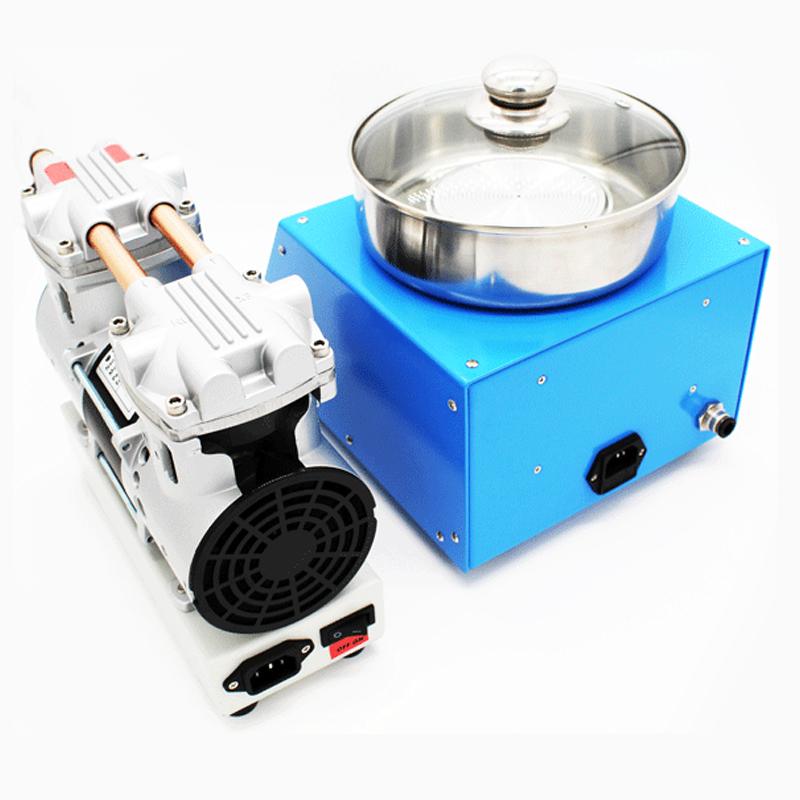
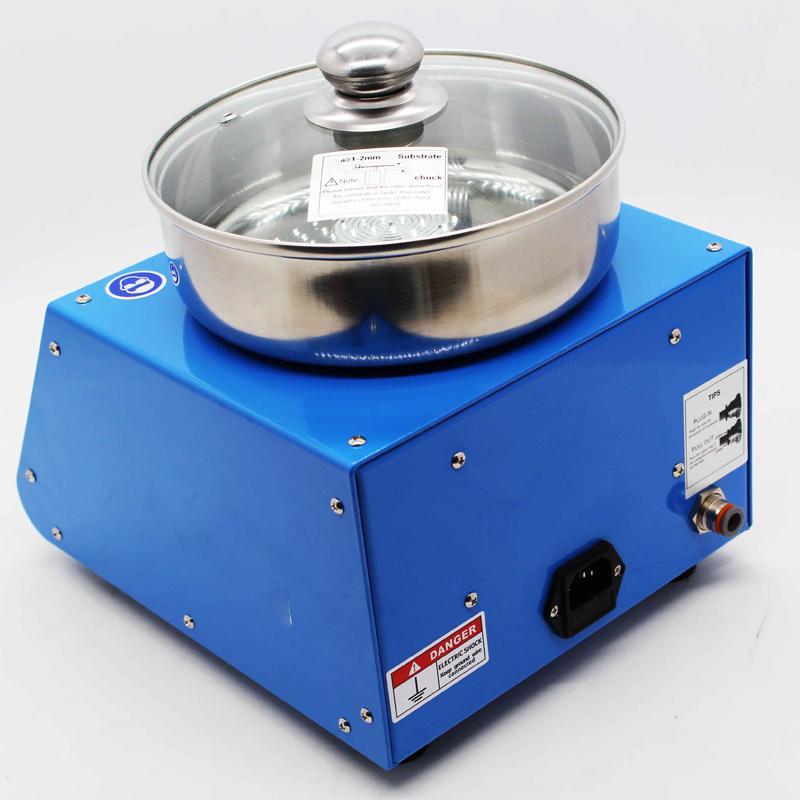
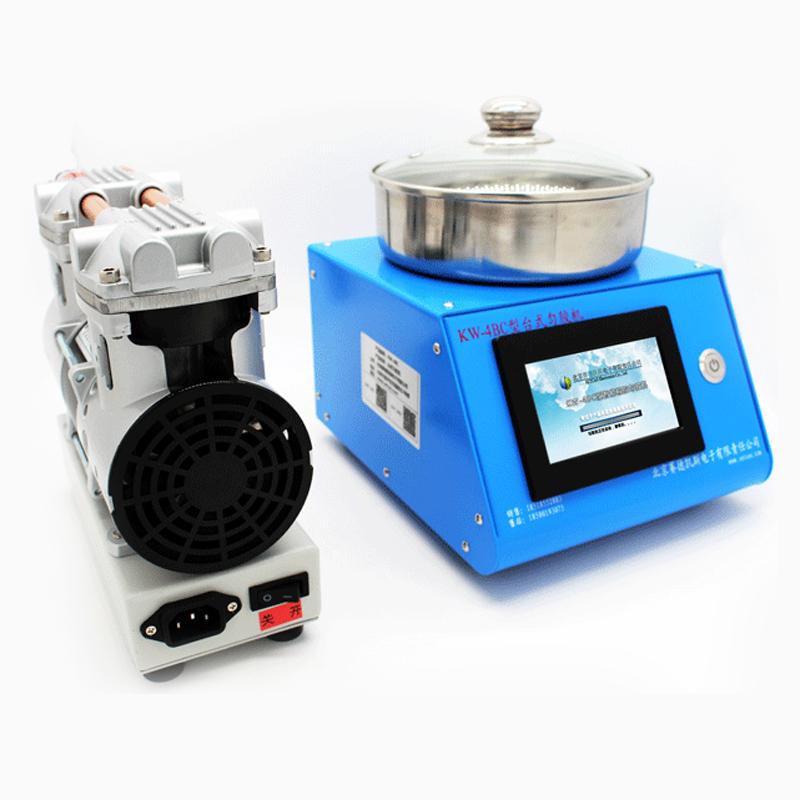

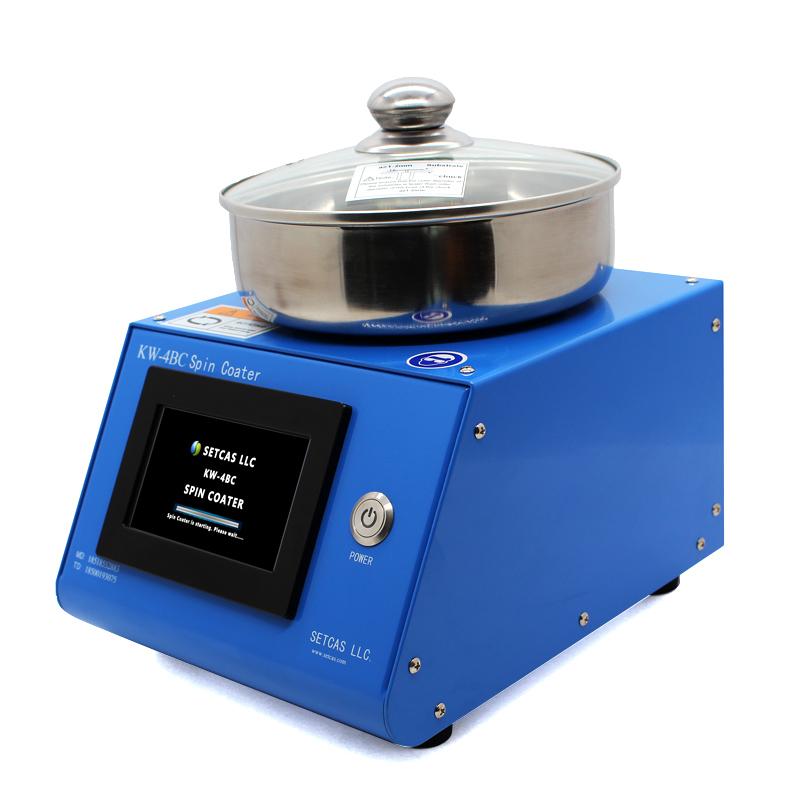
SETCAS KW-4BC intelligent program-controlled Spin Coater, mid-range machine, touch screen, adjustable acceleration
SE KW-4BC

Setcas KW-4BC Glue levelerSPEC
Setcas KW-4BC Glue levelerDetails
Setcas KW-4BC Glue levelerPacking list

- SKU
- NB038454
- Gluer power
- 200W
- homogenization
- ±1%
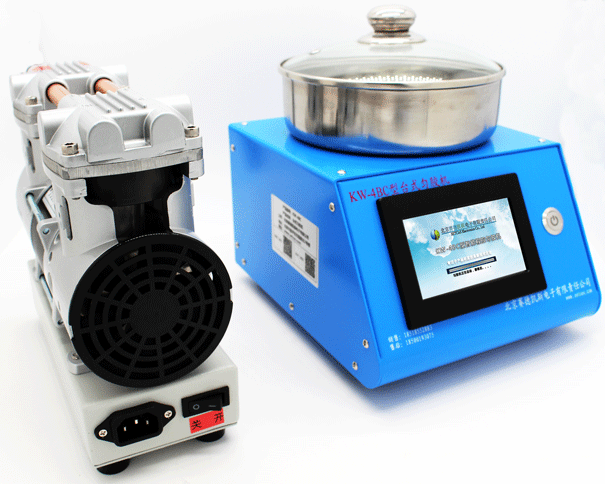
- Mechanical pump power
- 350W
- Vacuumpump Power interface
- AC220V standard, AV110V optional;
- Suitable substrate
- Φ5~ Φ150mm discs and squares.
- Speed range
- 1~10000rpm
- RPM resolution
- 1rpm
- Speed stability
- ±0.1%
- Acceleration range
- 1~10000rpm/s
- Miscellaneous
- Can set and store N groups (N arbitrary) speed programs, each group comes standard with 10 speeds, which can be dumped via USB
- Dimensions
- 210*240*230mm
- Gluer Weight
- 6.5kg
- Mechanical pump Weight
- 9kg
Features
hardware features
· It adopts 4.3-inch color touch screen and BAMBOO stylus, and the graphical interface is easy to operate;
Software Features
· Motor speed can be adjusted;
· Single group and multi-group operation are optional, and each group can set up to 10 steps;
· With motor glue protection function;
· With substrate flyer protection and alarm function;
· It has the functions of gas circuit cut-off detection and automatic slice prompting;
· It has the function of formula parameter protection after power failure.
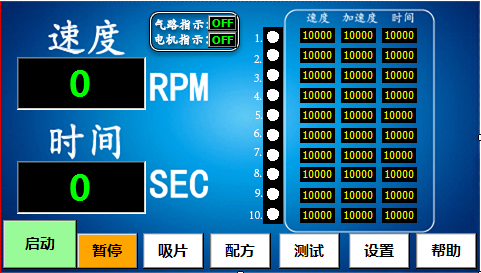
operation panel
Coating process
After the installation and general connection of the mechanical pump and glue homogenizer are completed, the glue homogenization operation can be carried out. The specific steps are as follows:
1. Turn on the power: turn on the power switch of the glue homogenizer and the oil-free pump in turn;
2. Recipe setting: Click the recipe button to perform related operations of the recipe. For details of the operation method, see Figure 6 and its description;
3. Other settings:
Set the pre-suction time, desorption time and air pressure detection status according to your own needs; the pre-suction time and desorption time are default
0s, the air pressure detection switch is on by default (recommended to be on), see Figure 8 and description for the operation method;
4. Play the film
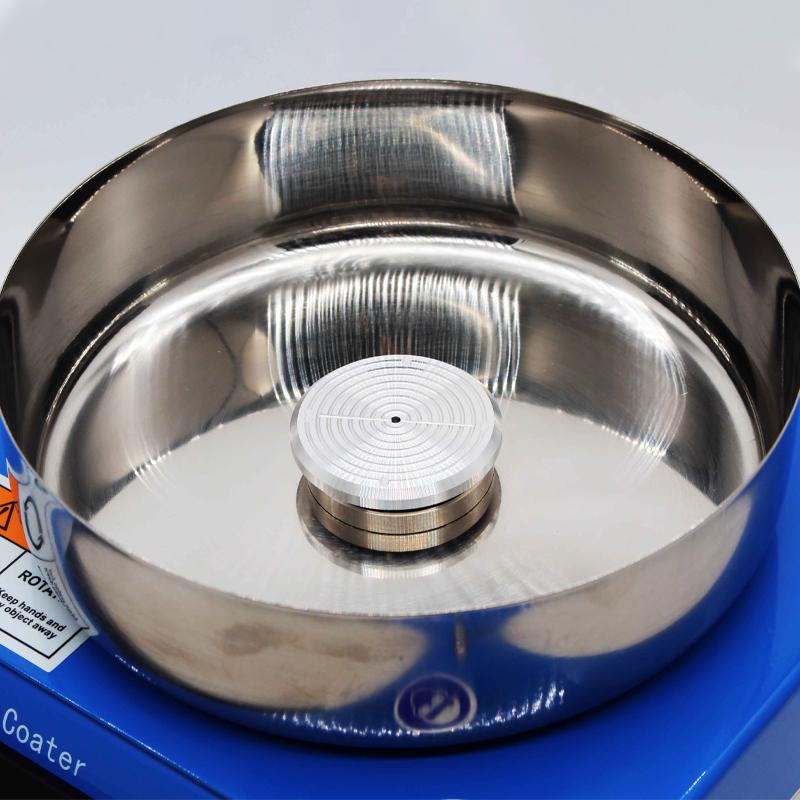
Place the substrate to be evenly glued on the sheet holder (see Figure 12);
5. Suction tablet: press the button of taking tablet/suction tablet to complete the suction tablet;
6. Epoxy:
· Static Epoxy
If glue dispensing is to be performed in a static state, this operation should be completed between steps 5 and 6.
· Low speed dispensing
If glue dispensing is required at low speed, the corresponding low speed section should be set in step 2, and the operation should be completed when the motor .
7. Start: Press the start/stop button, the motor starts and runs according to the parameter setting requirements, if step 5 is not operated, this step will automatically suck the film;
8. Take the film:
· Process take film
If you need to take and put the film in the process of uniform glue, you should press the pause/resume button. After the motor pauses, press the take/suction button to take and put the film.
· Terminate fetching
a. You can press the start/stop button to forcibly end a gluing process. After the motor stops running, perform pick-and-place and slice operations, and repeat steps 4 and 5 for pick-and-place operations.
b. After a glue homogenization process is automatically ended, after the prompt interface for taking the film pops up (see Figure 11), perform the operation of taking and putting the film, and repeat steps 4 and 5 for the taking and putting operation.
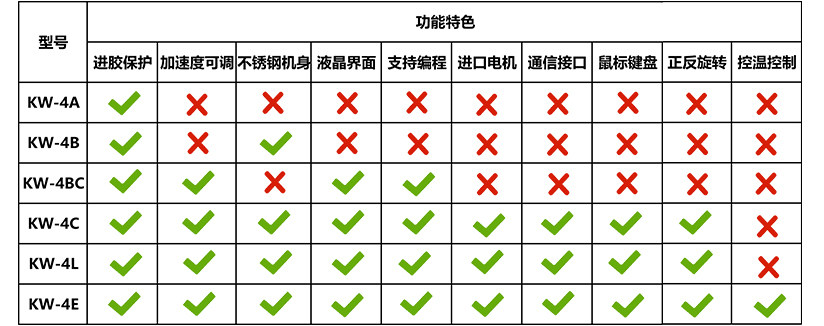
KW series homogenizer model comparison
- 1What is spin coating and how does it work?
- 2Spin-on cleaning and specific cleaning steps
- 3Four key stages of spin coating
- 4Spin Coater selection and classification: a one-stop guide
- 5What are the common problems of spin coating experiment?
- 6What is spin coating?
- 7Detailed operation steps schematic diagram of the glue leveler
- 8Common defects in spin coating of homogenizer
- 9Three small suggestions for improving the effect of spin coating
- 10What are the special requirements for spin-coated nanoparticles?