

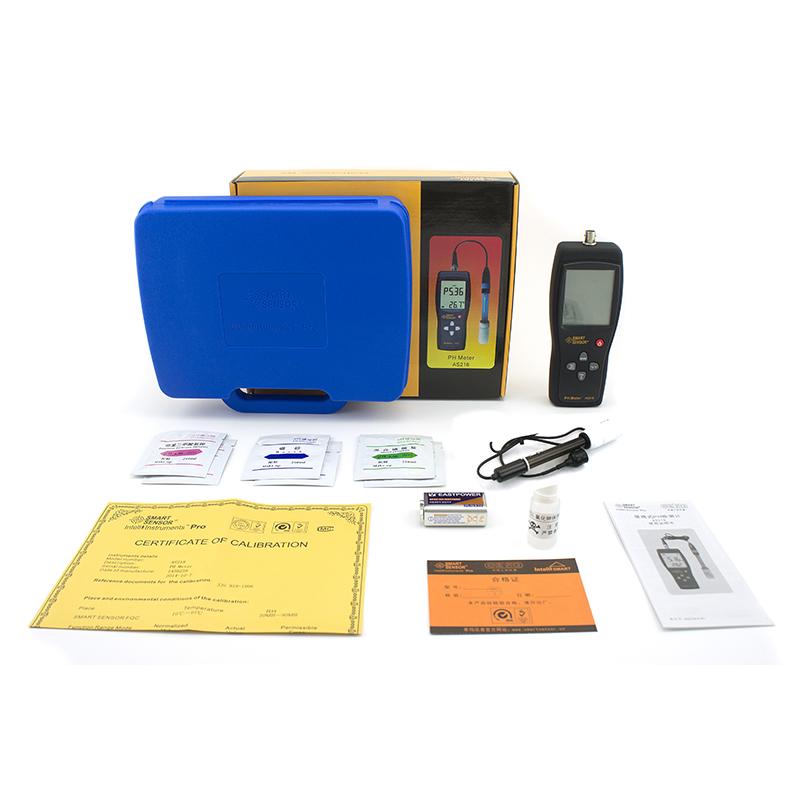


SMART SENSOR AS218 PH value Tester pH meter


SMART SENSOR PH value TesterSPEC
SMART SENSOR PH value TesterDetails
SMART SENSOR PH value TesterPacking list

- SKU
- NB038552
- PH range
- 0.00~14.00ph
- Measurement intrinsic error
- ±0.05ph
- Measurement stability
- ±0.03
- Solution temperature compensation range
- 0~60℃
- Repeatability
- 0.03
- Measured solution temperature
- 5~60℃
- Ambient Temperature
- 0~35℃
- Relative Humidity
- 0~80%RH

Instrument structure
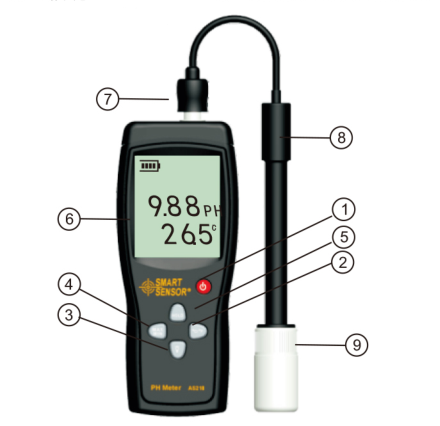
â Power switch
â¡Celsius/Fahrenheit button
â¢Backlight/confirm button
â£MODE button
â¤MAX/MIN/HOLD button
â¥LCD display
â¦Electrode plug
â§PH composite electrode assembly
â¨Electrode tip storage bottle and maintenance solution
screen display
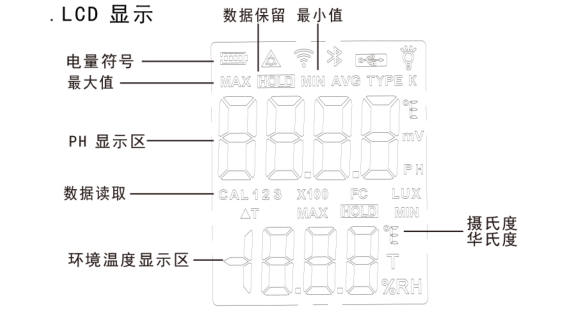
Instructions
The power supply of the instrument is DC9V alkaline battery. Open the battery cover on the back of the instrument and insert the battery. Before using the instrument, if the detection electrode has been replaced, it must be calibrated before measuring the pH value of the solution . If the electrode is calibrated, it does not need to be calibrated before every use. Generally, when the measurement interval is relatively short, it can be calibrated once a month.
The instrument uses three-point calibration. The specific steps are as follows:
(1) Calibration instructions: To calibrate the ambient temperature, the calibration liquid must be placed in an environment of 25 degrees Celsius.
(2) First press and hold the "MODE" button to enter the three states of "CAL 1", "CAL 2" and "CAL3" respectively, and the indicator symbols will flash cyclically.
(3) The calibration steps are as follows:
A: PH4.0 solution calibration: Press the "MODE" button and the instrument will enter the "CAL 1" flashing state. Clean the electrode with distilled water and put the electrode into the PH4.0 solution. Wait until the electrode status is stable and wait for the mV test to reach After the number is stable, at this time, press and hold the "BACK/LIGHT" button for 3 seconds, "CAL1 4.00" flashes and disappears, and the PH4.0 solution calibration is completed.