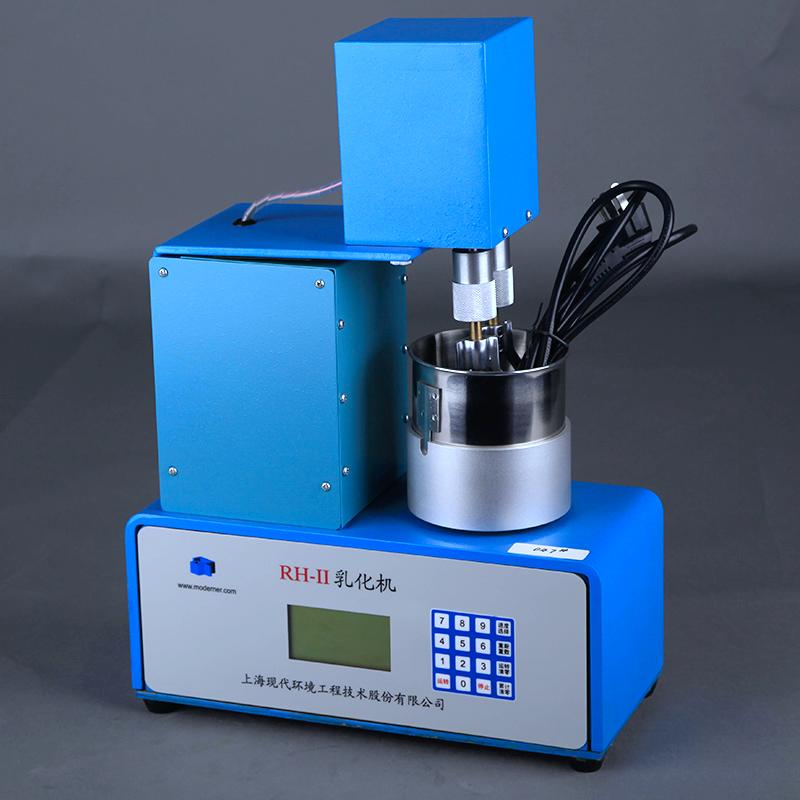

MODERNER RH-II Mulser for rapid laboratory measurement of water absorption of offset plate inks and their connectors
SE RH-II
RH-II

Moderner RH-II MulserSPEC
Moderner RH-II MulserDetails
Moderner RH-II MulserPacking list

- SKU
- NB000787
- Speed range
- 90/100/150rpm
- Power
- 220V 50Hz
- Container size
- 100x100mm
- Work head specification
- 56x100mm
- Overall Dimensions
- 330*150*460mm
- Total Weight
- 20kg
- Application standard
- ASTM D4942
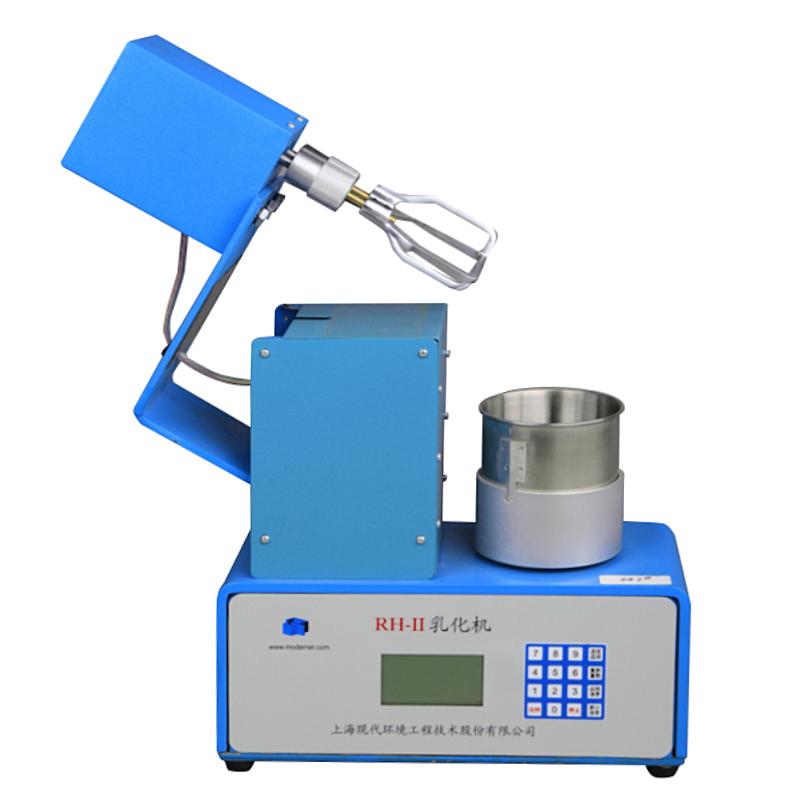
The RH-II emulsifier is a special instrument that complies with the ASTM D4942 standard and is used to quickly measure the water absorption of offset inks and their connecting materials in the laboratory. The instrument uses a double-frame stirring paddle planetary stirring method to finely disperse the immiscible liquid beads in the tank through shearing and dispersion, and circulate them in the tank to obtain a uniform emulsification state. The instrument adopts programmable control, and the LCD displays the working parameters and operating status of the instrument; it has the characteristics of simple operation, reliable performance, flexible and convenient use.
If the user has special requirements for the stirring paddle speed, it can also be met by modifying the programming parameters (please specify separately when ordering).
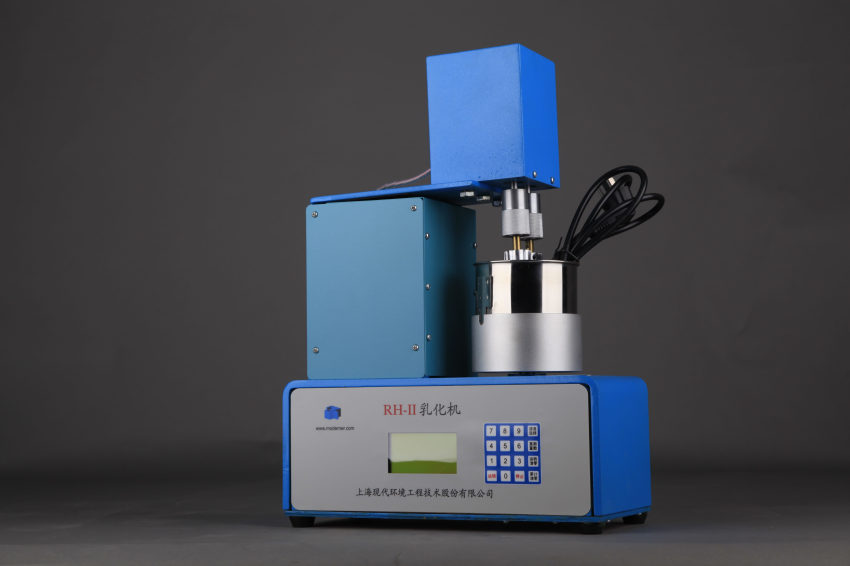
Instructions:
1. Basic operation of the instrument:
(1) Place the instrument on a flat and stable desktop, plug in the power, and turn on the power switch next to the socket hole at the back of the instrument. The LCD will display initialization information.
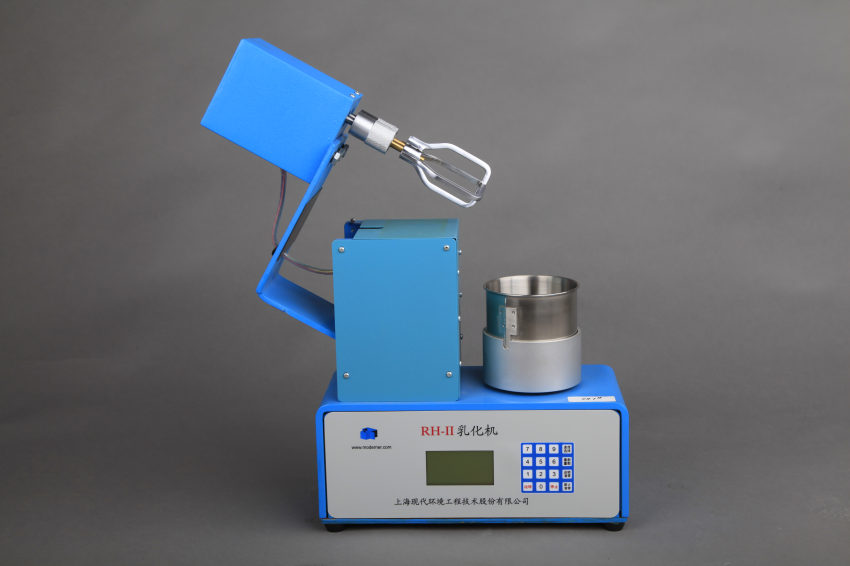
(2) The stirring paddle part of the instrument can be lifted upward to facilitate the disassembly and installation of the stirring paddle and the removal and insertion of the container. If you accidentally lift this part while the stirring paddle is rotating, the instrument will automatically stop running; if you want to resume running after putting it back, press the "Run" key again.
(3) When disassembling the mixing paddle, first gently remove the knurled sleeve on the handle of the mixing paddle, and then remove the mixing paddle downwards. When installing the mixing paddle, please pay attention to the notch on the mixing shaft and the notch position in the hole of the mixing paddle handle. First, gently remove the knurled sleeve on the mixing paddle handle, insert the mixing paddle handle into the mixing shaft, and swing gently. Just align the notch position so that the knurled sleeve can be reset to the original positioning position.
(4) Before starting the machine, make sure that the stirring paddle is correctly installed and that there is no contact between the mixing paddle and the container. After the instrument is started, the stirring paddle and container will start to rotate at the same time until the set number of turns, and the instrument will automatically stop running.
(5) After using the instrument, please clean it and turn off the power switch next to the socket hole at the back of the instrument to cut off the power supply.
2. Button panel operation:
(1) When the power switch is turned on, the buzzer emits a "beep" sound, indicating that the instrument self-test is normal.
(2) Then the LCD will display some initialization information.
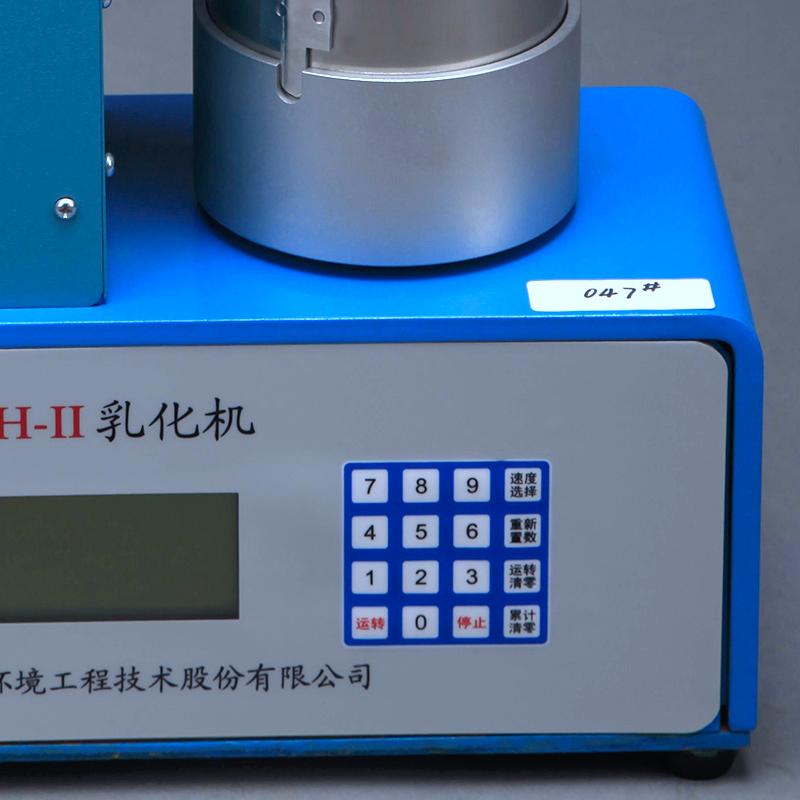
(3) When the LCD enters the operation interface, it displays as follows:
"Running speed: 90 r/min"
"Set lap number:"
"Number of operating cycles: 0000"
"Cumulative times: 00"
(4) The default operating speed of this machine is 90r/min. If you want to adjust the operating speed, press the "speed selection" key. The operating speed will cycle between 100, 150, and 90.
(5) To start the instrument, you first need to set the number of instrument working cycles! The number of working laps can be set by tapping the numeric keys on the keyboard. Inputting "set number of laps" requires 4 digits. If there are less than 4 digits, add "0" in front of it. For example, if you want to run 500 circles, you should enter "0500". If you find an input error, you can press the "Reset" key to cancel the current input.
(6) As long as the "set number of laps" is input, you can press the "Run" key to start the instrument operation. Each time the stirring paddle rotates once, the "number of rotations" automatically increases by 1. When the number of running circles reaches the set number, the instrument automatically stops running, the buzzer emits a "beep-beep-beep" sound, and at the same time, the "accumulated number of times" automatically increases by 1, and the "number of running laps" is automatically cleared to prepare for the next time count.
(7) If you press the "stop" key during operation, the instrument will stop running immediately, but the numbers in "set laps", "running laps" and "accumulated times" will be retained. To continue running, simply press the "Run" key and the instrument will resume running until the set number of laps.
Press the "Operating Clear" and "Accumulated Clear" keys to clear the numbers in "Operating Circles" and "Accumulated Times" respectively.
3. Things to note:
(1) This instrument is used in the testing process of chemical products. Users should establish appropriate safety and protective measures and determine rules and regulations in accordance with relevant safety regulations before use. Safety issues related to contact with chemical raw materials should be established by the user and are beyond the scope of this manual.
(2) Our company reserves the right to further improve the instrument. This manual is subject to change without prior notice.