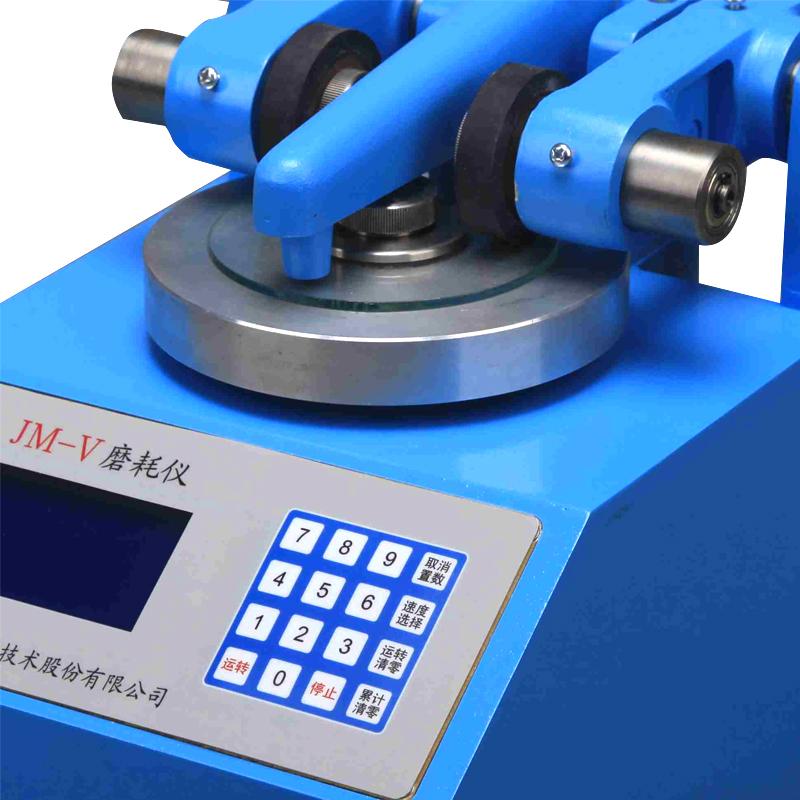
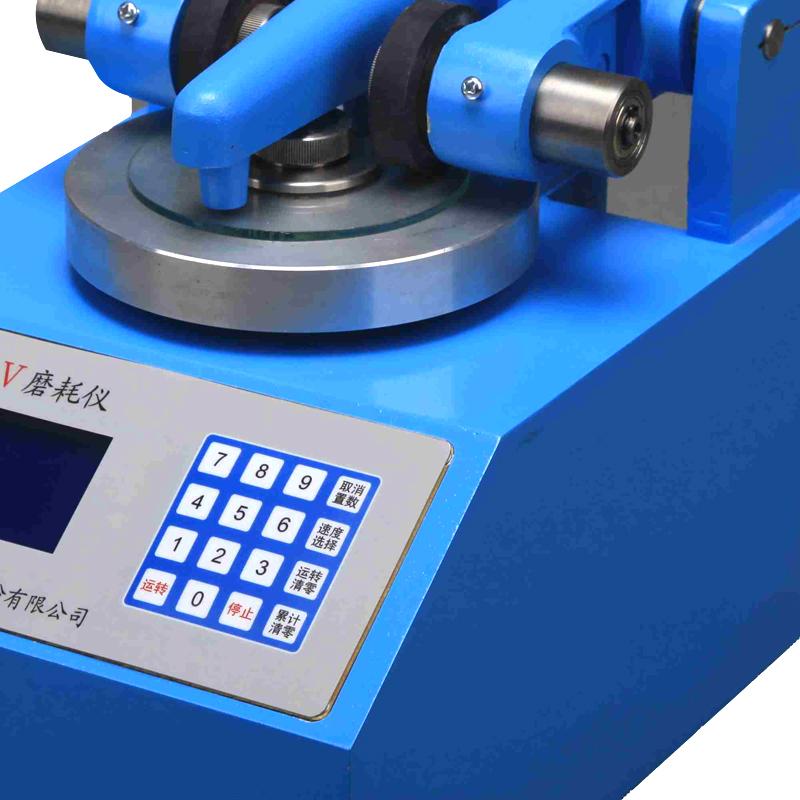

MODERNER JM-V abrasion machine for wood and film dual-use
SE JM-V (film, wood dual-use)


Moderner JM-V (film, wood dual-use) Abrasion instrumentSPEC
Moderner JM-V (film, wood dual-use) Abrasion instrumentDetails
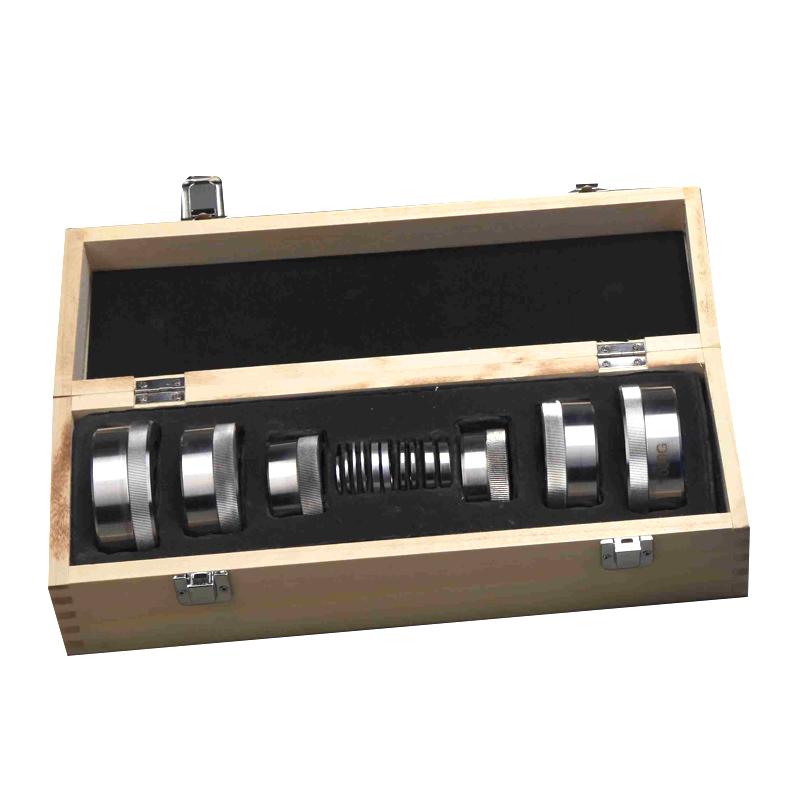
Moderner JM-V (film, wood dual-use) Abrasion instrumentPacking list

- SKU
- NB021925
- Frictional contact form
- surface contact friction
- Frictional contact form
- sliding friction
- Grinding head form
- grinding wheel
- Number of grinding heads
- 1
- friction load
- Actual Weight: paint film 250/500/750/wood 250g < br > Indicated Weight: paint film 500/750/1000/wood 500g
- Rotation speed
- 60/70rpm
- Abrasive wheels size
- 51.6x12.7mm
- Counting method
- electron counting
- Machine size
- 220*280*254mm
- Machine Weight
- 13kg
- Stepper motor parameters
- 2.5A 21kg·cm
- Abrasive wheels equilibrating Weight
- 1/2/5/10/20g (pin 20g)
- meet the standard
- GB/T1768
Introduction
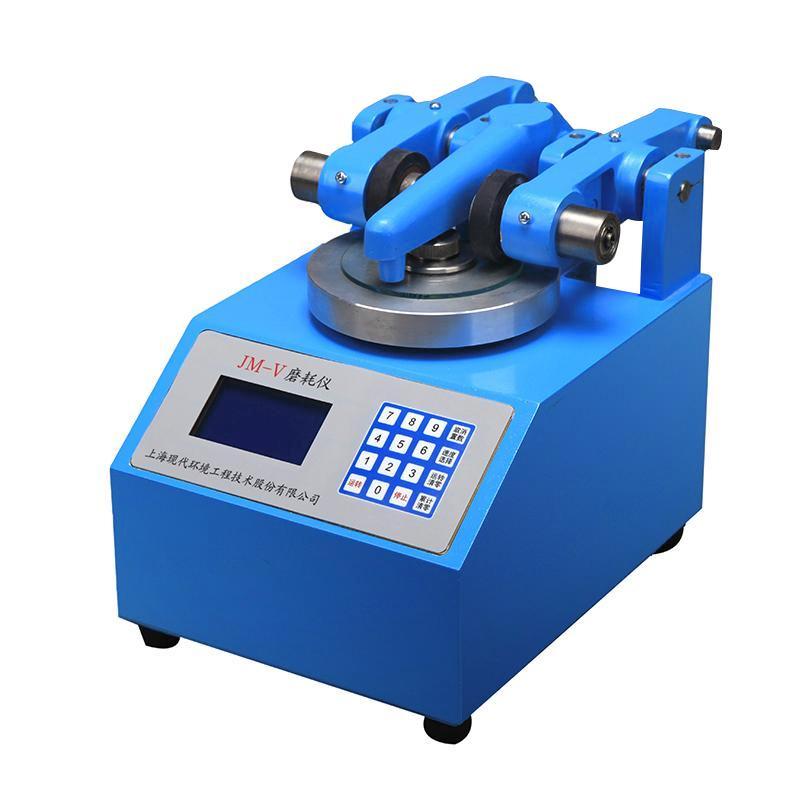
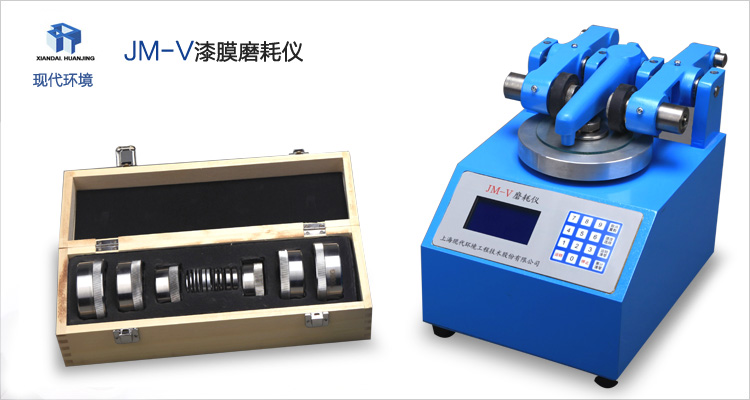
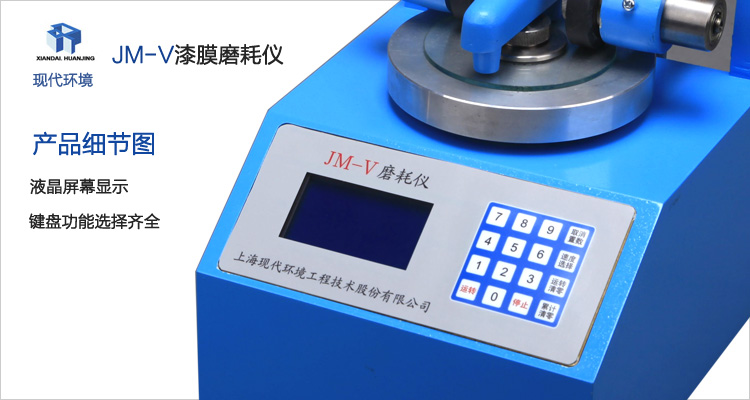
MODERNERJM-V abrasion Tester(Paint film configuration) is to test the wear resistance of the paint paint, using stepper motor drive, programmable control, LCD screen display abrasIon Meter working parameters and operating status. JM-V abrasion Tester is manufactured with reference to GB/1768 paint film wear resistance test parameters, and takes into account the GB/1757 test parameters for wood wear resistance, providing a multi-purpose wear resistance test means. JM-V abrasion Tester is suitable for laboratory testing the wear resistance of various coatings, such as deck paint, floor paint, road paint, etc., and is also suitable for testing the wear resistance of paper, plastic, decorative board, etc., with simple operation, reliable performance, flexible and convenient use.
Parameters
| Model | JM-V |
| Stepper motor parameters | 2.5A 21kg·cm |
| Turntable speed | 60/70r/min |
| Standard working size of grinding wheels | 51.6x12.7mm |
| The actual weight of the load weight | Paint film 250/500/750/wood 250g |
| Load weights indicate weight | Paint film 500/750/1000/wood 500g |
| Grinding wheel balance weights | 1/2/5/10/20g (Pin 20g) |
| Dimensions | 220x280x254 (LxWxH) |
| weight | 13kg |
Note: The weight indicated on the weight is the weight applied to the surface of the specimen(Weight marked on weight = actual weight of weight + weight of pressure sleeve 250g)
Product principle
The abrasIon Meter is to contact two abrasive grinding wheels at a specified distance from each other with the specimen sample installed on the horizontal turntable, and make the central axis of the second grinding wheel and the central axis of the turntable not in the same plane. When the turntable rotates, a grinding wheel on the left produces friction from the outside to the center of the template surface, while a wear wheel on the right produces friction from the center of the template surface to the outside. When the turntable rotates continuously, a series of intersecting rings of friction marks form on the surface of the sample. This abrasion arrangement is adopted, so that the surface of the sample is rubbed in all directions, and the friction of the abrasIon Meter that reciprocates in one direction is avoided, and the abrasion evaluation is more objective.
JM-V abrasion TesterThe stepper motor is used to drive, which avoids the speed change caused by the Voltage fluctuation of the power grid, greatly improves the stability of the working speed of the abrasIon Meter, and makes the abrasion evaluation more comparable.
Instructions for use and maintenance of the product
1. Preparation before start-up:
(1) Correct the horizontal position of the JM-V wear meter, the switch should be in the "off" position, and then plug in the power supply. Note: The ground terminal on the power outlet needs to be connected to the ground wire.
(2) Plug in the vacuum cleaner and insert the hose of the vacuum cleanerJM-V abrasion TesterOn the interface of the vacuum cleaner on the left side, adjust the height of the vacuum pipe (loosen the bolt on the back of the main unit), make the vacuum nozzle 1~2mm away from the surface of the template, and tighten the bolt after adjustment.
(3) When installing the grinding wheel, you need to unscrew the grinding wheel fixing nut first, wipe the dust on the shaft, and then install the grinding wheel that meets the requirements and tighten the nut.
(4) Install the required load weights at the front end of the pressurized arm.
(5) When placing the test sample, first unscrew the nut on the turntable, take out the washer, install the test sample, put the washer and tighten the nut, and then gently put down the pressure arm and put down the suction pipe at the same time.
(6) Add a balance weight to the pin at the end of the compression arm:
Weight of the balance weight = weight of the grinding wheel - weight of the pin 20 grams
For example, if the weight of the grinding wheel is 28 grams, a balance weight of 8 grams is added (the pin is already fixedJM-V abrasion Testerabove)
2. Operation:
(1) When the power switch is turned on, the buzzer makes a "beep" sound, which meansJM-V abrasion TesterSelf-check is working fine.
(2) Then display on the LCD screen in turn: manufacturer name, instrument model, website, product serial number, factory date, operation brief(Please select the running speed, enter the set number of laps, and press the running button)
(3) Then the LCD screen enters the operation interface to display:
"Operating speed: 60 r/min"
"Set the number of laps: "
"Laps: 0000 "
"Cumulative Count: 00 "
JM-V abrasion TesterThe default operating speed is 60r/min, if you want to adjust the operating speed to 70r/min, you only need to press the "speed selection" button. If you press the button again, the running speed will return to 60r/min.
(4) Press the number keys on the keyboard to enter the numbers in turn in the 1,000 digits of the set number of laps. If the number of laps is less than 1,000, the number of thousands should be entered as "0". For example, if you want to calculate 500 revolutions, you should enter "0500" and only enter "500".JM-V abrasion TesterIt will think that the input is missing a bit and refuse to start running.
If you accidentally press the function key, the LCD screen will display "Invalid Input", and you can continue to enter the number. Each digit of the input buzzer will emit a "beep" sound, indicating that the input is valid, otherwise it means invalid. If you find that the input number is incorrect, please press the "Cancel Set" button, and the number after the "Set Lap" will be canceled immediately. If you confirm that the input is correct, please press the "Run" button, and the turntable will run immediately, and the "Number of Running Cycles" will automatically increase by 1 for each revolution. When the number of running turns is the same as the set number of turns, the turntable will automatically stop running, and the buzzer will send out an alarm sound of "Di Di Di", and the "cumulative times" will automatically increase by 1. The "number of running revolutions" is automatically cleared. Count from zero the next time you start. This method of counting is particularly suitable for repeated operation of the abrasIon Meter over multiple cycles. For example, if there are 15 cycles in 500 revolutions, as long as "15" is displayed in the "Cumulative Counts", it means that 15 cycles have been rotated according to the "Set Laps", and do not count them manually.
(5) The "Run Clear" and "Cumulative Clear" buttons can clear the numbers in "Number of Running Laps" and "Cumulative Cycles" respectively. If you press the "Stop" button once during operation, the turntable will stop immediately. The original number and the number of laps that have been run are retained. To continue working, simply press the "Run" button,AbrasIon MeterIt will continue to run until the number of laps is set.
Precautions for use
(1) After the test, the power should be cut off and cleaned up immediatelyAbrasIon Meter, cover the abrasIon Meter well, dustproof and moisture-proof.
(2) When not in use for a long time, the grinding wheel should be removed and put away.
⑶ JM-V abrasion TesteruseIt needs to be overhauled and refueled once every year to two years.
- 1GB/T 44757-2024《Anodizing coating on titanium and titanium alloys》
- 2ASTM D813-2007《Standard Test Method for Rubber Deterioration-Crack Growth》
- 3JC/T 2570-2020《Color sand flooring materials》
- 4 10302-2023《Sag resistance polyurethane waterproofing coating》
- 5 10310-2023《Waterborne polyurethane waterproof coating》
- 6GB/T 4893.8-2023《Test of surface coatings of furniture—Part 8: Determination of resistance to abrasion》
- 7GB/T 39366-2020《Leather colour fastness test, friction colour fastness》
- 8GB/T 13448-2019《Test methods for prepainted steel sheet and strip》
- 9GB/T 22374-2018《Floor coating》
- 10GB/T 12967.1-2020《Test methods for anodic oxidation coatings and organic polymer coatings of aluminium and aluminium alloys―Part 1: Measurement of abrasion resistance》